Overview
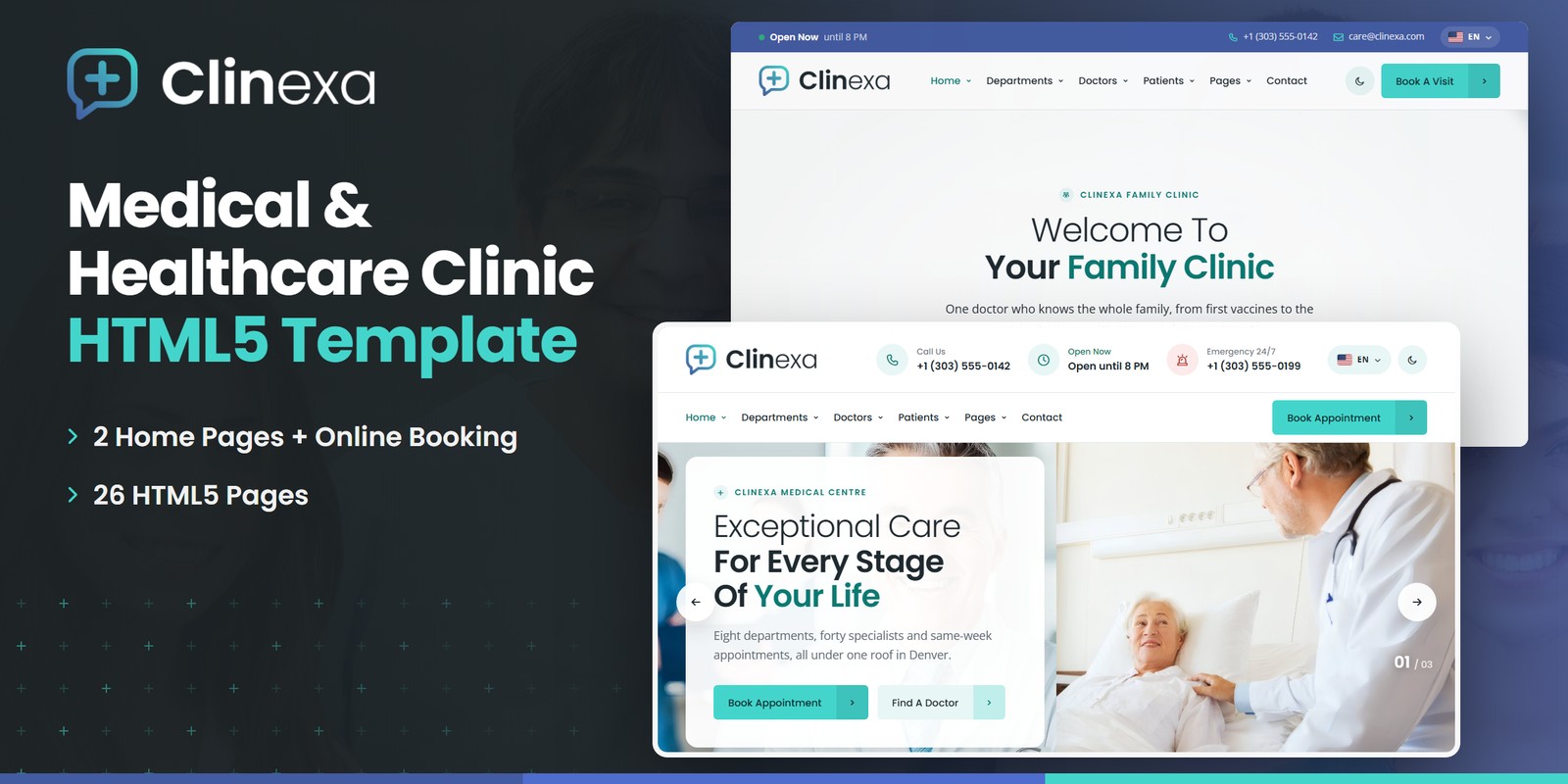
Clinexa is a template for a multi-specialty medical centre: patients find a doctor, see who is in clinic today, book a visit, price a lab panel or a check-up package and estimate what their insurance leaves them to pay. It ships two homepages and the department, doctor, booking, patient-tool, company, journal and account pages — 26 pages sharing one header, departments mega menu and footer, in light and dark themes and left-to-right or right-to-left.
What’s included
- 2 homepages (Clinic and Family Care), each with its own scroll moment: the Visit Route across the floor plan and the Family Tree
- A four-step appointment wizard: department and doctor, a day and a free time from the doctor’s real sessions, the patient, review — with the visit fee and an insurance estimate
- A weekly timetable, live opening hours, who is on duty now and each department’s wait for this hour, all from one clinic data object
- Lab test catalogue with a panel builder (total, fasting, results day), check-up packages with a suggester and a side-by-side comparison, and an insurance cost estimator
- Departments, department details, services, doctors with filters, doctor profiles with their next free slots, and an emergency page
- About, Facilities, Careers, Patient Stories, Journal, FAQ, Contact with a PHP form, account pages, Coming Soon and 404
- Light and dark themes with a switch in the header; right-to-left layout from the stylesheets, chosen from a language picker
- GSAP + ScrollTrigger reveals, a raw WebGL background layer, Swiper sliders and Fancybox popups
- Fully responsive, W3C-valid, zero console errors
Getting Started
Thank you for choosing Clinexa. Follow the steps below to get your clinic online.
1. Open locally
Unzip the package and open index.html in any modern browser. No build tools or server are required.
2. Deploy to a server
Upload the template folder to your host with an FTP client or your hosting control panel. Once uploaded, the site loads from your domain straight away.
3. Customise
All custom styling lives in assets/css/style.css (with a numbered Table of CSS at the top) and assets/css/responsive.css. Colours and fonts are CSS variables — see Colors & Fonts. Your hours, departments, doctors, plans, packages and tests live in one place — see Clinic Data.
assets/img/ with your own photography at the same dimensions. Every image folder is named after what it shows.File Structure
The key files and folders in the template.
index.html | Home 01 — Clinic: hero slider, the three panels, care split, lab test lookup, the Visit Route, gallery, live wait times, team and stories |
homepage-2.html | Home 02 — Family Care: hero with the Find A Doctor panel docked on its edge, family services, BMI calculator, the Family Tree, lifestyle |
about.html / facilities.html / careers.html / patient-stories.html | The centre, its facilities, open roles with a department filter, patient stories and ratings |
departments.html / department-details.html / services.html | Departments by kind of care, one department in full with this week’s clinics and its next opening, the services |
doctors.html / doctor-details.html | Find a doctor (department, name, in clinic today); a doctor’s profile with weekly clinics and the next free slots |
appointment.html / timetable.html | The four-step booking wizard and the weekly clinic timetable |
lab-tests.html / health-packages.html / insurance.html | Lab catalogue with a panel builder, check-up packages with a suggester and a comparison, insurance plans with a cost estimator |
emergency.html | Round-the-clock emergency page with the expected wait for this hour |
blog.html / blog-details.html | Journal with a sidebar; an article with comments, author box and post navigation |
faq.html / contact.html | Questions by topic with search; contact desks, the message form and a map |
login.html / register.html / forgot-password.html | The patient portal’s account pages |
coming-soon.html / 404.html | Countdown page and error page |
sendmail.php | AJAX mail handler for the message forms (see Contact Form) |
assets/css/style.css | All custom styles, numbered Table of CSS (17 sections) |
assets/css/responsive.css | Desktop-first breakpoints 1399 / 1199 / 991 / 767 / 575 |
assets/css/style.rtl.css / responsive.rtl.css | The right-to-left twins (see Dark Mode & RTL) |
assets/css/plugins/ | Bootstrap (LTR and RTL builds), Swiper, Fancybox |
assets/js/main.js | All custom scripts, numbered JS INDEX (30 blocks) |
assets/js/plugins/ | jQuery, Bootstrap, Swiper, Fancybox, GSAP, ScrollTrigger |
assets/img/ | Images, one folder per subject (see Images) |
assets/fonts/cn-icons/ | Clinexa’s own medical icon font: 40 glyphs used as <i class="cni-..."> |
assets/webfonts/ + assets/css/fontawesome-all.css | Font Awesome Free, loaded locally |
Colors & Fonts
The design is driven by CSS variables declared at the top of style.css. Change a token once and every section, button and card follows.
--cn-teal--cn-teal-ink--cn-indigo--cn-blue--cn-charcoal--cn-nightThe three panels
.cn-triThe three-colour bar along the foot of every banner, the panels under the Home 01 hero and the reveal wipe all use the same three tokens in the same order. Teal is the light brand colour (buttons, marks, highlights); text on teal uses --cn-on-teal (#0D2B2E) and teal-coloured text on white uses --cn-teal-ink, so both stay readable.
--cn-teal:     #43D5CB;
--cn-teal-ink: #0B7A72;
--cn-indigo:   #435BA1;
--cn-blue:     #4F6DCD;
Semantic roles
Components read roles rather than raw colours: --cn-ground and --cn-ground-alt (page and quiet bands), --cn-surface and --cn-surface-2 (cards), --cn-heading, --cn-body, --cn-muted, --cn-line, --cn-link and --cn-tonal (the soft face of secondary buttons, chips and tiles). Status colours: --cn-mint (open now) and --cn-alert (closed, emergency). The dark theme redefines only the roles.
Fonts
Two Google Fonts load in the head of each page: Poppins for headings, figures, buttons and navigation and Open Sans for body text. Swap them by editing the Google Fonts link and --cn-ff-head / --cn-ff-body.
Icons
Medical glyphs (stethoscope, heart monitor, flask, tooth, the plus and the rest) come from the template’s own icon font, assets/fonts/cn-icons/, with 40 glyphs used as <i class="cni-stethoscope"></i>. Everything else uses Font Awesome Free (fas, far, fab).
Spacing and wide screens
Sections use .cn-pt-120 / .cn-pb-120 (and 90px variants), stepped down at each breakpoint in responsive.css. From 1600px the container widens to 1440px and the body text grows a step; from 1960px the container is 1560px, so large screens are not left with empty margins.
Dark Mode & RTL
Light and dark themes
The moon / sun button in the header sets data-theme="dark" on <html> and remembers the choice in localStorage (cn-theme). A small script in the head applies it before the page paints, so there is no flash. The dark values live in one block, [data-theme="dark"] { ... }, next to :root — for example --cn-ground: #11181B and --cn-surface: #182126. The WebGL layer reads the tokens and repaints when the theme changes.
To ship one theme only, delete the switch and set data-theme on <html> yourself.
Right to left
Every page is a single file. The language picker in the header stores a right-to-left choice (cn-dir) and the head script then sets dir="rtl" and swaps each stylesheet marked data-rtl for its twin: bootstrap.rtl.min.css, style.rtl.css and responsive.rtl.css. The demo copy stays in English; the layout mirrors, while phone numbers, prices and times keep their left-to-right order.
For a site that is always right to left, put dir="rtl" on <html> and link the .rtl.css files directly. If you edit style.css, regenerate its twin with any RTLCSS tool, or make the same change in both files.
Clinic Data
The first block of main.js, Clinic Data (block 01), holds one object, CLINIC. Every time-related or priced figure on the site is computed from it, so editing it updates the homepages, the timetable, the booking wizard, the doctor and department pages and the patient tools together.
- tz and hours — the centre’s time zone and its opening hours per weekday (
"0"= Sunday …"6"= Saturday, each["08:00", "20:00"]). Open now, closing soon and the next opening are read on the centre’s clock, wherever the visitor is. - load and each department’s per — how busy each hour is (0–1) and the department’s wait in minutes at full load; divided by the doctors on duty, they give the wait shown for this hour.
- departments —
id,nameand theiconclass. - doctors —
id,name,dept,role,img, the visitfee, theslotlength in minutes and the weeklysessions:{"1": ["08:00", "13:00", "C-204"]}= Monday 8–1 in room C-204. - plans — insurance plans with their coinsurance %, copay and deductible.
- packages — check-ups with price, age band,
sex(any,female,male), the checks and the visit length. - tests — lab tests with category, price, hours of fasting and working days to the result.
- visitTypes and visits — in person or video (the fee factor), and the visit prices the estimator offers.
data-doctor) and the timetable entries (data-tt-doc) the same id as in CLINIC.doctors.Patient Tools
The controls on screen calculate what they show. Everything is plain jQuery in main.js with no backend.
- Appointment Booking (block 17) — four steps that never block: department and doctor, then the next two weeks on which that doctor holds a clinic and the session’s free times, then the patient and the review. A video visit costs a quarter less; the chosen plan turns the fee into an estimate. Only Confirm checks the form, and the done panel offers a calendar file.
- Clinic Schedule (block 07) — who is on duty now, each doctor’s next opening and the free slots. Booked times are a stable hash of doctor, date and time, so every page shows the same diary.
- Timetable (block 16) — the weekly grid with department and doctor filters, today and the current block marked; below 992px it shows one day at a time.
- Lab Panel (block 18) and Lab Test Lookup (block 09) — the panel totals the tests added, takes the longest fast of any test and gives the working day the last result is ready (weekends skipped).
- Health Packages (block 23) — suggests the package whose age band holds the visitor’s age (preferring one made for their sex) and compares any two, check by check.
- Cost Estimator (block 24) — the deductible still to meet is paid first, then the coinsurance share of the rest; the copay is the floor and the out-of-pocket amount left is the ceiling.
- BMI Calculator (block 11) — metric or imperial, with the healthy weight range for the height.
- Opening Hours (block 06), Clinic Pages (block 25) — open-now lines, the emergency wait for this hour, a department’s clinics this week and a doctor’s next free slots.
- Filters & Search (block 14), FAQ (block 15) and Quick Find (block 13) — departments, doctors, jobs and articles filter in place; the Find A Doctor panel and every Book link hand their choice to the booking page through
sessionStorage, so links stay plain page addresses. - Account Forms (block 27) and Launch Countdown (block 28) — the portal forms with a password meter; the launch countdown takes
data-countdown="+40"(days from today) or a fixed date, so the demo never shows a launch in the past.
CLINIC. To take real bookings, point its Confirm step at your scheduling system and return the busy times instead of the demo hash.JavaScript Guide
All custom behaviour lives in assets/js/main.js, wrapped in a jQuery IIFE and organised into 30 numbered blocks (see the JS INDEX at the top of the file):
- 01–08 — Core: clinic data, preloader, sticky header, offcanvas, reveals, opening hours, the clinic schedule, sliders
- 09–13 — Homes: lab test lookup, Visit Route, BMI calculator, Family Tree, quick find
- 14–19 — Finding and booking: filters and search, FAQ, timetable, appointment booking, lab panel, custom select
- 20–25 — Theme and tools: light / dark and direction, the WebGL layer, contact form, health packages, cost estimator, clinic pages
- 26–30 — Utilities: counters, account forms, launch countdown, lightbox, back to top
Each block is a self-contained doSomething() function that skips pages where its section is not present, so any block can be deleted. Every animation respects prefers-reduced-motion, and anything hidden for a reveal is shown again on every path that skips the animation.
The signature motion
- Preloader (block 02): the logo’s consult bubble draws its outline, the plus locks in, then the logo flies to its place in the header. It plays once per visit.
- Scroll Reveals (block 05): photos open behind a wipe of the three panel colours (
.cn-wipe); text fades up (.cn-fade, withdata-delay). - Visit Route (block 10): Home 01 — the visit is drawn as a route across the ground-floor plan while the section crosses the screen.
- Family Tree (block 12): Home 02 — the branches grow from the grandparents to the children, each member arriving with their next check-up.
- WebGL Layer (block 21): a faint field of plus marks behind the heroes and page titles, and a slow helix in the footer. Each canvas paints only while it is on screen.
- Light And Dark Mode (block 20) and Counters (block 26) — the light / dark switch and the language picker; figures that count up once.
Images
The download ships with neutral placeholder images at the exact dimensions of the demo photography, so every layout keeps its shape. Replace them with your own photos using the same file names, or change the src attributes.
assets/img/hero/ | Hero slides and the photo bands behind the page titles — 1496×1219 (2), 1830×1165 (1), 1605×1165 (1) |
assets/img/bg/ | Section photo grounds under the brand wash — 1920×500 (1), 3840×1208 (1), 3840×1096 (1) |
assets/img/about/ | About, story and team photos, and the two cut-out portraits — 1300×826 (2), 1408×781 (1), 800×739 (1) |
assets/img/clinic/ | Facilities, gallery and department photos — 800×523 (4), 800×711 (2), 800×759 (2) |
assets/img/departments/ | Department cover — 1399×756 (1) |
assets/img/services/ | Service cards — 800×551 (2), 800×432 (2), 800×523 (2) |
assets/img/lab/ | The lab band — 1687×1007 (1) |
assets/img/doctors/ | Doctor portraits on cards, profiles and the booking wizard — 800×800 (8) |
assets/img/patients/ | Round patient portraits on stories and reviews — 100×100 (6) |
assets/img/family/ | The Family Tree members on Home 02 — 320×320 (7) |
assets/img/blog/ | Journal pictures — 1300×776 (7) |
assets/img/logo/ | Logo, light logo, favicon and the 512px mark (kept in the download) — 455×106 (2), 64×64 (1), 512×512 (1) |
assets/img/flags/ | 7 country flags as SVG for the language picker (kept in the download) — SVG |
The logo files, favicon and flags are included and ready to use. All demo photography on the live preview is for preview purposes only and is not included in the download.
Contact Form
The contact page and the help forms post to sendmail.php, a lightweight AJAX mail handler — the success or error message appears under the button without reloading the page. To activate it on your server:
1. Set your email address
Open sendmail.php and replace the placeholder recipient at the top of the file with your own address:
$email = 'hello@yourdomain.com';2. Upload to a PHP host
The form needs a server with PHP mail() support. It will not send from your computer or a static-only host — there the form shows an “upload to a PHP-enabled host” notice instead.
3. Optional: enable Google reCAPTCHA v3
Invisible reCAPTCHA v3 spam protection is built into the handler and stays dormant until the form sends a token. To switch it on:
- Create v3 keys (a site key and a secret key) for your domain in the Google reCAPTCHA admin console
- In
sendmail.php, replaceYOUR_RECAPTCHA_V3_SECRET_KEYwith your secret key - In
contact.html, add a hidden token field inside the form and load the reCAPTCHA script with your site key just before</body>:
<!-- inside the contact form -->
<input type="hidden" name="g-recaptcha-response" id="g-recaptcha-response">

<!-- before the closing </body> tag -->
<script src="https://www.google.com/recaptcha/api.js?render=YOUR_SITE_KEY"></script>
<script>
  grecaptcha.ready(function () {
    grecaptcha.execute('YOUR_SITE_KEY', { action: 'contact' }).then(function (token) {
      document.getElementById('g-recaptcha-response').value = token;
    });
  });
</script>
Once the token field is present, sendmail.php verifies every submission with Google and rejects low-score requests. The booking wizard, newsletter, account, comment and coming-soon forms are front-end only — point their action at your backend.
Credits
This template is built with the following open-source libraries and resources.
- Bootstrap 5.3
- jQuery 3.7.1
- Swiper 11
- GSAP 3 + ScrollTrigger
- Fancybox 3
- Font Awesome Free
- Google Fonts: Poppins, Open Sans
- Flag icons (SVG)
All plugin files and icon fonts load locally. The only external requests are the Google Fonts stylesheet and the Google Maps embed on the contact page.
Support
If you have a question or need help with the template, contact us through the support page of the marketplace where you purchased it. We aim to reply within 24–48 hours.