Overview
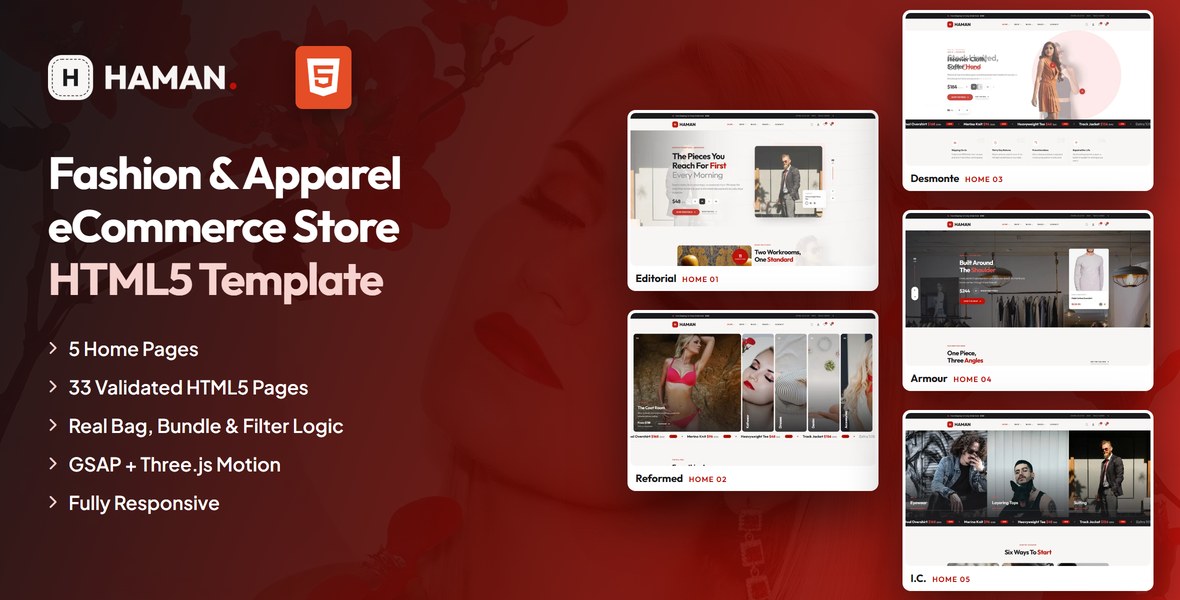
A modern HTML template for clothing labels, apparel studios, streetwear shops and fashion boutiques. Haman ships five distinct homepages, a seven-layout shop, three product page styles, a working bag and checkout, a nine-layout blog and a full set of utility pages — thirty-three pages sharing one header, two mega menus and one footer.
What’s included
- 5 homepage designs (Editorial, Reformed, Desmonte, Armour and I.C.)
- Shop in seven layouts: grid, grid full width, grid with left or right sidebar, list, list with left or right sidebar
- Three product page styles (thumbnail strip, rail and wall galleries) with a tabbed description, cloth & care and reviews panel
- Working bag and checkout: quantity steppers that recalculate lines and totals, a coupon field and a live order summary
- Real shop behaviour: mini-bag maths, a three-piece bundle builder with its discount, shop sorting, filter chips and a rolling drop countdown
- Blog in nine layouts, About with a studio film and three pinned locations, Contact with a working PHP form and map, FAQ, Login, Register, Coming Soon and 404
- A Home mega menu that previews every homepage and a Shop mega menu with a photographic category rail
- GSAP + ScrollTrigger reveals, a three.js hero scene, Swiper sliders and Fancybox film popups
- Fully responsive, W3C-valid, zero console errors
Getting Started
Thank you for choosing Haman. Follow the steps below to get your store live.
1. Open locally
Unzip the downloaded package and open index.html in any modern browser (Chrome, Firefox, Edge, Safari). No build tools or server are required — all files are ready to use as-is.
2. Deploy to a server
Upload the entire template folder to your hosting provider using an FTP client (such as FileZilla) or your hosting control panel. Once uploaded, navigate to your domain and the template will load immediately.
3. Customise
All custom styling lives in assets/css/style.css (with a numbered Table of CSS at the top) and assets/css/responsive.css. Colours and fonts are controlled by CSS variables — see Colors & Fonts below.
assets/img/ with your own photography at the same dimensions for the best result. Every image folder is named after the section that uses it.
File Structure
Below is an overview of the key files and folders included in this template.
index.html | Home 01 — Editorial |
reformed.html | Home 02 — Reformed (expanding gallery, bundle builder, offer slider) |
desmonte.html | Home 03 — Desmonte (cut-out split heroes with shoppable dots) |
armour.html | Home 04 — Armour (wide hero, one piece in three angles) |
ic.html | Home 05 — I.C. (three-rail panel hero, category tiles, featured wall) |
shop-grid.html … shop-list-right-sidebar.html | Seven shop layouts sharing one toolbar, sort and filter set |
product-details.html + two variants | Three gallery styles, tabbed panel, making-of film, four product rails |
cart.html / checkout.html | Shopping bag with live totals, checkout with order summary |
blog.html … blog-details-right-sidebar.html | Nine blog layouts (grid, list and article, each with or without a sidebar) |
about-us.html / contact-us.html | Studio story with locations map, contact form and map |
faq.html / login.html / register.html | Filterable FAQ and account pages |
coming-soon.html / 404.html | Utility pages (live countdown, error page) |
sendmail.php | Contact form mail handler (see Contact Form) |
assets/css/style.css | All custom styles, numbered Table of CSS (54 sections) |
assets/css/responsive.css | Desktop-first breakpoints: 1399 / 1199 / 991 / 767 / 575 |
assets/css/plugins/ | Bootstrap, Swiper, Fancybox (vendor CSS) |
assets/js/main.js | All custom scripts, numbered JS INDEX (39 blocks) |
assets/js/plugins/ | jQuery, Bootstrap, Swiper, GSAP, ScrollTrigger, three.js, Fancybox |
assets/img/ | Images grouped per section (banner, products, blog, collections, home …) |
assets/webfonts/ + assets/css/fontawesome-all.css | Font Awesome Free, loaded locally |
assets/fonts/ + assets/css/flaticon.css | Apparel icon font, loaded locally |
Colors & Fonts
The whole design is driven by CSS variables declared at the top of style.css. Change a token once and every section, button and card updates.
--hn-color-primary--hn-color-primary-bright--hn-color-ink--hn-color-paper--hn-color-tintFonts
Two Google Fonts are loaded in the head of each page: Outfit (headings, prices and display type) and Plus Jakarta Sans (body text, buttons and navigation). Swap them by editing the Google Fonts link and the --hn-ff-* variables.
Spacing
Sections use the utility classes .sec-pt-130 and .sec-pb-130 (and the 90px variants). The whole ladder steps down at each breakpoint in responsive.css, so changing one value there rescales the rhythm of every page.
Shop Logic
The demo shop is not decorative — the numbers on screen are calculated. Everything below is plain jQuery in main.js with no backend, so you can hand it to your developer or wire it to your own cart.
- Mini bag (block 07) — every
.hn-product-atcbutton reads thedata-id,data-name,data-price,data-imganddata-metaattributes from its card, adds the line to the drawer, merges duplicates and recalculates the subtotal and the header count. - Bundle builder (block 25) — pick one piece per column and the panel totals the three, applies the 15% bundle discount and updates the saving. The discount lives in one constant at the top of the block.
- Shop sorting (block 32) — the sort select reorders the real cards in the grid by price or name using each card’s
data-price/data-name. - Filter chips (block 24) — the chips on the Reformed homepage filter the grid by the tags in each card’s
data-tags. - Bag page (block 33) — the quantity steppers recalculate the line total, the subtotal and the order total on the spot.
- Drop countdown (block 17) — reads
data-countdownand rolls the target forward a week at a time, so the demo never shows an expired drop. Set it to your real date, e.g.data-countdown="2027-03-01T09:00:00". - Featured swap (block 38) — the three thumbnails on a featured card swap the main shot; each thumbnail carries its own
data-shotanddata-alt. - Locations map (block 39) — each marker carries a
data-mapembed URL; clicking one moves the map and highlights the matching address card.
data-price attribute, never from the visible text — so you can format the displayed price any way you like without breaking the totals.JavaScript Guide
All custom behaviour lives in assets/js/main.js, wrapped in a jQuery IIFE and organised into numbered blocks (see the JS INDEX comment at the top of the file):
- 01–06 — Preloader, sticky header, cursor, offcanvas menu, search overlay, cart drawer
- 07–09 — Cart logic, magnetic buttons, scroll reveals
- 10–13 — Hero slider, marquees, collections rail, product sliders
- 14–17 — Product actions, option pickers, counters, countdown
- 18–22 — Lookbook, testimonials, quick view, three.js scene, back to top
- 23–28 — Expanding gallery, grid filters, bundle builder, Instagram slider, split and wide heroes
- 29–34 — Product gallery, product tabs, accordion, shop sorting, bag page, contact form
- 35–39 — Promo popup, product rails, offer slider, featured swap, locations map
Each block is a self-contained doSomething() function that safely skips pages where its section is not present — you can delete any block you do not need. Every animation respects prefers-reduced-motion automatically.
Images
The download package ships with neutral placeholder images so you can see every layout at the correct dimensions. Replace them with your own photos using the same file names, or update the src attributes. Images are grouped by section inside assets/img/.
The logo files, the favicon and the homepage thumbnails used by the Home mega menu are included and ready to use. All demo photography shown on the live preview is for preview purposes only and is not included in the download.
assets/img/home/home-1.webp … home-5.webp (768×480). Re-shoot your own homepages at that size and drop them in.Contact Form
The contact page posts to sendmail.php, a lightweight AJAX mail handler — the success or error message appears under the Send button without reloading the page. To activate it on your server:
1. Set your email address
Open sendmail.php and replace the placeholder recipient at the top of the file with your own address:
$toEmail = 'hello@yourdomain.com';2. Upload to a PHP host
The form needs a server with PHP mail() support (virtually every shared host). It will not send from your local computer or from a static-only host — there the form shows a friendly “upload to a PHP-enabled host” notice instead.
3. Optional: enable Google reCAPTCHA v3
Invisible reCAPTCHA v3 spam protection is already built into the handler. It stays dormant until the form submits a token — that is why no badge or checkbox appears out of the box. To switch it on:
- Create v3 keys (a site key and a secret key) for your domain in the Google reCAPTCHA admin console
- In
sendmail.php, replaceYOUR_RECAPTCHA_V3_SECRET_KEYwith your secret key - In
contact-us.html, add a hidden token field inside the form and load the reCAPTCHA script with your site key just before</body>:
<!-- inside the contact form -->
<input type="hidden" name="g-recaptcha-response" id="g-recaptcha-response">

<!-- before the closing </body> tag -->
<script src="https://www.google.com/recaptcha/api.js?render=YOUR_SITE_KEY"></script>
<script>
  grecaptcha.ready(function () {
    grecaptcha.execute('YOUR_SITE_KEY', { action: 'contact' }).then(function (token) {
      document.getElementById('g-recaptcha-response').value = token;
    });
  });
</script>
Once the token field is present, sendmail.php verifies every submission with Google automatically and rejects low-score (bot) requests.
The newsletter, promo, review and account forms are front-end only by default — point their action attributes at your backend of choice.
Credits
This template is built using the following open-source libraries and resources.
- Bootstrap 5.3
- jQuery 3.7.1
- Swiper 11
- GSAP 3 + ScrollTrigger
- three.js r128
- Fancybox 3
- Font Awesome Free
- Apparel icons by Freepik (CC BY 3.0)
- Google Fonts: Outfit, Plus Jakarta Sans
All plugin files and icon fonts are loaded locally. The only external requests are the Google Fonts stylesheets and the optional Google Maps embeds.
Support
If you have any questions or need help with the template, please reach out through our ThemeForest profile. We aim to respond within 24–48 hours.