Overview
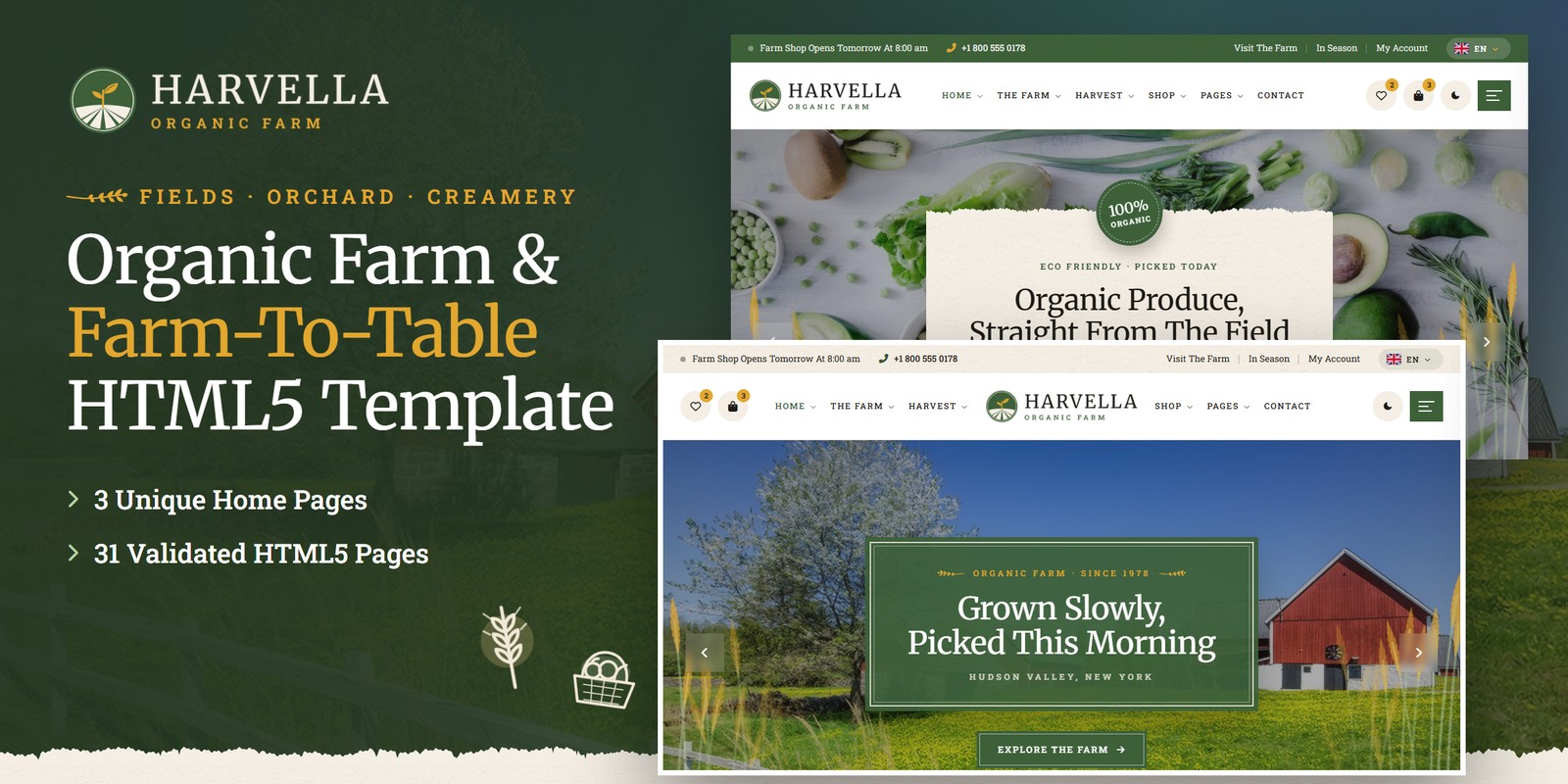
An earthy, animated HTML template for organic farms, farm shops, market gardens, creameries, apiaries and farm-to-table kitchens. Harvella ships three home pages, a light and a dark theme, right-to-left support, and farm logic that is worked out rather than typed in: a harvest box priced as you build it, a growing calendar for every crop, farm visits with places left and guest prices, the farm shop’s live open status, the next date of every event, a recipe scaler and a shop with a bag, coupon, shipping and tax.
What’s included
- 3 home pages, each with its own scroll moment: Season Shift (the farm-year band ripens from spring green to harvest gold), Produce Depths (produce cut-outs float on three depths round the market copy) and Harvest Figures (the season’s harvest adds up toward its goals)
- Light and dark mode on one switch in every header, remembered between visits and applied before the page paints
- Right-to-left stylesheets and a flag language picker in every header: a right-to-left language turns any page around
- WebGL layers — the Wheat Field swaying at the edges of the heroes and banners, and a seedling drawn in light in the footer — tinted by the theme colours
- Harvest box builder: size, how often, extras and delivery zone, priced a box and a month, with the saving and this month’s contents
- Growing calendar of 36 crops by month, with kinds, search and a month picker; “ripe this month” on Home 2
- Four-step Visit The Farm wizard: experience, day and start time with places left, guests at their own prices, confirm
- Farm shop hours with the live open status in every top bar, the footer and the contact page
- Events dated from repeat rules (every Saturday, the first Friday, a yearly day); recipes with a servings scaler
- The farm shop: categories, price, sort and search, product page, bag, coupon, free-shipping meter, tax, checkout with an order number, wishlist
- Farmers, gallery with filters, history, journal with search, FAQ with search, account pages, coming soon, 404
- Furrow Rows preloader, a wheat-ear cursor, Sprout reveals with field-line rules, Swiper sliders and Fancybox popups
- Fully responsive, W3C-valid, zero console errors
Getting Started
Thank you for choosing Harvella. Follow the steps below to get your site live.
1. Open locally
Unzip the downloaded package and open harvella/index.html in any modern browser (Chrome, Firefox, Edge,
Safari). No build tools or server are required — the box builder, calendar, booking, events, recipes and shop all
work straight from the files.
2. Deploy to a server
Upload the contents of the harvella/ folder to your hosting provider using an FTP client (such as FileZilla)
or your hosting control panel. Once uploaded, navigate to your domain and the template will load immediately.
3. Customise
All custom styling lives in assets/css/style.css (with a numbered Table of CSS at the top) and
assets/css/responsive.css. Colours and fonts are controlled by CSS variables — see
Colors & Fonts. Hours, crops, products, boxes, visits, events, recipes and the
harvest figures live in one place — see Farm Logic.
assets/img/ with your own photography at the
same dimensions for the best result. Product shots and the produce in img/cutouts/ look best as PNGs on a
transparent ground.
File Structure
Below is an overview of the key files and folders included in this template.
index.html / homepage-2.html / homepage-3.html | Three home pages: Organic Farm (Season Shift), Farm Shop & Market (Produce Depths), Farm To Table (Harvest Figures) |
about.html / farm-history.html | The farm’s story, its rules, herd figures and farmers; a milestone-by-milestone history |
what-we-grow.html / grow-details.html | Six corners of the farm, the creamery and the box plans; one growing area with its crops and questions |
farmers.html / farmer-details.html | The farmers and the seasonal crew call; a farmer profile |
gallery.html / faq.html | The farm gallery with filters; questions by topic with search |
harvest-box.html | The harvest box builder: size, rhythm, extras and delivery, priced as you choose, with this month’s contents |
whats-in-season.html | The growing calendar: every crop by month, kinds, search and a month picker |
visit-the-farm.html | Four experiences and a four-step booking wizard with places left and guest prices |
events.html / event-details.html | Events with their next dates from repeat rules; one event with its menu and the next four dates |
recipes.html / recipe-details.html | Farm recipes with search; one recipe with a servings scaler |
shop.html / product-single.html / cart.html / checkout.html / wishlist.html | The farm shop: categories, price, sort and search, product, bag, checkout, wishlist |
blog.html / blog-details.html | The farm journal with search and six post formats; an article with reading time, share and comments |
contact.html | Contact cards with the shop’s live status, the week’s hours, map and the contact form |
login.html / register.html / forgot-password.html | Account pages |
coming-soon.html / 404.html | Countdown to the farm kitchen’s opening, error page |
sendmail.php | AJAX mail handler for the contact and comment forms (see Contact Form) |
assets/css/style.css | All custom styles, numbered Table of CSS (17 sections) |
assets/css/responsive.css | Desktop-first breakpoints 1399 / 1199 / 991 / 767 / 575, plus wide screens from 1600 and 1960 |
assets/css/style.rtl.css / responsive.rtl.css | The right-to-left twins (see RTL) |
assets/css/plugins/ | Bootstrap (LTR and RTL), Swiper, Fancybox (vendor CSS) |
assets/js/main.js | All custom scripts, numbered JS INDEX (33 blocks) |
assets/js/plugins/ | jQuery, Bootstrap, Swiper, Fancybox, GSAP, ScrollTrigger |
assets/img/ | Images, one folder per section (see Images) |
assets/fonts/theme-icons/ | The sun and moon of the theme switch, loaded locally |
assets/webfonts/ + assets/css/fontawesome-all.css | Font Awesome Free, loaded locally |
Folder Structure
The package unzips to two folders: Documentation/ (this guide) and harvella/, the template.
Every page sits in the template’s root; everything the pages load sits under assets/:
harvella/
├── *.html                              the 31 pages, all in the root (see File Structure)
├── sendmail.php                        the AJAX mail handler for the forms
└── assets/
    ├── css/
    │   ├── style.css                   all custom styles, numbered Table of CSS
    │   ├── style.rtl.css               the right-to-left twin of style.css
    │   ├── responsive.css              breakpoints 1399 / 1199 / 991 / 767 / 575
    │   ├── responsive.rtl.css          the right-to-left twin of responsive.css
    │   ├── fontawesome-all.css         Font Awesome Free, loaded locally
    │   └── plugins/                    vendor stylesheets
    │       ├── bootstrap.min.css
    │       ├── bootstrap.rtl.min.css   Bootstrap for right-to-left pages
    │       ├── jquery.fancybox.min.css
    │       └── swiper-bundle.min.css
    ├── js/
    │   ├── main.js                     all custom scripts, numbered JS INDEX (33 blocks)
    │   └── plugins/                    vendor scripts
    │       ├── bootstrap.bundle.min.js
    │       ├── gsap.min.js
    │       ├── jquery-3.7.1.min.js
    │       ├── jquery.fancybox.min.js
    │       ├── ScrollTrigger.min.js
    │       └── swiper-bundle.min.js
    ├── fonts/
    │   └── theme-icons/                the sun and moon of the theme switch
    ├── webfonts/                       Font Awesome Free font files
    └── img/                            images, one folder per section
        ├── banner/                      2 files
        ├── blog/                        4 files
        ├── cutouts/                     8 files
        ├── engravings/                  11 files
        ├── faces/                       7 files
        ├── flags/                       6 files
        ├── gallery/                     38 files
        ├── history/                     4 files
        ├── home/                        8 files
        ├── icons/                       50 files
        ├── logo/                        4 files
        ├── menu/                        3 files
        ├── products/                    22 files
        ├── team/                        5 files
        └── textures/                    17 files
To publish the site, upload the contents of harvella/ to your web root. Photos keep their folder,
file name and size when you replace them, so no page needs editing.
Colors & Fonts
The whole design is driven by CSS variables declared at the top of style.css. Change a token once and every
section, button and card updates. Colours used with transparency have an -rgb twin (for example
--hv-green-rgb) — change both together.
--hv-green--hv-green-deep--hv-green-text--hv-gold--hv-gold-text--hv-spring--hv-bg--hv-paper--hv-paper-2--hv-charcoal--hv-heading--hv-textField green fills the buttons, bands, date tags and the furrow line under every title; harvest gold is the accent of
prices, the crest and the night bands, with a darker gold for small text. The paper grounds carry a fibre grain and tear
into their neighbours with the torn edges in img/textures/; the footer sits on charcoal.
--hv-bg, --hv-surface, --hv-paper, --hv-heading and --hv-text
are the semantic names the components use — the dark theme swaps those (see Light & Dark Mode).
Fonts
Two Google Fonts are loaded in the head of each page: Merriweather (headings, prices and figures) and
Roboto Slab (body, navigation, buttons and labels). Swap them by editing the Google Fonts link and the
--hv-ff-head / --hv-ff-body variables.
Logo
The logo is a round emblem — a green disc, cream field rows running to a low hill and a gold seedling rising over
them — beside HARVELLA in Merriweather capitals with an ORGANIC FARM line. It ships as ready-made PNG files in
assets/img/logo/:
logo.png— for light grounds: the headerslogo-light.png— for dark grounds: the charcoal footer, the farm-kitchen header, dark modemark.png— the emblem alone, used by the preloaderfavicon.png— the browser tab icon
The logo’s lettering appears only inside the images. To use your own logo, replace these files; the header sizes the logo by its height, so a wider or narrower file needs no CSS change.
Light & Dark Mode
Every header (and the mobile menu) has a theme switch. The choice is saved in the browser under the key
harvella-theme and applied by a one-line script in the <head> before the page paints, so a
dark visitor never sees a light flash. The switch sets data-theme="dark" on the <html> tag.
--hv-bg--hv-surface--hv-paper--hv-heading- Tokens — the dark values sit in one block,
[data-theme="dark"] { … }, right after:rootinstyle.css. Change a dark colour there. - Bands that stay dark — sections with the class
is-night(the harvest figures, the box and visit summaries, the calendar side panel, the charcoal footer) are dark in both themes. A light card placed inside one takeshv-on-lightto keep its own ink. - Illustrated icons — each icon ships in a sepia and a cream ink; the right one shows by theme and ground on its own. The torn paper edges have their own dark files, swapped by the theme tokens.
- Start dark — to open the site dark for first-time visitors, add
data-theme="dark"to the<html>tag of each page; the switch still works and is still remembered.
Farm Logic
The figures on every page come from one data block, JS block 09 Farm Data near the
top of main.js (var FARM). Edit it once and the cards, prices, calendars and totals follow.
Prices are in US dollars; times are minutes after midnight (480 = 8:00 am); months are 1–12.
hours | The farm shop’s opening and closing time for each weekday (0 = Sunday); null closes the day (Monday in the demo). The open-now lines and every hours list read it. |
season | Every crop with its kind and the months it is picked. The growing calendar, the box contents and “ripe this month” read it. |
products / shop | Shop products (price, struck old price, unit, category, rating) and the shop rules: free shipping from $60, otherwise $7 (express $15), tax 6%, coupon HARVEST10 for 10% off. |
boxes / frequency / addons / zones | The three box sizes and their items, the delivery rhythms with deliveries a month and their discount, the extras a box, the delivery zones with their fee and day. |
visits / visitAhead | The four experiences: adult and child price (under-fours free), length, the weekdays they run, start times and places; and how many days ahead they can be booked (28). |
events | Events with a repeat rule — weekly on a weekday, nth weekday of the month, or yearly on a date — with times, place and price. |
recipes | Recipes with their servings and ingredients as [amount, unit, name]; the scaler rescales the amounts. |
harvest / team | The season’s harvest figures against their goals (Home 3) and the farmers. |
The harvest box
Each box is the size’s price less the rhythm’s discount, plus the extras, plus the zone’s delivery fee; a month is that times the deliveries a month. The first delivery falls on the zone’s weekday at least two days out.
Visiting the farm
The wizard lists the next days the chosen experience runs, drops today’s start times within the hour, and works
out places already taken from the date so the demo looks lived-in — replace taken() (block
32 Farm Visit Booking) with your own bookings. Continue never blocks; Confirm checks the
guests and details and gives a reference made from the date.
How the shop totals
HARVEST10: $31.99 − $3.20, shipping
$7.00, tax $1.73 — $37.52.The bag, the wishlist and the applied coupon are kept in the browser (localStorage), so they follow the
visitor from page to page. The first visit starts with a small demo bag and wishlist so every shop page has something to
show; to start empty, set the two demo lists in doShop() (block 28 Farm Shop)
to []. Checkout, the box and visit bookings confirm on screen with a reference — connect them to your own
systems to take real orders.
WebGL Layers
Two small WebGL shaders draw the moving layers: the wheat — stylised stalks standing in a band at each edge of the heroes, the page banners, coming soon and 404, swaying at their own pace, gold ears leaning on — and the seedling — the footer’s brand object, a seedling drawn in light that grows when it is first seen, unfurls its two leaves and breathes, with motes of light rising from the soil. Each is one canvas:
<canvas class="hv-gl" data-gl="wheat" aria-hidden="true"></canvas>- Colours — each layer reads three colours and an opacity from CSS variables on its canvas or
section:
--gl-1,--gl-2,--gl-3and--gl-alpha. The theme switch repaints them. - Performance — a layer only runs while its section is on screen and the tab is visible. Visitors who prefer reduced motion get one still frame. Without WebGL, the section’s own background shows.
- Remove one — delete the canvas; nothing else depends on it.
RTL (Right To Left)
Harvella is RTL-ready: the layout with its paddings and margins, the sliders and the animations all mirror. Right to
left comes from the stylesheets, not from separate pages: the language picker (a flag and a code) beside the light / dark
switch lists the languages that read left to right and right to left. Choosing Arabic stores the language and the
direction (keys harvella-lang and harvella-dir) and reloads; the one-line script in <head>
then sets dir="rtl" and swaps the three stylesheets for the files named in their data-rtl
attribute before the page paints. Nothing is translated — you bring your own right-to-left copy. To make a page
right to left for good:
1. Set The Direction
Add dir="rtl" to the page’s <html> tag (and set lang to your language):
<html lang="en" class="no-js" dir="rtl">2. Swap Three Stylesheets
assets/css/plugins/bootstrap.min.css | → assets/css/plugins/bootstrap.rtl.min.css |
assets/css/style.css | → assets/css/style.rtl.css |
assets/css/responsive.css | → assets/css/responsive.rtl.css |
The scripts read the direction from the dir attribute: sliders and every move that must mirror follow it
on their own. The growing calendar and the month bars still read January to December, left to right.
style.rtl.css and responsive.rtl.css are mirrored
twins of the LTR files, made with RTLCSS. A few hand-made rules at the end of style.rtl.css (after
RTL fixes) keep what must not mirror. If you change style.css, regenerate the twin with
npx rtlcss style.css style.rtl.css and copy the RTL fixes block back to its end.JavaScript Guide
All custom behaviour lives in assets/js/main.js, wrapped in a jQuery IIFE and organised into 33 numbered
blocks (see the JS INDEX comment at the top of the file):
- 01–08 — Preloader, Sticky Header, Offcanvas Menu, Scroll Reveals, Back To Top, Anchor Scroll, Light & Dark Mode, Direction, WebGL Textures. The core every page shares: the Furrow Rows preloader, the header, the Sprout reveals, the theme and direction switch and the WebGL layers.
- 09–10 — Farm Data, Farm Clock. Farm Data holds every figure; Farm Clock works out the farm shop’s open status and the next date of each event.
- 11–19 — Custom Select, Counters & Rings, Hero Sliders, Card Sliders, Accordion, Filter Tabs, Grid Search, Newsletter, Choice Cards. Shared components: selects, counters, sliders, accordions, filters, search, newsletter, choice cards.
- 20–23 — Wheat-Ear Cursor, Season Shift, Produce Depths, Harvest Figures. The wheat-ear cursor and the three home pages’ scroll moments.
- 24–33 — Harvest Box Builder, Season Calendar, Recipe Scaler, Contact Form, Farm Shop, Account Forms, Article Tools, Launch Countdown, Farm Visit Booking, FAQ Search. The feature pages: the harvest box builder, the growing calendar, the recipe scaler, contact, the shop, accounts, the article tools, the countdown, farm visit booking and FAQ search.
Each block is a self-contained doSomething() function that safely skips pages where its section is not
present — you can delete any block you do not need. Every animation respects prefers-reduced-motion
automatically: content appears in its final state and the scrubbed scenes rest in place.
hv-sprout to a photo or card so it grows up from its base,
hv-rise to text so it rises softly, and hv-rule for the field line that draws under a title before
its sprig unfurls. data-delay="0.2" staggers any of them; cards in a row stagger on their own. Add
data-wiggle to a card so its illustrated icon wiggles on hover.SEASON_GROUNDS as it scrolls and lights the season in front; Produce Depths moves the layers marked
data-depth="far | mid | near" at their own speeds; Harvest Figures counts each figure from FARM.harvest
and fills its bar toward the goal. None of them pins the page.doLaunchCountdown().Images
The download package ships with neutral placeholder images so you can see every layout at the correct dimensions.
Replace them with your own photos using the same file names, or update the src attributes. Images are
grouped inside assets/img/:
img/banner/ | Wide page-title banners and photo bands — 2 files: 2809×688, 2809×951 |
img/blog/ | Journal posts and table photographs — 4 files: 2817×1764, 2812×1881, 1300×814 |
img/cutouts/ | Free-floating produce for Home 2’s depth moment (transparent PNG) — 8 files: 352×286, 406×278, 325×299, 420×247, 302×261, 441×244, … |
img/engravings/ | Engraving-style illustrations for the feature trios and paper columns — 11 files: 149×112, 227×123, 305×517, 164×108, 130×138, 152×138, … |
img/faces/ | Round portraits for bylines, reviews and avatar groups — 7 files: 200×200 |
img/flags/ | The language picker’s flags (SVG, included) — 6 files: SVG |
img/gallery/ | Farm photographs: fields, dairy, orchard, apiary, kitchen — 38 files: 600×600, 1300×975, 800×800, 1016×1016, 2400×2400, 2817×2113, … |
img/history/ | The farm history milestones — 4 files: 2816×1904, 1681×1137, 1223×827 |
img/home/ | Home page photos — 8 files: 800×800, 2816×2816, 1280×855, 871×871 |
img/icons/ | Illustrated seed-catalogue icons, each in a sepia and a cream ink — 50 files: 128×128 |
img/logo/ | Logo, light logo, emblem and favicon — 4 files: 64×64, 534×120, 537×120, 256×256 |
img/menu/ | Home previews in the mega menu — 3 files: 560×350 |
img/products/ | Farm shop product shots and cut-outs — 22 files: 603×603, 962×962, 772×777 |
img/team/ | The farmers — 5 files: 682×755, 836×926 |
img/textures/ | Paper grain, torn-paper edges, the title sprig and the wheat-ear cursor (included) — 17 files: 1600×40, 128×48, 60×92, 512×512 |
The logo files, the illustrated icons, the paper and torn-edge textures, the title sprigs, the wheat-ear cursor and the language flags are included and ready to use. All demo photography shown on the live preview is for preview purposes only and is not included in the download.
Contact Form
The contact form and the comment form post to sendmail.php, a lightweight AJAX mail handler. The success
or error message appears under the button without reloading the page. The newsletter, harvest box, visit booking,
checkout, login, register and forgot-password forms are demo forms: they confirm on screen and are ready to connect to
your own systems. To activate the mail handler on your server:
1. Set your email address
Open sendmail.php and replace the placeholder recipient at the top of the file with your own address:
$email = 'example@example.com';2. Upload to a PHP host
The form needs a server with PHP mail() support (virtually every shared host). It will not send from your
local computer or from a static-only host — there the form shows a friendly “upload to a PHP-enabled
host” notice instead.
3. Optional: enable Google reCAPTCHA v3
Invisible reCAPTCHA v3 spam protection is already built into the handler. It stays dormant until the form submits a token — that is why no badge or checkbox appears out of the box. To switch it on:
- Create v3 keys (a site key and a secret key) for your domain in the Google reCAPTCHA admin console
- In
sendmail.php, replaceYOUR_RECAPTCHA_V3_SECRET_KEYwith your secret key - In
contact.html, add a hidden token field inside the form and load the reCAPTCHA script with your site key just before</body>:
<!-- inside the form -->
<input type="hidden" name="g-recaptcha-response" id="g-recaptcha-response">

<!-- before the closing </body> tag -->
<script src="https://www.google.com/recaptcha/api.js?render=YOUR_SITE_KEY"></script>
<script>
  grecaptcha.ready(function () {
    grecaptcha.execute('YOUR_SITE_KEY', { action: 'contact' }).then(function (token) {
      document.getElementById('g-recaptcha-response').value = token;
    });
  });
</script>
Once the token field is present, sendmail.php verifies every submission with Google and rejects low-score
(bot) requests.
Credits
This template is built using the following open-source libraries and resources.
- Bootstrap 5.3.3
- jQuery 3.7.1
- Swiper 11
- GSAP 3 + ScrollTrigger
- Fancybox 3.5
- Font Awesome Free
- RTLCSS
- Google Fonts: Merriweather, Roboto Slab
All plugin files and icon fonts are loaded locally. The only external requests are the Google Fonts stylesheet, the Google Maps embeds and the video popups.
Support
If you have any questions or need help with the template, please reach out through the marketplace where you purchased the template: open the item there and send us your question from its support page. We aim to respond within 24–48 hours.