Overview
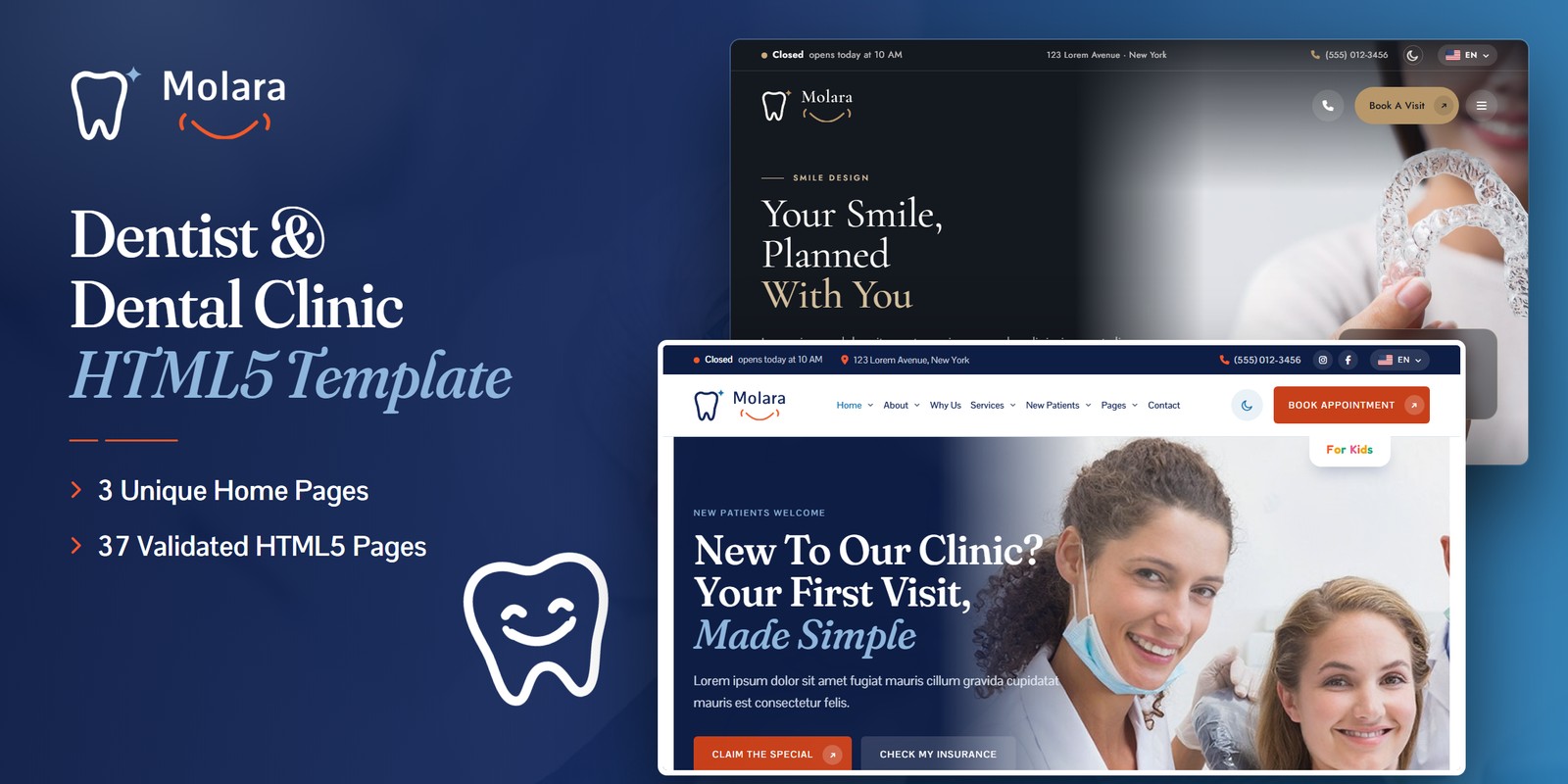
A friendly, modern HTML template for dentists, family dental practices and dental clinics. Molara ships three home page designs, a light and a dark mode, right-to-left layouts from a flag language picker, and a practice that actually works: office hours that know whether the door is open, a Treatment Finder, a real appointment request with open days and start times, an insurance helper, and tools for kids and for every treatment.
What’s included
- 3 home page designs: the main landing, Home 02 (ink and champagne, luxury) and Home 03 (fresh and bright), each with a three-slide hero and its own WebGL layer
- Light and dark mode with a header toggle the visitor’s browser remembers; a flag language picker that turns any page right to left
- Office hours read in the practice’s time zone: “Open Now”, “Closes In 25 Min” or the next opening, in the top bar, the dock, the footer and every hours table
- Treatment Finder: a concern picks the treatment, the related ones and how soon to come in (urgent ones turn the button into a phone call)
- Appointment request in five steps: the open days of the next four weeks, start times that fit the visit, a summary, a reference and an Add To Calendar file
- Insurance helper for 8 accepted plans, before / after smile reveal with a shade guide, a recall date planner, symptom checkers, smile goals and an implant explorer
- Kids’ page with a baby-teeth timeline, a two-minute brush-along timer with a week of stars, and a sticker chart
- About, the dentist, team, reviews wall with filters, why choose us, 15 treatment pages, new patients, FAQ search, journal, contact with working PHP form, patient portal pages, coming soon, 404
- Fully responsive, wide-screen aware, W3C-valid, zero console errors; every animation switches off for visitors who prefer reduced motion
Getting Started
Thank you for choosing Molara. Follow the steps below to get your site live.
1. Open locally
Unzip the package and open molara/index.html in any modern browser (Chrome, Firefox, Edge, Safari). No build tools are needed. The forms need a PHP host (see Contact Form); everything else works straight from your computer.
2. Deploy to a server
Upload the contents of the molara/ folder to your hosting with an FTP client (such as FileZilla) or your hosting control panel, then open your domain.
3. Customise
All custom styling lives in assets/css/style.css (a numbered Table of CSS at the top) and assets/css/responsive.css. Colours and fonts are CSS variables — see Colors & Fonts. Office hours, the Treatment Finder, the accepted plans, the smile goals and the baby-teeth chart live in one block of main.js — see Hours, Finder & Booking.
assets/img/ with your own photography at the same dimensions and file names, and no page needs editing.File Structure
The key files and folders included in the template.
index.html / index-2.html / index-3.html | Three home page designs: the main landing, Home 02 (ink and champagne, luxury) and Home 03 (fresh and bright), each with its own fonts and colour set |
about.html / dentist-details.html / team.html / reviews.html | The practice and its story, the dentist's page with career and videos, the team, the reviews wall with topic filters |
why-choose-us.html | Reasons bento, service panels, the visit story, the doctor band and the accepted plans |
services.html | Every treatment, grouped (exams and cleanings, restorative, specialised, cosmetic) |
clear-aligners.html / dental-bridges.html / dental-crowns.html / dental-exams.html / dental-implants.html / dentures.html / emergency-dentist.html / fillings.html / gum-disease-treatment.html / root-canal.html / smile-design.html / teeth-cleaning.html / teeth-whitening.html / tooth-extraction.html / veneers.html | 15 treatment pages, each with its overview, steps, a tool, a FAQ and a request form |
new-patients.html / appointment.html / insurance-payments.html | First-visit welcome, the five-step appointment request, plans and payment with the insurance helper |
kids.html | The kids' page: tooth timeline, brush-along timer, sticker chart, daycare video |
faq.html | Questions with search and categories |
blog.html / blog-details.html | Journal with image, video and quote posts, search and categories; article with comments |
contact.html | Contact hub, AJAX contact form, hours and map |
login.html / register.html / forgot-password.html | Patient portal pages (front-end demos) |
coming-soon.html / 404.html | Launch countdown and error page |
sendmail.php | Mail handler for every form (see Contact Form) |
assets/css/style.css | All custom styles, numbered Table of CSS (26 sections) |
assets/css/responsive.css | Desktop-first breakpoints: 1399 / 1199 / 991 / 767 / 575 |
assets/css/style.rtl.css / responsive.rtl.css | The right-to-left twins of the two stylesheets |
assets/css/plugins/ | Bootstrap (LTR and RTL), Swiper, Fancybox (vendor CSS) |
assets/js/main.js | All custom scripts, numbered JS INDEX (41 blocks) |
assets/js/plugins/ | jQuery, Bootstrap, Swiper, Fancybox, GSAP, ScrollTrigger |
assets/img/ | Images grouped per section (team, services, office, kids, insurance, logo …) |
assets/fonts/mo-icons/ | Molara Icons: the dental icon font (implant, crown, aligner, whitening …), loaded locally |
assets/webfonts/ + assets/css/fontawesome-all.css | Font Awesome Free, loaded locally |
Folder Structure
The package unzips to two folders: Documentation/ (this guide) and molara/, the template. Every page sits in the template’s root; everything the pages load sits under assets/:
molara/
├── *.html                              the 37 pages, all in the root (see File Structure)
├── sendmail.php                        the AJAX mail handler for the forms
└── assets/
    ├── css/
    │   ├── style.css                   all custom styles, numbered Table of CSS
    │   ├── style.rtl.css               the right-to-left twin of style.css
    │   ├── responsive.css              breakpoints 1399 / 1199 / 991 / 767 / 575
    │   ├── responsive.rtl.css          the right-to-left twin of responsive.css
    │   ├── fontawesome-all.css         Font Awesome Free, loaded locally
    │   └── plugins/                    vendor stylesheets
    │       ├── bootstrap.min.css
    │       ├── bootstrap.rtl.min.css
    │       ├── jquery.fancybox.min.css
    │       └── swiper-bundle.min.css
    ├── js/
    │   ├── main.js                     all custom scripts, numbered JS INDEX (41 blocks)
    │   └── plugins/                    vendor scripts
    │       ├── bootstrap.bundle.min.js
    │       ├── gsap.min.js
    │       ├── jquery-3.7.1.min.js
    │       ├── jquery.fancybox.min.js
    │       ├── ScrollTrigger.min.js
    │       └── swiper-bundle.min.js
    ├── fonts/mo-icons/                 Molara Icons, the dental icon font (woff2, woff + mo-icons.css)
    ├── webfonts/                       Font Awesome Free font files
    └── img/                            images, one folder per section
        ├── about/                      3 images
        ├── banner/                     1 image
        ├── community/                  3 images
        ├── flags/                      7 images
        ├── icons/                      37 images
        ├── insurance/                  8 images
        ├── kids/                       4 images
        ├── logo/                       10 images
        ├── mascots/                    4 images
        ├── office/                     4 images
        ├── patients/                   3 images
        ├── services/                   4 images
        ├── smile/                      2 images
        ├── team/                       7 images
        └── xray/                       2 images
Three Home Pages
- Main landing (
index.html) — the Molara blue, sky bands and the coral smile, with the Treatment Finder, the before / after reveal, the x-ray films and the insurance helper - Home 02 (
index-2.html,<body class="theme-luxe">) — ink and champagne for a cosmetic or boutique practice: Cormorant Garamond headings and Jost text, the smile guide lines and a shade guide on the before / after - Home 03 (
index-3.html,<body class="theme-fresh">) — fresh and bright for a family clinic: Bricolage Grotesque headings and Inter text
Each theme is a set of the same CSS variables scoped to its body class (.theme-luxe { ... } and .theme-fresh { ... } in style.css), and its two fonts load only on that page. Add the class to any other page’s <body> and the same Google Fonts link to its head to dress it the same way. Every home links to every inner page.
Colors & Fonts
The whole design is driven by CSS variables at the top of style.css (section 1.1 Design Tokens). Change a token once and every section, button and card follows.
--mo-primary--mo-primary-deep--mo-coral--mo-coral-bright--mo-sky--mo-navy--mo-night--mo-bg-soft--mo-heading--mo-textEach colour used with transparency has an -rgb companion (for example --mo-primary-rgb: 20, 112, 175); change both together. The coral is kept for booking actions and the smile arc under each section title, so it always means “book”.
Fonts
Two Google Fonts carry the template: Fraunces (headings and the italic accent words) and Pontano Sans (body text, buttons, navigation and forms). The kids’ tab, the kids’ page and the kids’ ribbon use Fredoka as a display accent (--mo-ff-kids). Swap a font by editing the Google Fonts link in the head of each page and the --mo-ff-heading, --mo-ff-body or --mo-ff-kids variable.
Wide screens
The content width grows with the screen: 1352px from 1400px wide, 1472px from 1600px and 1592px from 1960px (the root font size steps up to 17px and 18px with them), so a large display never looks like a scaled-down page.
Light & Dark Mode
The moon and sun button in the header switches the whole site between light and dark. The choice is stored in the visitor’s browser (localStorage, key mo-theme) and applied by a one-line script in the <head> of every page, before anything is drawn, so a dark page never flashes white.
Dark mode is a second set of the same variables under html[data-theme="dark"] (and one for each themed home):
--mo-primary--mo-bg--mo-surface--mo-headingTo start every visitor in dark mode, add data-theme="dark" to the <html> tag of each page. To remove the toggle, delete the .mo-theme-toggle button from the header.
Hours, Finder & Booking
Everything the practice knows lives in the PRACTICE object at the top of assets/js/main.js (JS block 01 Practice Data). The pages carry the same values printed in, so they read correctly before the scripts run.
Office hours (hours, tz)
- Monday — 10:00 to 17:00
- Tuesday — 10:00 to 17:00
- Wednesday — 10:00 to 17:00
- Thursday — closed
- Friday — 10:00 to 16:00
- Saturday — closed
- Sunday — closed
Keys are weekdays ("0" is Sunday), each ["open", "close"] in 24-hour time or null when closed. Hours are read in the practice’s time zone, tz: "America/New_York", whatever the visitor’s clock says. The top bar, the quick-action dock, the mega menu, the footer, the hours tables and the appointment request all follow this one list. Change the phone number in phone and tel.
Treatment Finder (finder)
- My Tooth Hurts → Root Canal Treatment (Book This Week)
- I Chipped Or Broke A Tooth → Emergency Dental Care (Call Today)
- A Tooth Got Knocked Out → Emergency Dental Care (Call Now)
- My Gums Bleed → Gum Disease Treatment (Book This Week)
- I Have A Missing Tooth → Implant Restorations (Book When It Suits You)
- My Teeth Are Stained → Teeth Whitening (Book When It Suits You)
- My Teeth Are Crooked → Clear Aligners (Book When It Suits You)
- My Denture Is Loose → Dentures (Book When It Suits You)
- I Just Need A Check-Up → Dental Exams & X-Rays (Book When It Suits You)
- It’s My Child’s First Visit → Kids’ Dentistry (Book When It Suits You)
- I Want A New Smile → Smile Design Consultation (Book When It Suits You)
{ "id": "pain", "label": "My Tooth Hurts", "service": "root-canal", "urgency": "soon",
  "page": "root-canal.html", "service_name": "Root Canal Treatment",
  "also_names": [["Dental Exams & X-Rays", "dental-exams.html"]] }
urgency is one of now, today, soon or routine (their labels are in urgency); now and today turn the booking button into a call. Each concern is also a radio button in the finder’s markup, with the same value as its id.
Appointment request
Five steps: the reason, who is coming, the day and time, insurance and the contact details. Continue always moves on; only the last step checks the details. The days are the open days of the next four weeks; the start times run every half hour from opening, the last one leaving room for the visit before closing (VISIT_MINS in block 12: new patient 60, check-up 60, emergency 30, kids 30, cosmetic 45 minutes). The confirmation gives a reference such as MO-1019-1000 (month, day, time) and an Add To Calendar file, and the request is posted to sendmail.php.
Insurance & Reviews
Accepted plans (insurance)
The demo plans: Lorem Dental, Ipsum Health, Dolor Life, Amet Care PPO, Sitguard, Consectet Health, Adipis Dental Plan, Elit State Plan. Their logos are assets/img/insurance/plan-1.png to plan-8.png. The insurance helper gives a plain yes for a listed plan, a check-and-call for another plan, and points visitors paying themselves to the $99 Special.
Reviews
The review cards are written in the HTML, so they show on any host. The Google rating (4.9 out of 5) is set in the cards and in --mo-rating-fill (rating ÷ 5 as a percentage, in style.css). To show your practice’s live Google reviews instead, set reviewsFeed in PRACTICE:
"reviewsFeed": { "key": "YOUR_GOOGLE_MAPS_API_KEY", "place": "YOUR_PLACE_ID" }Every review rail and grid is then refilled with the five-star reviews Google returns for the practice (up to five), each with the reviewer’s name, photo, stars and words. Restrict the key to your domain in the Google Cloud console.
Ask AI
The Ask AI band opens a ready question about the practice in the visitor’s own assistant (ChatGPT, Claude, Perplexity, Google AI, Grok); edit the question in the band’s links.
Kids’ Tools
- Tooth timeline — a child’s birth month and year, read against the ADA baby-teeth eruption chart (
eruptioninPRACTICE): each group is “usually in by now”, “coming in now” or “coming later”; under one year it gives the date the first visit is due, with an Add To Calendar file - Brush-along timer — two real minutes in four 30-second corners; finishing earns this morning’s or this evening’s star, and the week of stars is kept in the visitor’s browser (key
mo-brush) - Sticker chart — each First Visit step pops its sticker onto the chart as it scrolls into view
The kids’ page uses its own sunny colours (--mo-sun, --mo-mint, --mo-bubble) and the Fredoka display face.
Treatment Tools
Each treatment page carries one tool, set by a data attribute on its card:
data-recall— last visit and how often → the date the next one is due, moved to the next open day, as a calendar file (exams, cleanings)data-signs— tick the signs → how soon to come in (root canal;data-signs="gum-check"for gum disease)data-goals— smile goals → the treatments that answer them, fromgoalsinPRACTICE(veneers, smile design)data-hotspots— the parts of an implant, one at a time (implants)data-ba— the before / after reveal: drag, click or use the arrow keys (Home and End jump to the ends); Home 02 adds the shade guide (whitening and the homes)
main.js block 17 to match your practice.Animation & WebGL
- Preloader — the Molara molar draws itself, the sparkle pops and the smile draws beneath; it plays once per visit (key
mo-intro) and later pages only fade it - Reveals —
mo-openopens photographs and cards through a widening smile-shaped window;mo-fadefades copy up (is-leftoris-rightchange the direction;data-delay="0.2"staggers); headings withmo-wordsarrive word by word and draw their smile arc;mo-popbounces the kids’ stickers in - WebGL layer — one
<canvas class="mo-gl">runner with three looks:data-gl="aurora"(soft drifting light over the heroes and banners),data-gl="ribbons"(the kids’ silk ribbons) anddata-gl="bridge"(a suspension bridge drawn in lights along the footer).data-modeisdarkorlightanddata-amountsets the strength. Each pauses off screen and draws one still frame for reduced motion - Scroll moments — the before / after follows the section’s own travel on the landing, the x-ray films slide in from both edges, the first-visit line fills, all without pinning the page
Visitors who prefer reduced motion get every page in its finished state, with no animation.
RTL (Right To Left)
Molara is RTL-ready, and right to left comes from the stylesheets, not from separate pages: the flag language picker in the top bar lists right-to-left languages (Arabic, Hebrew) and remembers the direction (key mo-dir); the one-line script in <head> then sets dir="rtl" and swaps the three stylesheets for the files named in their data-rtl attribute before the page paints. Nothing is translated — you bring your own copy. To make a page right to left for good:
1. Set the direction
<html lang="ar" dir="rtl">2. Swap three stylesheets
assets/css/plugins/bootstrap.min.css | → assets/css/plugins/bootstrap.rtl.min.css |
assets/css/style.css | → assets/css/style.rtl.css |
assets/css/responsive.css | → assets/css/responsive.rtl.css |
style.rtl.css and responsive.rtl.css are mirrored twins of the LTR files made with RTLCSS. If you change style.css, regenerate the twin with npx rtlcss style.css style.rtl.css.JavaScript Guide
All custom behaviour lives in assets/js/main.js, inside one jQuery wrapper, in 41 numbered blocks (see the JS INDEX at the top of the file):
- 01–06 — Practice data, preloader, sticky header, offcanvas menu, scroll reveals, office hours
- 07–10 — Hero slider, card and review sliders, video modal, before / after smile reveal
- 11–17 — Treatment Finder, appointment request, insurance helper, tooth timeline, brush-along timer, sticker chart, treatment tools
- 18–22 — Custom select, light and dark mode, WebGL layer, counters, contact form
- 23–29 — FAQ search, tabs, filter tabs, account forms, journal search, article tools, launch countdown
- 30–41 — Media lightbox, back to top, anchor scroll, service panels, visit story, first visit line, booking dock, drag marquee, Google reviews, hover colour, x-ray films, reading progress
Each block is a self-contained doSomething() function that skips pages where its section is not present, so you can delete any block you do not need. The coming-soon countdown reads the data-launch attribute: it ships as data-launch="+45" (45 days from today); set a real date such as data-launch="2027-01-11".
Images
The download ships with neutral placeholder images so you can see every layout at the correct size. Replace them with your own photos using the same file names. Images are grouped by section in assets/img/.
The logo files, the insurance plan logos, the tooth mascots, the illustrated service icons and the language flags are included and ready to use. The demo photography on the live preview is for preview only and is not included in the download.
Contact Form
The contact form, the quick request forms on the homes and treatment pages, the appointment request, the blog comment form, the coming-soon form and the patient portal forms post to sendmail.php, a lightweight AJAX mail handler; the success or error message appears under the form without reloading the page. To activate it:
1. Set your email address
Open sendmail.php and replace the placeholder recipient at the top of the file:
$email = 'hello@yourdomain.com';2. Upload to a PHP host
The form needs a server with PHP mail() support (nearly every shared host). Opened from your computer or a static-only host, the form shows a short “upload to a PHP-enabled host” notice instead.
3. Optional: Google reCAPTCHA v3
Invisible reCAPTCHA v3 spam protection is built into the handler and stays dormant until the form sends a token. To switch it on:
- Create v3 keys (a site key and a secret key) for your domain in the Google reCAPTCHA admin console
- In
sendmail.php, replaceYOUR_RECAPTCHA_V3_SECRET_KEYwith your secret key - In
contact.html, add a hidden token field inside the form and load the reCAPTCHA script with your site key just before</body>:
<!-- inside the contact form -->
<input type="hidden" name="g-recaptcha-response" id="g-recaptcha-response">

<!-- before the closing </body> tag -->
<script src="https://www.google.com/recaptcha/api.js?render=YOUR_SITE_KEY"></script>
<script>
  grecaptcha.ready(function () {
    grecaptcha.execute('YOUR_SITE_KEY', { action: 'contact' }).then(function (token) {
      document.getElementById('g-recaptcha-response').value = token;
    });
  });
</script>
Once the token field is present, sendmail.php checks every submission with Google and rejects low-score (bot) requests.
Credits
Molara is built with these open-source libraries and resources.
- Bootstrap 5.3
- jQuery 3.7.1
- Swiper 11
- GSAP 3 + ScrollTrigger
- Fancybox 3
- Font Awesome Free
- Google Fonts: Fraunces, Pontano Sans, Fredoka, Cormorant Garamond, Jost, Bricolage Grotesque, Inter
- RTLCSS
All plugin files and icon fonts are loaded locally. The only outside requests are the Google Fonts stylesheet, the Google Maps embeds, and YouTube when a visitor opens a video. The baby-teeth timeline follows the American Dental Association eruption chart.
Support
If you have any questions or need help with the template, please reach out through the marketplace where you purchased it: open the item there and send us your question from its support page. We aim to respond within 24–48 hours.