Motorvia Documentation
Overview
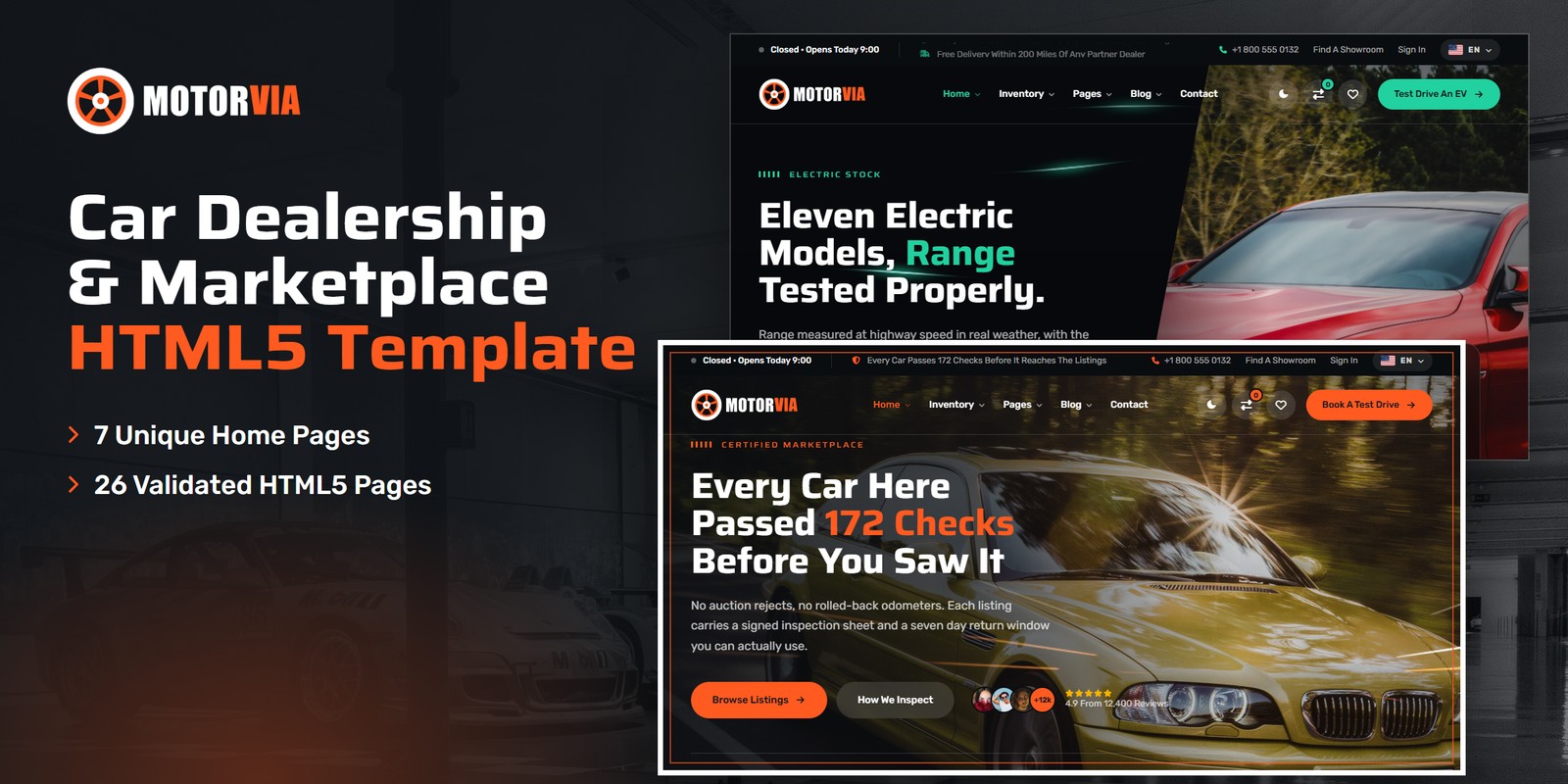
An animated HTML template for car dealerships, showrooms and car marketplaces. Motorvia ships seven home pages, each written for one kind of visitor, a light and a dark theme, right-to-left support with a language picker, a WebGL light layer, and dealership logic that is worked out rather than typed in: stock counts from one inventory list, finance and lease payments, electric running costs and charging time, a budget planner, an instant valuation, a priced service menu, a trade-in calculator and showroom hours that follow the visitor’s clock.
What’s included
- 7 home pages by audience — Main Dealership, Electric, Prestige, Build & Price, Used Cars, Service Centre and Sell Your Car — each with its own scroll moment
- Two audience moods on the same template: volt green for the Electric home, champagne for the Prestige home, blaze orange everywhere else
- Light and dark mode on one switch in every header and in the mobile menu, remembered between visits and applied before the page paints
- Right-to-left stylesheets and a flag language picker in the top bar: a right-to-left language turns the page right to left
- The Road Light WebGL layer — headlight trails, studio paint reflections, volt field lines and drifting map contours — tinted by the theme colours
- Stock search with dependent make and model, live result counts, a compare drawer for up to three cars and a ten-row compare page
- Finance calculator, finance or lease side by side, budget planner, trade-in calculator and instant valuation with our offer range
- EV running cost and charging time, a version configurator that moves the payment, a priced service menu with ready-by time
- Test drive booking with slots from the showroom timetable, and open or closed status in the top bar, footer and showroom cards
- Inventory as grid, list and map; car details with the inspection sheet; showroom directory; seller dashboard; pricing plans
- A body-type rail on every page — seven fine-line silhouettes with live stock counts, docked under the hero or the page title
- Motorvia Icons: 90 fine-line interface icons drawn for the template, one stroke and one grid, as a local icon font
- A showroom configurator: pick a version and the photograph, the figures, the price and the monthly payment move with it
- Gauge Sweep preloader, skew-slide reveals, Swiper sliders and a video popup
- Fully responsive, W3C-valid, zero console errors
Getting Started
Thank you for choosing Motorvia. Follow the steps below to get your site live.
1. Open locally
Unzip the downloaded package and open motorvia/index.html in any modern browser (Chrome, Firefox, Edge,
Safari). No build tools or server are required — the search, calculators, compare drawer and every filter work
straight from the files.
2. Deploy to a server
Upload the contents of the motorvia/ folder to your hosting provider using an FTP client (such as
FileZilla) or your hosting control panel. Once uploaded, navigate to your domain and the template will load immediately.
3. Customise
All custom styling lives in assets/css/style.css (with a numbered Table of CSS at the top) and
assets/css/responsive.css. Colours and fonts are controlled by CSS variables — see
Colors & Fonts. The stock, the showroom hours and each calculator’s rules sit in
one place — see Dealership Logic.
assets/img/ with your own photography at
the same dimensions for the best result. Keep the marque and press logos in img/brands/ and
img/press/ as transparent PNGs.
File Structure
Below is an overview of the key files and folders included in this template.
index.html | Home 1, Main Dealership — for everyday buyers: stock search, finance band, test drive booking, showroom visit |
homepage-2.html | Home 2, Electric — for EV switchers: range-tested stock, running cost and charging time calculator, home charger quotes |
homepage-3.html | Home 3, Prestige — for luxury and performance buyers: the collection, private viewings, Saturday drive days |
homepage-4.html | Home 4, Build & Price — for new car shoppers: the configurator, finance or lease side by side |
homepage-5.html | Home 5, Used Cars — for budget buyers: shop by monthly payment, this week’s arrivals, the inspection passes |
homepage-6.html | Home 6, Service Centre — for owners: a priced service menu with ready-by time, service plans, the nearest workshop |
homepage-7.html | Home 7, Sell Your Car — for sellers: an instant offer range, the trade-in calculator, collection and same-day payment |
listing-grid.html / listing-list.html / listing-map.html | Inventory as a grid, a list, or a list beside a map, with working sort, filters and result count |
car-details.html | A car: gallery, key specs, the inspection sheet, a finance calculator and the seller card |
compare.html | Up to three cars side by side, the better figure in each row picked out |
add-listing.html | A four-step sell-your-car form |
dealers.html / dealer-details.html | Showroom directory and a showroom profile with its stock and hours |
user-dashboard.html | Seller dashboard: listings, views, enquiries and status |
about.html / pricing.html | About the dealership with the team; seller plans with questions |
blog.html / blog-details.html | Journal and an article with comments |
contact.html | Contact cards, the message form and a map |
login.html / register.html / forgot-password.html | Account pages |
coming-soon.html / 404.html | Countdown page and error page |
sendmail.php | AJAX mail handler for the forms (see Contact Form) |
assets/css/style.css | All custom styles, numbered Table of CSS (79 sections) |
assets/css/responsive.css | Desktop-first breakpoints 1399 / 1199 / 991 / 767 / 575, plus the wide-screen scale |
assets/css/style.rtl.css / responsive.rtl.css | The right-to-left twins (see RTL & Languages) |
assets/css/plugins/ | Bootstrap (LTR and RTL) and Swiper (vendor CSS) |
assets/js/main.js | All custom scripts, numbered JS INDEX (48 blocks) |
assets/js/plugins/ | jQuery, Bootstrap, Swiper |
assets/img/ | Images, one folder per section (see Images) |
assets/fonts/motorvia-icons/ | Motorvia Icons: the template’s own fine-line icon font (see Icons) |
assets/webfonts/ + assets/css/fontawesome-all.css | Font Awesome Free, loaded locally, for the network logos only |
Folder Structure
The package unzips to two folders: Documentation/ (this guide) and motorvia/, the template.
Every page sits in the template’s root; everything the pages load sits under assets/:
motorvia/
├── *.html                              the 26 pages, all in the root (see File Structure)
├── sendmail.php                        the AJAX mail handler for the forms
└── assets/
    ├── css/
    │   ├── style.css                   all custom styles, numbered Table of CSS
    │   ├── style.rtl.css               the right-to-left twin of style.css
    │   ├── responsive.css              breakpoints 1399 / 1199 / 991 / 767 / 575
    │   ├── responsive.rtl.css          the right-to-left twin of responsive.css
    │   ├── fontawesome-all.css         Font Awesome Free (network logos), loaded locally
    │   └── plugins/                    vendor stylesheets
    │       ├── bootstrap.min.css
    │       ├── bootstrap.rtl.min.css   Bootstrap for right-to-left pages
    │       └── swiper-bundle.min.css
    ├── js/
    │   ├── main.js                     all custom scripts, numbered JS INDEX (48 blocks)
    │   └── plugins/                    vendor scripts
    │       ├── bootstrap.bundle.min.js
    │       ├── jquery-3.7.1.min.js
    │       └── swiper-bundle.min.js
    ├── fonts/
    │   └── motorvia-icons/             the interface icon font (woff2, woff, css)
    ├── webfonts/                       Font Awesome Free font files (network logos)
    └── img/                            images, one folder per section
        ├── about/                       4 files
        ├── banner/                      3 files
        ├── bg/                          3 files
        ├── blog/                        6 files
        ├── brands/                      8 files
        ├── cars/                        27 files
        ├── dealers/                     4 files
        ├── flags/                       6 files
        ├── gallery/                     12 files
        ├── home/                        7 files
        ├── logo/                        4 files
        ├── press/                       6 files
        ├── social/                      7 files
        ├── team/                        4 files
        └── testimonial/                 5 files
To publish the site, upload the contents of motorvia/ to your web root. Photos keep their folder, file
name and size when you replace them, so no page needs editing.
Colors & Fonts
The whole design is driven by CSS variables declared at the top of style.css (section 1). Change a token
once and every section, button and card updates. Colours used with transparency have an -rgb twin (for
example --mv-color-primary-rgb) — change both together.
--mv-color-primary--mv-color-primary-deep--mv-color-primary-soft--mv-color-ink--mv-color-ink-deep--mv-color-carbon--mv-ground--mv-color-paper--mv-heading--mv-color-body--mv-color-line--mv-color-star--mv-color-goBlaze orange carries the buttons, active states, figures and accent words; blaze deep is its partner for small text on
light grounds. Graphite ink holds the hero overlays, the night bands, the top bar and the footer. The theme roles
(--mv-ground, --mv-heading, --mv-color-paper, --mv-color-body,
--mv-color-line) are the ones that change in dark mode.
Audience moods
A home can run on its own accent without touching the rest of the site: the class mv-mood-volt on the
Electric home’s <body> and mv-mood-prestige on the Prestige home’s
redefine the primary tokens for that page only. Remove the class to put a home back on blaze orange, or add it to
any other page.
--mv-color-primary--mv-color-primary-deep--mv-color-primary--mv-color-primary-deepFonts
Two Google Fonts are loaded in the head of each page: Saira (headings, figures and buttons, set wide
through its width axis: --mv-stretch 110% and --mv-stretch-wide 122%) and
Rubik (body text, navigation and labels). Swap them by editing the Google Fonts link and the
--mv-ff-display / --mv-ff-body variables.
Logo
The logo is a wheel mark beside the name “Motorvia”, with “VIA” in blaze orange. It ships as
ready-made PNG files in assets/img/logo/:
logo.png— for light grounds: the solid header and the mobile menu in light mode, the light footerlogo-light.png— for dark grounds and photographs: the header over a hero, the footer, the preloader, dark modemark-512.png— the wheel alone (the home-screen icon)favicon.png— the browser tab icon
To use your own logo, replace these files; the header sizes the logo by its height, so a wider or narrower file needs no CSS change.
Icons
Interface icons come from Motorvia Icons, a fine-line icon font drawn for the template on one 24-unit
grid with one stroke weight (assets/fonts/motorvia-icons/, 90 glyphs). Use them as <i>
tags and size or colour them with font-size and color:
<i class="mvi-speedometer"></i>   <i class="mvi-fuel"></i>   <i class="mvi-gearbox"></i>   <i class="mvi-key"></i>
<i class="mvi-body-suv"></i>      (the body-type silhouettes: body-sedan, body-coupe, body-hatchback, body-pickup, body-electric, body-hybrid)
Every name is listed in motorvia-icons.css. The network logos (Instagram, X, Facebook, YouTube, LinkedIn)
use Font Awesome Free’s brand set: <i class="fab fa-instagram"></i>.
Wide screens
From 1600px the container widens to 1440px and the root size steps to 17px; from 1960px to 1560px and 18px, so the
layout keeps its proportions on large monitors. The values sit at the end of responsive.css.
Light & Dark Mode
Every header and the mobile menu have a theme switch. The choice is saved in the browser under the key
mv-theme and applied by a one-line script in the <head> before the page paints, so a
dark visitor never sees a light flash; a first-time visitor whose system is set to dark starts dark. The switch sets
data-theme="dark" on the <html> tag.
--mv-ground--mv-color-paper--mv-color-surface--mv-heading--mv-color-primary-deep- Tokens — the dark values sit in one block,
[data-theme="dark"] { … }, right after:rootinstyle.css. Brand colours and the graphite bands stay as they are. - Bands that stay dark — sections with the class
mv-night, the hero overlays and the page titles are dark in both themes. - Start dark — to open the site dark for everyone, change
data-theme="light"todata-theme="dark"on the<html>tag of each page; the switch still works and is still remembered.
Headers & Footers
One header and one footer serve every page; a class on each picks its variant, and the homes use them to fit their audience:
mv-header is-inner | Solid header (inner pages): logo, three-level menu with the Home mega menu, theme switch, compare count, saved cars and a call to action |
mv-header is-overlay | Sits over the hero and turns solid on scroll (Homes 1, 2, 4) |
mv-header is-centered is-overlay | Centred logo between two menu halves (Home 3, Prestige) |
mv-header is-search | A stock search field in the bar (Home 5, Used Cars) |
mv-header is-minimal | Logo, the booking button and a menu button that opens the full menu (Home 6, Service Centre) |
mv-header is-boxed | The bar floats in a rounded container clear of the page edge (Home 7, Sell Your Car) |
mv-footer | Graphite footer: quick actions, columns, showroom hours, newsletter, language picker |
mv-footer has-cta / is-light / is-minimal | With a sell-your-car call band on top (Home 3, Pricing, Add Listing) / on a light ground (Home 4) / links, legal and the language picker on one compact band (Home 6) |
The top bar above each header carries the showroom’s open or closed status, a notice, the phone number, the showroom finder, sign in and the language picker.
Body-type rail
Every page carries the body-type rail: the inner pages under the page title, the homes under the hero (Home 1 and
Home 2 under their search card). Its counts are read from INVENTORY (block 13) and it slides with
block 17. The page generator writes it in one place, so it is the same on every page; to drop it from a page,
delete its <section class="mv-bodyrail">. Docked, it lifts onto the edge above it and the next
section’s own ground runs up under it.
Dealership Logic
Every figure on screen is worked out in main.js from one list or one formula, so nothing drifts out of
step. Prices are in US dollars.
The stock
JS block 01 Inventory Data holds var INVENTORY: 46 cars across 16 makes, each
with make, model, condition, price, year, mileage, body, fuel and city. The search panel’s model list follows the
make, the “cars match” counts, the body and brand counts and the budget planner all read it. Add a car to
the list and every count moves with it. The compare drawer (block 07) holds up to three cars.
Showroom hours
One timetable, var HOURS in block 36 Showroom Hours (weekday 0 = Sunday, opening and
closing hour, null = closed), drives every “Open Now · Closes 19:00” line on the site
— top bar, footer and showroom cards — from the visitor’s own clock, and highlights today in the hours
lists. The test drive form (block 38) builds its times from it: every half hour from opening, the last
drive an hour before closing, past times dropped today.
| Monday | 9:00 – 19:00 |
| Tuesday | 9:00 – 19:00 |
| Wednesday | 9:00 – 19:00 |
| Thursday | 9:00 – 19:00 |
| Friday | 9:00 – 19:00 |
| Saturday | 9:00 – 17:00 |
| Sunday | Closed |
Finance
Block 26 Finance Calculator amortises the price less the deposit: M = P × r(1+r)n ÷
((1+r)n − 1), with r the APR ÷ 12. Price, deposit, term and rate may be sliders, radio groups or a
data-price on the block (the configurator, block 27, rewrites it when a version is picked).
Finance or lease
Block 43 Finance Or Lease puts both side by side. Lease = (capitalised cost − residual) ÷ term + (capitalised cost + residual) × APR ÷ 2400, where the capitalised cost is the price less the deposit and the residual is the chosen share of the price. The cheaper monthly is marked.
Electric running costs and charging
Block 40 EV Running Costs: weekly cost = miles ÷ efficiency × energy price, for the electric car (mi/kWh, $/kWh) and the current car (mpg, $/gal); the saving is the gap, × 52 for a year and × 260 for five. Charging time from 10% to 80% = battery × 0.7 ÷ charger kW.
Budget planner
Block 44 Budget Planner turns a monthly payment into a price ceiling: deposit + M × (1 −
(1+r)−n) ÷ r, rounded down to $10, then counts the cars in INVENTORY at or under it.
A hidden field carries the figure to the listing page.
Instant valuation and trade-in
Block 29 Instant Valuation values a car from the make’s average new price (rolled back from the stock),
less 14% a year, adjusted by $0.09 for every kilometre over or under 16,000 a year and by the condition picked. The
private range is ±6%; our offer sits 8% under it. Model years count from 2024, the newest year in the stock
— change 2024 in the block when your stock moves on. Block 48 Trade-In shows the
next car’s monthly with and without the trade-in at 6.9% APR (var APR).
Service menu
Block 46 Service Booking adds up the ticked jobs and their workshop time, and works out the ready-by time
from the drop-off slot, rolling to the next open day when the work runs past closing. Prices and times sit on each
job’s checkbox (data-price, data-mins) in homepage-6.html:
| Oil And Filter Change | $89 · 45 Min — included with the full service |
| Full Service | $249 · 2 Hr 30 Min |
| Front Brake Pads | $180 · 1 Hr 15 Min |
| Four Tyres Fitted | $96 · 1 Hr |
| Air Conditioning Re-Gas | $79 · 45 Min |
| Diagnostics | $65 · 30 Min — free alongside any other job |
| EV Battery Health Test | $49 · 30 Min |
Test drives, viewings, service bookings, offers, the steps form and the account forms confirm on screen — connect them to your dealer management system to take real bookings.
WebGL Road Light
Some sections carry a moving light drawn by one small WebGL shader (JS block 37 Road Light), in four modes, each a single canvas placed first inside its section:
<canvas class="mv-gl" data-gl="trails" aria-hidden="true"></canvas>   headlight and tail-light trails over a road photograph
<canvas class="mv-gl" data-gl="paint" aria-hidden="true"></canvas>    studio light gliding over bodywork
<canvas class="mv-gl" data-gl="volt" aria-hidden="true"></canvas>     current running along field lines (Electric home)
<canvas class="mv-gl" data-gl="contour" aria-hidden="true"></canvas> a road map’s contour lines under a light section- Strength —
data-gl-gain="0.7"dims or lifts a canvas (1 = as designed). - Colours — the light is drawn in the theme’s own colours and the page’s audience mood, and repaints when the theme switches.
- Performance — a canvas only runs while its section is on screen and the tab is visible. The pointer pulls the light a little. Visitors who prefer reduced motion get one still frame; without WebGL the section’s own background shows.
- Remove one — delete the canvas; nothing else depends on it.
RTL & Languages
Motorvia is RTL-ready: the layout with its paddings and margins, the sliders and the animations all mirror. Right to
left comes from the stylesheets, not from separate pages. The language picker in the top bar and the footer lists
English, Spanish, French, German, Arabic and Hebrew; picking a right-to-left language turns the page
right to left and remembers it (keys mv-lang and mv-dir). Nothing is translated — you
bring your own copy. To make a page right to left for good:
1. Set The Direction
Add dir="rtl" to the page’s <html> tag (and set lang to your language):
<html lang="ar" dir="rtl" class="no-js" data-theme="light">2. Swap Three Stylesheets
assets/css/plugins/bootstrap.min.css | → assets/css/plugins/bootstrap.rtl.min.css |
assets/css/style.css | → assets/css/style.rtl.css |
assets/css/responsive.css | → assets/css/responsive.rtl.css |
Each of the three links carries its RTL file in a data-rtl attribute — that is what the language
picker swaps. The scripts read the direction from the dir attribute.
Adding A Language
Copy one <li> in the picker’s menu, set its data-lang-item code and
data-dir (ltr or rtl) and its label, and add the language’s flag as an
SVG in assets/img/flags/. Do the same in the footer’s picker.
style.rtl.css and responsive.rtl.css are
mirrored twins of the LTR files, made with RTLCSS. A few hand-made rules at the end of style.rtl.css (after
RTL fixes) keep arrows pointing the right way and figures in their reading order. If you change
style.css, regenerate the twin with npx rtlcss style.css style.rtl.css and copy those last
rules back to its end.JavaScript Guide
All custom behaviour lives in assets/js/main.js, wrapped in a jQuery IIFE and organised into 48 numbered
blocks (see the JS INDEX comment at the top of the file):
- 01–09 — Inventory Data, Preloader, Top Bar Notice, Sticky Header, Offcanvas Menu, Search Panel, Compare Drawer, Scroll Reveals, Parallax. The core every page shares: the stock list behind every count, the Gauge Sweep preloader, the header, the compare drawer and the reveals.
- 10–25 — Hero Slider, Dealership Hero Slider, Editorial Slider, Type & Brand Counts, Grid Filters, Car Rail, Home Menu Slider, Body Shape Slider, Sponsored Model Slider, Gallery Wall, Brand Tabs, Design Tabs, Video Modal, Counters, Gauges, Countdown. Sliders, tabs, filters, the video popup, counters, gauges and the countdown.
- 26–33 — Finance Calculator, Configurator, Testimonial Slider, Instant Valuation, Listing Tools, Detail Gallery, Steps Form, Contact Form. Dealership logic: the finance calculator, the configurator, the instant valuation, listing sort and filters, the steps form and the contact form.
- 34–39 — Back To Top, Theme & Direction, Showroom Hours, Road Light, Test Drive Slots, Scrubbed Counters. Back to top, the theme and direction switches with the language picker, showroom hours, the WebGL Road Light, test drive slots and the scrubbed counters.
- 40–48 — EV Running Costs, Hero Zoom-Out, Build Hero Slider, Finance Or Lease, Budget Planner, Inspection Passes, Service Booking, Sell Hero Slider, Trade-In. The audience homes: electric running costs, the prestige zoom-out, finance or lease, the budget planner, the inspection passes, service booking and the trade-in.
Each block is a self-contained doSomething() function that safely skips pages where its section is not
present — you can delete any block you do not need. Every animation respects prefers-reduced-motion
automatically: content appears in its final state and the scroll moments rest in place.
fade-up, fade-left, fade-right or
fade-in to an element so it skew-slides into place as it comes into view. Cards in a grid ripple in turn on
their own; data-delay="200" (milliseconds) sets a delay by hand.data-scrub, Home 1), the
battery fills (data-charge, Home 2), the hero zooms out (data-zoomout, Home 3), the money bars
fill (Home 4) and the inspection passes step through (data-passes, Home 5). Each is driven by its own
section’s travel; none of them pins the page.data-hours
attribute from the moment the page opens (data-hours="164").Images
The download package ships with neutral placeholder images so you can see every layout at the correct dimensions.
Replace them with your own photos using the same file names, or update the src attributes. Images are
grouped inside assets/img/:
img/about/ | About page and inspection photographs — 4 files: 467×387, 1003×1093, 676×561 |
img/banner/ | Hero slides (Home 1) — 3 files: 3840×1920 |
img/bg/ | Section bands and the page-title ground — 3 files: 3840×1300, 3654×1808, 3252×1101 |
img/blog/ | Journal posts — 6 files: 1390×1390, 1392×1392, 459×459 |
img/brands/ | Marque logos (transparent PNGs) — 8 files: 156×156 |
img/cars/ | Stock photographs, the studio shots and the spotlight slides — 27 files: 643×469, 545×307, 875×444, 634×475, 1000×500, … |
img/dealers/ | Showrooms and partner forecourts — 4 files: 485×417 |
img/flags/ | The language picker’s flags (SVG, included) — 6 files: SVG |
img/gallery/ | Owner wall and the audience homes’ photographs — 12 files: 201×201, 3105×1488, 3738×1791, 3696×1771, 3400×1629, … |
img/home/ | Home previews in the Home mega menu — 7 files: 724×498 |
img/logo/ | Logo, light logo, mark and favicon — 4 files: 580×148, 64×64, 512×512 |
img/press/ | Press logos (transparent PNGs) — 6 files: 207×34, 194×36, 210×32, 216×32, 346×32, … |
img/social/ | The social wall in the footer — 7 files: 310×204, 630×384 |
img/team/ | The team’s round portraits — 4 files: 400×400 |
img/testimonial/ | Buyer portraits for reviews and the avatar groups — 5 files: 75×75, 150×150 |
The logo files, the press logos and the flags are included and ready to use. The marque badges in
img/brands/ belong to the car makers and ship as placeholders: add badges you have the right to use, as
transparent PNGs at the same size. All demo photography shown on the live preview is for preview purposes only and is
not included in the download.
Contact Form
The contact form, the comment form and the newsletter post to sendmail.php, a lightweight AJAX mail
handler. The success or error message appears under the button without reloading the page. The test drive, viewing,
service, offer, add-listing, login, register and forgot-password forms are demo forms: they confirm on screen and are
ready to connect to your own systems. To activate the mail handler on your server:
1. Set your email address
Open sendmail.php and replace the placeholder recipient at the top of the file with your own address:
$email = 'example@example.com';2. Upload to a PHP host
The form needs a server with PHP mail() support (virtually every shared host). It will not send from your
local computer or from a static-only host — there the form shows a friendly “upload to a PHP-enabled
host” notice instead.
3. Optional: enable Google reCAPTCHA v3
Invisible reCAPTCHA v3 spam protection is already built into the handler. It stays dormant until the form submits a token — that is why no badge or checkbox appears out of the box. To switch it on:
- Create v3 keys (a site key and a secret key) for your domain in the Google reCAPTCHA admin console
- In
sendmail.php, replaceYOUR_RECAPTCHA_V3_SECRET_KEYwith your secret key - In
contact.html, add a hidden token field inside the form and load the reCAPTCHA script with your site key just before</body>:
<!-- inside the form -->
<input type="hidden" name="g-recaptcha-response" id="g-recaptcha-response">

<!-- before the closing </body> tag -->
<script src="https://www.google.com/recaptcha/api.js?render=YOUR_SITE_KEY"></script>
<script>
  grecaptcha.ready(function () {
    grecaptcha.execute('YOUR_SITE_KEY', { action: 'contact' }).then(function (token) {
      document.getElementById('g-recaptcha-response').value = token;
    });
  });
</script>
Once the token field is present, sendmail.php verifies every submission with Google and rejects low-score
(bot) requests.
Credits
This template is built using the following open-source libraries and resources.
- Bootstrap 5.3.3
- jQuery 3.7.1
- Swiper 11
- Font Awesome Free (network logos)
- RTLCSS
- Google Fonts: Saira, Rubik
- Flag icons
All plugin files and icon fonts are loaded locally. The only external requests are the Google Fonts stylesheet, the Google Maps embeds (contact, listing map and the service centre home) and the video popup.
Support
If you have any questions or need help with the template, please reach out through the marketplace where you purchased the template: open the item there and send us your question from its support page. We aim to respond within 24–48 hours.