Overview
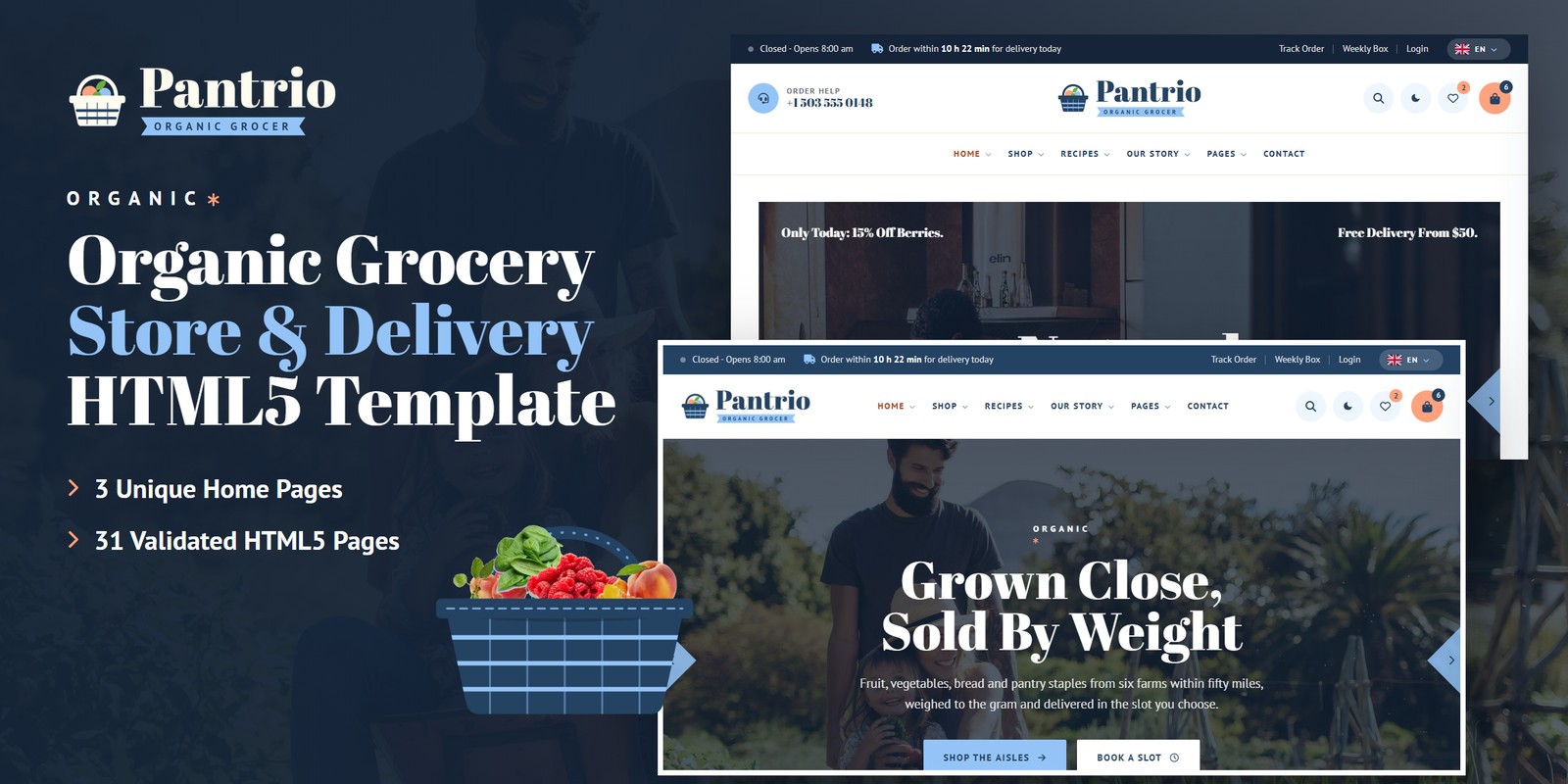
A fresh, generous HTML template for organic grocers, farm shops, zero-waste stores and produce delivery. Pantrio ships three home pages, a light and a dark theme, right-to-left support, and grocery logic that is worked out rather than typed in: products priced by weight or by the piece, two-hour delivery slots with places left and a cut-off, a minimum order and free delivery, recipe to basket, a weekly box builder and order tracking.
What’s included
- 3 home pages, each with its own scroll moment: Basket Fill (the week’s shop drops into the basket while the total counts up), Walk The Store (the aisle signs slide sideways) and Farm To Door (the van’s route lights each stop)
- 35 products in 6 aisles, 15 of them sold by weight in their own steps, the rest by the piece, bunch, pack, loaf, box, jar or bottle
- A quick-add bar on every product card: set the amount, see the line price, add
- Basket with a meter toward the $25.00 minimum and $50.00 free delivery, a discount code, tax, and a three-step checkout with an order number
- Delivery slot picker, ZIP check, weekly box builder, recipe to basket with servings, deal countdowns and order tracking
- Light and dark mode, right-to-left stylesheets with a flag language picker, WebGL layers tinted by the theme
- Basket Fill preloader, Shelf Slide reveals with price-tag rules, Swiper sliders and Fancybox galleries
- Fully responsive, W3C-valid, zero console errors
Getting Started
Thank you for choosing Pantrio. Follow the steps below to get your site live.
1. Open locally
Unzip the downloaded package and open pantrio/index.html in any modern browser. No build tools or server
are required — the shop, the basket, the slots, the recipes and the box builder all work straight from the files.
2. Deploy to a server
Upload the contents of the pantrio/ folder to your hosting provider using an FTP client or your hosting
control panel. Once uploaded, navigate to your domain and the template will load immediately.
3. Customise
All custom styling lives in assets/css/style.css (with a numbered Table of CSS at the top) and
assets/css/responsive.css. Colours and fonts are CSS variables — see Colors &
Fonts. Products, aisles, slots, recipes, boxes, farms and the route live in one place — see
Grocery Logic.
tile (blue, cream, apricot, ivory or white) matched to its photo’s background.File Structure
Below is an overview of the key files and folders included in this template.
index.html / homepage-2.html / homepage-3.html | Three home pages: Market (Basket Fill), Aisles (Walk The Store), Farm To Door (the van’s route) |
shop.html | Every product with aisle, price, sold-by and offer filters, sort and search |
aisles.html | The six aisles with counts and prices, and the fruit and vegetable aisles |
weekly-deals.html | The deal of the day and the weekly deals with countdowns |
product-single.html | A product sold by weight: presets, stepper, line price, tabs |
cart.html / checkout.html / wishlist.html | The basket with the minimum-order meter, the three-step checkout, the wishlist |
order-tracking.html | Find an order and see it on the farm-to-door map |
recipes.html / recipe-details.html | Recipes with meal filters and search; a recipe with servings and recipe to basket |
about.html / our-process.html | The store’s story, rules, numbers and team; the morning from field to shelf |
farms.html / farm-details.html | The six farms; one farm with its photos, facts, map and products |
team.html / gallery.html | The team and a hiring form; a filterable gallery |
delivery.html | The slot picker, the fees, the ZIP check and what happens on the day |
weekly-box.html | The weekly box builder, this week’s box and its questions |
faq.html | Questions by topic with search |
blog.html / blog-details.html | The journal (standard, video, gallery and quote posts) and a post with comments |
my-account.html / login.html / register.html / forgot-password.html | The account dashboard and the account forms |
contact.html | Contact cards, the map and the contact form |
coming-soon.html / 404.html | A countdown to the second store; the error page |
sendmail.php | AJAX mail handler for the contact form (see Contact Form) |
assets/css/style.css | All custom styles, numbered Table of CSS (17 sections) |
assets/css/responsive.css | Desktop-first breakpoints 1399 / 1199 / 991 / 767 / 575, plus wide screens from 1600 and 1960 |
assets/css/style.rtl.css / responsive.rtl.css | The right-to-left twins (see RTL) |
assets/css/plugins/ | Bootstrap (LTR and RTL), Swiper, Fancybox (vendor CSS) |
assets/js/main.js | All custom scripts, numbered JS INDEX (35 blocks) |
assets/js/plugins/ | jQuery, Bootstrap, Swiper, Fancybox, GSAP, ScrollTrigger |
assets/img/ | Images, one folder per section (see Images) |
assets/fonts/theme-icons/ | The sun and moon of the theme switch, loaded locally |
assets/webfonts/ + assets/css/fontawesome-all.css | Font Awesome Free, loaded locally |
Folder Structure
The package unzips to two folders: Documentation/ (this guide) and pantrio/, the template.
pantrio/
├── *.html                              the 31 pages, all in the root (see File Structure)
├── sendmail.php                        the AJAX mail handler for the contact form
└── assets/
    ├── css/
    │   ├── style.css / style.rtl.css   all custom styles (and the right-to-left twin)
    │   ├── responsive.css / .rtl.css   breakpoints 1399 / 1199 / 991 / 767 / 575
    │   ├── fontawesome-all.css         Font Awesome Free, loaded locally
    │   └── plugins/                    bootstrap (+ rtl), fancybox, swiper
    ├── js/
    │   ├── main.js                     all custom scripts, numbered JS INDEX (35 blocks)
    │   └── plugins/                    bootstrap, gsap, jquery, fancybox, ScrollTrigger, swiper
    ├── fonts/theme-icons/              the sun and moon of the theme switch
    ├── webfonts/                       Font Awesome Free font files
    └── img/                            images, one folder per section
        ├── banner/                      10 files
        ├── blog/                        6 files
        ├── cutouts/                     21 files
        ├── flags/                       6 files
        ├── gallery/                     21 files
        ├── home/                        16 files
        ├── icons/                       34 files
        ├── logo/                        3 files
        ├── menu/                        3 files
        ├── products/                    48 files
        ├── recipes/                     6 files
        ├── team/                        7 files
        └── testimonials/                3 files
Colors & Fonts
The whole design is driven by CSS variables declared at the top of style.css. Colours used with transparency
have an -rgb twin (for example --pa-sky-rgb) — change both together.
--pa-navy--pa-sky--pa-peach--pa-peach-text--pa-green--pa-teal--pa-night--pa-cream--pa-tile-blue--pa-tile-cream--pa-tile-apricot--pa-heading--pa-textNavy is the ink of headings, dark buttons and sale tags; sky fills the primary buttons with navy text; peach marks the basket, the wishlist and the play buttons, and its deeper partner prints the prices. The three tile colours are the grounds baked into the packshots and stay the same in both themes.
Fonts
Two Google Fonts: Abril Fatface (headings, prices, figures) and PT Sans (body, labels,
buttons; its bold italic writes the tags). Swap them by editing the Google Fonts link and --pa-ff-head /
--pa-ff-body.
Logo
The logo — the basket mark, “Pantrio” and the ORGANIC GROCER ribbon — ships as PNG files in
assets/img/logo/: logo.png (navy, light grounds), logo-light.png (cream, dark grounds and
dark mode) and favicon.png. The preloader draws the same basket mark so its produce can drop in.
Light & Dark Mode
Every header (and the mobile menu) has a theme switch. The choice is saved under pantrio-theme and applied by a
one-line script in the <head> before the page paints. The switch sets data-theme="dark" on
<html>.
--pa-bg--pa-surface--pa-night--pa-headingThe dark colours live in the [data-theme="dark"] block right after :root. Night bands
(.is-night) and the footer are dark in both themes; product tiles keep their pastel ground.
Grocery Logic
Every figure comes from one data block, JS block 09 Pantry Data (var PANTRY)
near the top of main.js. Edit it once and the cards, amounts, prices, slots and totals follow.
By weight or by the piece
A product with unit: 'kg' is priced per kilogram; step is how far the stepper moves
(0.125 = 125 g), def the amount a card adds, presets the weight buttons on the product page. Any other
unit (each, bunch, pack, loaf, box, jar,
bottle) is counted.
Minimum order, delivery and tax
Checkout refuses a basket under $25.00 of groceries (after any discount). Delivery is $4.95,
free from $50.00; the evening slot adds $2.95. Tax is 4% of the groceries. The code
FRESH10 takes 10% off.
Delivery slots
Two-hour slots from 8:00 am to 8:00 pm (Sundays 10:00 am to 4:00 pm), 7 days ahead, 12 places each. A slot closes
120 minutes before it starts. The top bar counts down to today’s last open slot; the picker keeps
the visitor’s choice for checkout. The places taken in the demo come from a small hash of the date, so the picture is
steady from visit to visit — connect slotBooked() (block 10) to your own system.
Recipe to basket
Each recipe lists products with an amount per serving. The servings stepper multiplies them and rounds each up to what the shop sells: Baby Spinach at 50 g a serving is 100 g for two, bought as 100 g; for four, 200 g bought as 200 g.
The weekly box
A size, how often (every week earns 10% off) and extras: the Family Box at $34.00, every week = $30.60 a delivery, about $132.60 a month.
The basket, wishlist, discount code, chosen slot and placed orders are kept in the browser (localStorage). The first
visit starts with a small demo basket; set the demo lists in doShop() (block 25) to
[] to start empty.
WebGL Layers
Two small shaders draw the moving layers: hills — layered field ridges drifting behind the night bands (page titles, the aisle track, counters, coming soon, 404) — and basket — the basket mark drawn in light, rocking on its base in the footer. Each is one canvas:
<canvas class="pa-gl" data-gl="hills" aria-hidden="true"></canvas>Colours come from --gl-1, --gl-2, --gl-3 and --gl-alpha on the section.
A layer only runs while on screen; reduced motion gets one still frame.
RTL (Right To Left)
Right to left comes from the stylesheets, not from separate pages: the flag language picker lists the languages that
read each way. Choosing Arabic stores the direction (pantrio-dir) and reloads; the head script sets
dir="rtl" and swaps the three stylesheets for the files named in their data-rtl attribute.
Nothing is translated. To make a page right to left for good, add dir="rtl" to its <html>
and load bootstrap.rtl.min.css, style.rtl.css and responsive.rtl.css in place of
the three LTR files.
style.rtl.css (after RTL fixes) keep what must not mirror. Regenerate with
npx rtlcss style.css style.rtl.css and copy the fixes back.JavaScript Guide
All custom behaviour lives in assets/js/main.js, organised into 35 numbered blocks:
- 01–08 — Preloader, Sticky Header, Offcanvas Menu, Scroll Reveals, Back To Top, Anchor Scroll, Light & Dark Mode, Direction, WebGL Textures. The core every page shares: the Basket Fill preloader, the header, the Shelf Slide reveals, the theme and direction switch and the WebGL layers.
- 09–10 — Pantry Data, Store Engine & Clock. Pantry Data holds every figure; the Store Engine weighs, prices and schedules (units, amounts, slots, the open-now clock).
- 11–19 — Custom Select, Counters & Rings, Hero Sliders, Card Sliders, Accordion, Filter Tabs, Grid Search, Newsletter, Choice Cards. Shared components: selects, counters, sliders, accordions, filters, search, newsletter, choice cards.
- 20–23 — Basket Fill, Aisles Track, Farm To Door Route, Search Panel. The three scroll moments (Basket Fill, Aisles Track, Farm To Door Route) and the header search.
- 24–35 — Contact Form, Grocery Shop, Account Forms, Delivery Slot Picker, Article Tools, Demo Forms, Recipe To Basket, Weekly Box Builder, Deal Clocks, Order Tracking, Account & Delivery Area, FAQ Search. The feature pages: contact, the grocery shop (basket, checkout, wishlist), accounts, slots, articles, demo forms, recipe to basket, the weekly box, deal clocks, order tracking, the account and ZIP check, FAQ.
Each block is a self-contained doSomething() that skips pages without its section. Every animation respects
prefers-reduced-motion.
pa-shelf on a card slides it in from the side, column by column;
pa-photo fades a photograph up; pa-fade settles text; pa-tag-rule is the price-tag rule
drawn under a title. data-delay="0.2" staggers any of them.Images
The package ships with neutral placeholder images at the correct dimensions. Replace them with your own using the same file
names. Images are grouped inside assets/img/:
img/banner/ | Hero slides, photo bands and round page-title photos — 10 files: 2809×1573, 1920×1075, 2893×904, 1920×743, 2809×1244, … |
img/blog/ | Journal posts — 6 files: 1382×977, 1584×1121, 800×566 |
img/cutouts/ | Produce cut-outs (transparent PNG) for the basket, the recipe hub and the box — 21 files: 489×326, 439×320, 469×325, 258×412, 434×330, … |
img/flags/ | The language picker’s flags (SVG, included) — 6 files: SVG |
img/gallery/ | Gallery, feed and farm photos — 21 files: 640×640, 1200×964, 650×650, 1211×1211, 1206×1032, … |
img/home/ | Home page photos and the basket artwork (included) — 16 files: 800×391, 1200×1373, 1120×920, 1200×597, 800×532, … |
img/icons/ | Illustrated line icons, each in a navy and a cream ink — 34 files: 128×128 |
img/logo/ | Logo, light logo, mark and favicon — 3 files: 409×112, 64×64 |
img/menu/ | Home previews in the mega menu — 3 files: 560×350 |
img/products/ | Packshots on their pastel tiles (800×800) — 48 files: 800×800, 600×600, 950×950, 997×997, 1056×1056 |
img/recipes/ | Recipe dishes — 6 files: 800×800, 1206×1206 |
img/team/ | Round team portraits (PNG) — 7 files: 800×800 |
img/testimonials/ | Round review portraits (PNG) — 3 files: 150×150 |
The logo files, the illustrated icons, the basket artwork and the language flags are included. All demo photography on the live preview is for preview purposes only and is not included in the download.
Contact Form
The contact form posts to sendmail.php, a lightweight AJAX mail handler; the message appears under the button
without reloading the page. The newsletter, checkout, box, comment, hiring and account forms are demo forms that confirm on
screen. To activate the mail handler:
1. Set your email address
$email = 'example@example.com';2. Upload to a PHP host
The form needs PHP mail() support. On a local computer or a static host it shows an “upload to a
PHP-enabled host” notice instead.
3. Optional: enable Google reCAPTCHA v3
- Create v3 keys for your domain in the Google reCAPTCHA admin console
- In
sendmail.php, replaceYOUR_RECAPTCHA_V3_SECRET_KEYwith your secret key - In
contact.html, add a hidden token field inside the form and load the script with your site key:
<input type="hidden" name="g-recaptcha-response" id="g-recaptcha-response">
<script src="https://www.google.com/recaptcha/api.js?render=YOUR_SITE_KEY"></script>
<script>
  grecaptcha.ready(function () {
    grecaptcha.execute('YOUR_SITE_KEY', { action: 'contact' }).then(function (token) {
      document.getElementById('g-recaptcha-response').value = token;
    });
  });
</script>
Credits
- Bootstrap 5.3.3
- jQuery 3.7.1
- Swiper 11
- GSAP 3 + ScrollTrigger
- Fancybox 3.5
- Font Awesome Free
- RTLCSS
- Google Fonts: Abril Fatface, PT Sans
All plugin files and icon fonts are loaded locally. The only external requests are the Google Fonts stylesheet, the Google Maps embeds and the video popup.
Support
If you have any questions or need help with the template, please reach out through the marketplace where you purchased the template: open the item there and send us your question from its support page. We aim to respond within 24–48 hours.