Overview
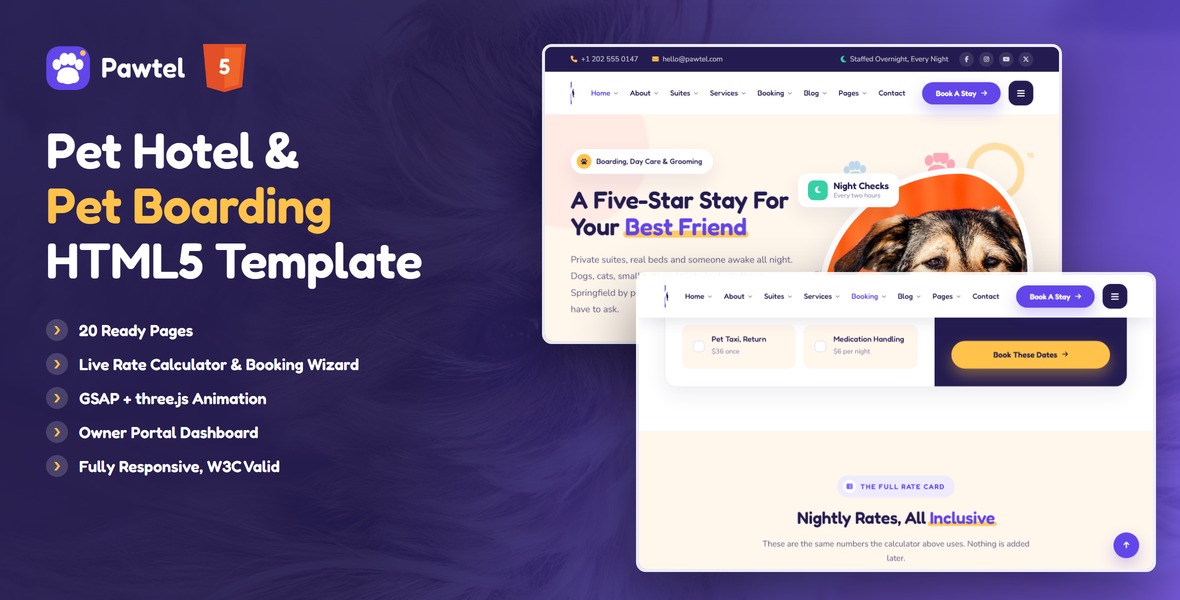
An animation-rich HTML template for pet hotels, boarding kennels, catteries and pet day care. Pawtel ships two homepages, sixteen bookable suites across four pet types, a live rate calculator whose figures match the printed rate card, a four-step booking wizard and an owner portal that shows a stay in progress.
What’s included
- 2 homepage designs (a standard layout and a night-shift variant)
- Rate calculator with real arithmetic — nightly rate, add-ons and a multi-pet discount that reconcile against the rate card
- Four-step booking wizard with per-step validation, night counting and a live total
- Owner portal: today’s log, weight trend, meal and medication meters, photo grid, upcoming stays
- Suites with pet-type tabs, suite details with gallery and seasonal rate table
- Services and service details with FAQ accordions, about with a story timeline, carers, filterable gallery
- Blog grid with standard / video / gallery / quote post types and pagination, blog article with sidebar, author box and comments
- Contact with a working PHP form and map, login / register / forgot password, coming soon with countdown, 404
- three.js scenes: drifting paw prints, a paw trail walked in on scroll behind the why band, the about block and the footer, grooming bubbles and leash trails
- GSAP scroll reveals, a scroll-scrubbed horizontal day timeline, Swiper sliders, animated counters, parallax
- Fully responsive, W3C-valid, zero console errors
Getting Started
Pawtel is plain HTML, CSS and JavaScript. There is no build step, no package manager and nothing to compile — unzip it and open a file.
1. Unzip and open
Extract the archive and open index.html in a browser. Everything except the contact form works straight from the file system.
2. Run it through a server (recommended)
The contact form posts to sendmail.php, so it needs PHP. Any local stack will do:
# Python, from inside the pawtel folder
python -m http.server 8000

# or PHP, which also makes the contact form work
php -S localhost:8000
3. Change the branding
- Replace
assets/img/logo/logo.png,logo-light.pngandfavicon.png. - Search and replace the word Pawtel across the HTML files.
- Update the phone number, email and address in the topbar, offcanvas and footer of every page.
- Set your own colours in the
:rootblock ofassets/css/style.css(see Colors & Fonts).
4. Set your rates
Prices live in one place. Open assets/js/main.js, find block 16. Rate Model, and edit the RATES and ADDONS objects. The calculator, the booking wizard and every quote on the site read from there.
File Structure
| Path | What it is |
|---|---|
index.html | Homepage one |
homepage-2.html | Homepage two, the night-shift variant |
about.html, team.html, gallery.html | About, carers and the filterable gallery |
suites.html, suite-details.html | All sixteen suites, and one suite in full |
services.html, service-details.html | Add-on services and one service in full |
booking.html | Four-step booking wizard with a live summary |
rates.html | Rate calculator and the full rate card |
owner-portal.html | Owner dashboard for a stay in progress |
blog.html, blog-single.html | Blog grid with pagination, and an article |
contact.html | Contact cards, working form and map |
login.html, register.html, forgot-password.html | Owner portal authentication |
coming-soon.html, 404.html | Countdown and not-found |
sendmail.php | Contact form handler, with reCAPTCHA v3 support |
assets/css/style.css | Main stylesheet — numbered table of contents at the top |
assets/css/responsive.css | Desktop-first breakpoints: 1399 / 1199 / 991 / 767 / 575 |
assets/css/plugins/ | Bootstrap, Swiper and Fancybox stylesheets |
assets/css/fontawesome-all.css | Font Awesome 6 Free, self-hosted |
assets/js/main.js | All custom JavaScript — numbered index at the top |
assets/js/plugins/ | jQuery, Bootstrap, GSAP, ScrollTrigger, Swiper, Fancybox, three.js |
assets/img/ | Images, grouped by section |
assets/webfonts/ | Font Awesome webfont files |
Colors & Fonts
Every colour in the template comes from CSS custom properties at the top of assets/css/style.css. Change them there and the whole site follows.
Palette
| Token | Value | Used for |
|---|---|---|
--pw-color-primary | #6246EA | Brand grape — buttons, links, active states |
--pw-color-primary-deep | #4A32C0 | Pressed states and gradients |
--pw-color-primary-soft | #EFEBFF | Tints, chips, icon plates |
--pw-color-sun | #FFC24B | Accent 1 — highlights, marker stroke |
--pw-color-bubble | #FF6F91 | Accent 2 |
--pw-color-mint | #35D0A5 | Accent 3 — also success states |
--pw-color-sky | #3FA9F5 | Accent 4 |
--pw-color-ink | #241C50 | Headings, dark bands, footer |
--pw-color-body | #5F5980 | Body copy |
--pw-color-cream | #FFF6EC | Warm section backgrounds and form fields |
--pw-color-border | #EDE7F6 | Card borders and dividers |
The accent rotation
Repeating card sets cycle through four accent classes so a grid reads like a crayon box. Add pw-a1 to pw-a5 to any card and its icon plate, chip, hover colour and meter fill follow automatically:
<article class="sv-card pw-a2"> ... </article>Fonts
Two families only, loaded from Google Fonts in the <head> of every page.
| Family | Weights | Used for |
|---|---|---|
| Fredoka | 400, 500, 600, 700 | Headings, buttons, numerals, labels |
| Nunito | 400, 600, 700, 800 | Body copy |
To swap them, change the Google Fonts <link> on each page and the --pw-ff-heading and --pw-ff-body tokens.
Spacing
Sections use sec-pt-120 and sec-pb-120. The responsive ladder shrinks them to 100 / 90 / 80 / 70 as the viewport narrows — change it once in responsive.css and every section follows.
Rates & Booking
The three feature pages share one pricing model so they can never disagree with each other.
Where prices live
Block 16. Rate Model in assets/js/main.js:
var RATES = {
  kennel: { label: 'The Kennel Suite', pet: 'dog', night: 48 },
  villa:  { label: 'Garden Villa',     pet: 'dog', night: 72 },
  // ... sixteen suites
};

var ADDONS = {
  groom: { label: 'Full Grooming',   price: 45, perNight: false },
  walk:  { label: 'Extra Daily Walk', price: 12, perNight: true  },
  // ...
};
Set perNight: true for anything charged every night, false for a one-off. The pet key drives the suite filter — choosing "Cat" hides every suite that is not a cat suite.
How a quote is worked out
boarding = nightly rate x nights x pets
add-ons  = sum of (one-off x pets) and (per-night x nights x pets)
discount = boarding x 0.10  (two pets)  or  x 0.15  (three or more)
TOTAL    = boarding - discount + add-ons
The discount applies to the boarding line only, never to services, and it is always shown as its own line so an owner can see what it saved. To change the bands, edit petDiscountRate() in the same block.
Adding a suite
- Add an entry to
RATESwith a unique key. - Add a matching
<option value="yourkey">to the suite selects onbooking.htmlandrates.html. - Add a card to
suites.htmlinside the right pet-type pane, and a row to the rate card onrates.html.
The booking wizard
Four panes inside .bk-wizard. A field is required by adding data-required to it; the matching .bk-error message shows when it fails. Nights are counted from the two date inputs, and check-out must be after check-in. The summary rail and the review step both read from the same quote function, so they can never drift apart.
The owner portal
Charts are pure CSS, so there is no charting library to configure. Set data-pct on a .bar-fill or a .meter-fill and it animates to that percentage when scrolled into view. Keep the printed figure beside it in step with the percentage you set.
JavaScript Guide
All custom code is in assets/js/main.js, in one jQuery IIFE. Each numbered block is a self-contained function that returns immediately if its markup is not on the page, so every page can safely load the same file.
| # | Block | What it does |
|---|---|---|
| 01 | Preloader | Paw print presses in, counter runs to 100% |
| 02 | Sticky Header | Pins the header past the topbar, with a spacer so the page does not jump |
| 03 | Offcanvas Menu | Mobile panel, closes on overlay click or Escape |
| 04 | Scroll Reveals | GSAP ScrollTrigger entrances for .pw-fade-* and .pw-pop |
| 05 | Marker Underline | Draws the accent stroke under .pw-hl |
| 06 | Counters | Animates any element with data-count |
| 07 | Hero Float | Floating stickers and orb parallax |
| 08 | Suite Tabs | Pet-type tabs on the home page and the suites page |
| 09 | Day Timeline | Horizontal scrub of “A Day At Pawtel”, tied to the section’s own scroll |
| 10 | Facility Slider | Full-bleed Swiper with a synced copy card and counter |
| 11 | Testimonial Slider | Swiper with pagination dots |
| 12 | Blog Slider | Swiper with arrow navigation |
| 13 | Three FX | All five three.js scenes and the shared renderer |
| 14 | Back To Top | Appears past 500px of scroll |
| 15 | Anchor Scroll | Smooth in-page anchors |
| 16 | Rate Model | Prices, add-ons, discount bands and the quote function |
| 17 | Rate Calculator | Drives rates.html |
| 18 | Booking Wizard | Steps, validation and the live summary on booking.html |
| 19 | Owner Portal | Bar chart and meter fills |
| 20 | Gallery Filter | Category filtering on gallery.html |
| 21 | Accordion | FAQ blocks |
| 22 | Countdown | Reads data-target on .countdown |
| 23 | Contact Form | AJAX post to sendmail.php |
| 24 | Suite Gallery | Swiper on suite-details.html |
Reduced motion
Every animated block checks prefers-reduced-motion. On that path the preloader hides immediately, reveals are shown at full opacity, counters jump to their final value, sliders stop auto-playing and each three.js scene draws a single still frame. Nothing is left invisible.
The three.js scenes
Add a holder anywhere inside a position: relative section and the scene mounts itself:
<div class="pw-scene" data-scene="paws" aria-hidden="true"></div>Valid values are paws, trail, bubbles and ribbons. A page may carry the same scene more than once. Each one pauses when it scrolls off screen and boots through a ResizeObserver, so a scene inside a hidden tab still starts correctly once it has a size. Put page content in a sibling with class="pw-above" so it sits over the canvas.
To remove a scene, delete its holder. To remove three.js entirely, delete the holders and the three.min.js script tag — block 13 exits on its own if THREE is undefined.
Images
Demo photographs are not included in the download. They are licensed for the live demo only and have been replaced with neutral grey placeholders at the correct dimensions. The logo, the favicon and any generated artwork are included and are yours to use.
Each placeholder is labelled with the size it expects, so you can swap in your own photography at the right dimensions without touching the CSS.
Crops
Portrait images use object-position: center top so heads are never clipped, and hover zooms use transform-origin: center top for the same reason. Keep your subject in the upper two thirds of any portrait crop.
| Folder | Typical size |
|---|---|
assets/img/banner/ | 900×950 hero, 300×300 avatars |
assets/img/suites/ | 900×520 wide, 560×420 square, 500×620 tall |
assets/img/day/ | 660×440 |
assets/img/facilities/ | 1200×760 |
assets/img/team/ | 300×300 |
assets/img/testimonial/ | 300×300 |
assets/img/blog/ | 740×470 |
assets/img/bg/ | 1920×900 |
Contact Form
The form on contact.html and the comment form on blog-single.html post to sendmail.php over AJAX. Opened from the file system they will show a message telling you to upload to a PHP host — that is expected, not a bug.
1. Set your email address
Open sendmail.php and change the first line:
$email = 'example@example.com'; // your address here2. Turn on reCAPTCHA v3 (optional)
The template ships with reCAPTCHA switched off. To enable it:
- Go to google.com/recaptcha/admin and register a site.
- Choose reCAPTCHA v3 and add your domain. Google gives you a site key and a secret key.
- In
sendmail.php, set the flag and paste the secret key:$use_recaptcha = true; define("RECAPTCHA_V3_SECRET_KEY", 'your-secret-key-here'); - Add the Google script to the bottom of the page that holds the form, just above
main.js:<script src="https://www.google.com/recaptcha/api.js?render=YOUR_SITE_KEY"></script> - Add a hidden field inside the form to carry the token:
<input type="hidden" name="g-recaptcha-response" id="g-recaptcha-response"> - Fill that field before the form submits:
grecaptcha.ready(function () {
  grecaptcha.execute('YOUR_SITE_KEY', { action: 'contact' }).then(function (token) {
    document.getElementById('g-recaptcha-response').value = token;
  });
});
Never commit your secret key to a public repository. The site key is public; the secret key is not.
3. If mail does not arrive
- Check the spam folder first — PHP
mail()is often filtered. - Confirm your host allows
mail(). Many shared hosts require SMTP instead. - For reliable delivery, swap
mail()for PHPMailer or an API such as Postmark or SendGrid. The form posts a normalPOSTbody, so any handler that returns{"success": true, "message": "..."}as JSON will work with the existing JavaScript.
Credits
Pawtel is built on open-source work. All of it is bundled locally — nothing is loaded from a CDN at runtime except Google Fonts.
| Library | Licence | Used for |
|---|---|---|
| Bootstrap 5.3 | MIT | Grid and layout utilities |
| jQuery 3.7.1 | MIT | DOM and AJAX |
| GSAP + ScrollTrigger | GSAP Standard Licence | Reveals, the day timeline, the paw trail, the preloader |
| three.js | MIT | The five background scenes |
| Swiper | MIT | All sliders |
| Fancybox | GPLv3 / Commercial | Video and gallery lightboxes |
| Font Awesome 6 Free | CC BY 4.0 / SIL OFL / MIT | All icons |
| Fredoka | SIL OFL 1.1 | Headings |
| Nunito | SIL OFL 1.1 | Body copy |
Demo photography is used under licence for the preview only and is not redistributed with the template.
Support
Thank you for buying Pawtel. If something is not behaving, we would rather fix it than have you work around it.
Before you write in
- Open the browser console and copy any errors — they usually name the file.
- Tell us the page, the browser and the screen width where it happens.
- A screenshot or a short screen recording saves a lot of back and forth.
What we cover
Bug fixes, help with the template’s own features and answering questions about the files above. Customisation work, third-party plugin integration and hosting problems fall outside item support, though we will always point you in the right direction.
Get in touch: themeforest.net/user/metropolitantheme — via the Support tab on the item page. We reply within one working day, Monday to Friday.
If Pawtel has been useful, a rating on your Downloads page genuinely helps.