Overview
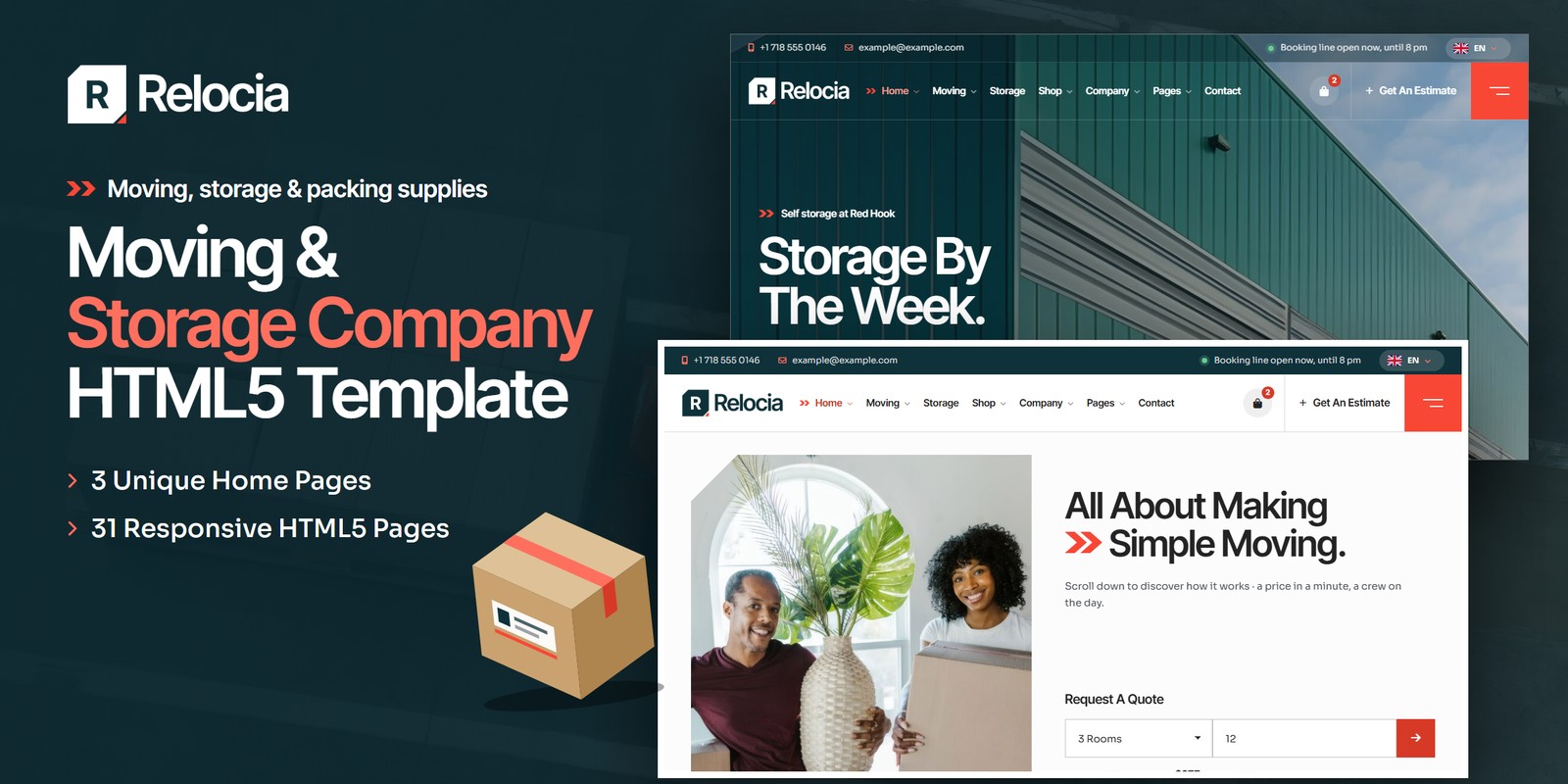
A practical, friendly HTML template for a home and office moving and storage company: a move estimator that works a crew, a truck, the hours and a price from the rooms, the miles and the stairs; a calendar where every moving day has its own rate; a five-step booking; an office relocation request with a dated plan; storage units drawn to scale; and a packing-supplies shop. Relocia ships three home pages, a light and a dark theme and right-to-left support, and every figure on every page comes from one data block, so a price can never disagree with the engine that works it out.
What’s included
- 3 home pages, each with its own scroll moment: Home Moves (pack, load, drive, unload, hour by hour), Storage (a unit drawn to scale growing from 25 to 50 to 100 sq ft, what fits appearing as it grows) and Plan & Price (boxes piling up as the rooms run from one to eight, the truck, crew and price beside them)
- The move estimator: rooms, miles, floors carried without a lift at each end, packing and storage weeks; the crew, the truck, the hours, the boxes, the volume and every line of the price
- Move dates: a month calendar with Saver, Standard, Peak and High Peak days, the crews left, Sundays and holidays off, three arrival windows
- Booking in five steps, Continue never blocks and only the confirmation checks: the move, the date, the addresses, your details and full-value cover, a 20% deposit and a move number
- Office relocation: desks, meeting rooms and server racks to crates, trucks, crew, nights on site, a price range and a dated plan from the survey to set-up
- Storage: seven unit sizes from 25 to 300 sq ft drawn to scale, a size finder by rooms, climate control, contents cover, long-stay savings and a reservation
- The packing-supplies shop: 17 drawn products in 4 categories, a kit finder by rooms, product page, bag, a code, a moving-customer saving, free delivery over a threshold, sales tax, checkout and wishlist
- The booking line open now (or when it opens) in every header, today marked in every hours list, the next free moving day and the cheapest day in the next four weeks
- The Box Tape preloader, Dolly Tip reveals (cards wheeled in leaning back on a hand truck and tipped upright), soft-rise copy and the room tag that slides onto cards on hover
- WebGL corrugated-board ridges in the petrol bands and a taped box wobbling on soft-body springs in the footer, tinted by the theme
- A light theme and a dark theme on one switch, remembered and applied before the page paints; right-to-left stylesheets and a flag language picker
- About, crew, crew profile, recent moves, careers, FAQ with search, journal with post formats, contact with map and mail form, account pages, coming soon, 404
- Fully responsive, clean HTML5 markup, no console errors
Getting Started
Thank you for choosing Relocia. Follow the steps below to get your site live.
1. Open locally
Unzip the downloaded package and open relocia/index.html in any modern browser (Chrome, Firefox, Edge,
Safari). No build tools or server are required — the estimator, the calendar, the booking, the office request,
the storage page and the shop all work straight from the files.
2. Deploy to a server
Upload the contents of the relocia/ folder to your hosting provider using an FTP client (such as FileZilla)
or your hosting control panel. Once uploaded, navigate to your domain and the template will load immediately.
3. Customise
All custom styling lives in assets/css/style.css (with a numbered Table of CSS, 17 sections) and
assets/css/responsive.css. Colours and fonts are controlled by CSS variables — see
Colors & Fonts. Every rate, truck, unit, holiday, product and person lives in one place
— see Moving Logic.
assets/img/ with your own photography at the
same dimensions for the best result. The shop’s product shots in img/shop/ are drawn and included.
File Structure
Below is an overview of the key files included in this template.
index.html / homepage-2.html / homepage-3.html | Three home pages: Home Moves (the move day hour by hour), Storage (a unit growing 25 → 50 → 100 sq ft) and Plan & Price (the boxes piling up room by room) |
services.html / service-details.html | Six services with the price each starts from; local moves with a priced table, questions and a quick estimate |
estimate.html | The move estimator: rooms, miles, floors without a lift, packing and storage weeks to a crew, a truck, the hours and a price, line by line |
move-dates.html | A month calendar of moving days, each with its tier, its price for your move and the crews left; three arrival windows |
booking.html | Book a move in five steps: the move, the date and window, the addresses, your details and cover, the confirmation and a move number |
office-relocation.html | The office relocation request: company, desks, rooms and racks, buildings, timing and contact, with crates, crew, a price range and a dated plan |
pricing.html | Every rate: crews and trucks, four worked examples, packing, extras, storage and the day factors |
storage.html | Seven unit sizes drawn to scale, a size finder, the price of a stay and a reservation |
shop.html / product-single.html / cart.html / checkout.html / wishlist.html | The packing-supplies shop with a kit finder by rooms, product page, bag, checkout and wishlist |
about.html / team.html / team-details.html | The company, the crew and a crew profile |
gallery.html | Recent moves with filters: homes, offices, storage and long distance |
careers.html | Open positions with the hourly pay, the perks and an application form |
faq.html | Questions in five topics with live search |
blog.html / blog-details.html | The journal with six post formats, and an article with sidebar, author, comments and form |
contact.html | The office, the booking line and the depot, the mail form and the map |
account.html / login.html / register.html / forgot-password.html | Your move, your unit and your orders; sign-in pages |
coming-soon.html / 404.html | A countdown to the second depot, and a page packed into the wrong box |
sendmail.php | The AJAX mail handler for the forms |
Folder Structure
The package unzips to two folders: Documentation/ (this guide) and relocia/, the template.
Every page sits in the template’s root; everything the pages load sits under assets/:
relocia/
├── *.html                              the 31 pages, all in the root (see File Structure)
├── sendmail.php                        the AJAX mail handler for the forms
└── assets/
    ├── css/
    │   ├── style.css                   all custom styles, numbered Table of CSS
    │   ├── style.rtl.css               the right-to-left twin of style.css
    │   ├── responsive.css              breakpoints 1399 / 1199 / 991 / 767 / 575
    │   ├── responsive.rtl.css          the right-to-left twin of responsive.css
    │   ├── fontawesome-all.css         Font Awesome Free, loaded locally
    │   └── plugins/                    bootstrap (+ rtl), fancybox, swiper
    ├── js/
    │   ├── main.js                     all custom scripts, numbered JS INDEX (31 blocks)
    │   └── plugins/                    bootstrap, gsap, ScrollTrigger, jquery, fancybox, swiper
    ├── fonts/
    │   └── theme-icons/                the sun and moon of the theme switch
    ├── webfonts/                       Font Awesome Free font files
    └── img/                            images, one folder per kind
        ├── banner/                      17 files
        ├── blog/                        7 files
        ├── faces/                       4 files
        ├── flags/                       6 files
        ├── icons/                       32 files
        ├── logo/                        5 files
        ├── menu/                        3 files
        ├── moves/                       17 files
        ├── shop/                        17 files
        └── team/                        6 files
Colors & Fonts
The whole design is driven by CSS variables at the top of style.css. Change a token once and every section,
button and card updates. Colours used with transparency have an -rgb twin (for example
--rc-signal-rgb) — change both together.
--rc-signal--rc-action--rc-accent-text--rc-petrol--rc-petrol-2--rc-mist--rc-ink--rc-text--rc-bg--rc-tile--rc-kraft--rc-lineSignal red fills the marquee band, the menu block, the double chevrons and the progress lines; action red is the same red
made deep enough for white button labels, and red ink is the one used for small text on light grounds. Petrol is the top
bar, the title bands, the lists and the footer; mist is its quiet text. Grey tiles carry the base’s tile grids and
info panels. --rc-bg, --rc-surface, --rc-tile, --rc-heading and
--rc-text are the semantic names the components use — the dark theme swaps those.
Fonts
Two Google Fonts are loaded in the head of each page: Inter Tight (headings, the navigation, buttons,
figures) and Sora (body copy and labels). Swap them by editing the Google Fonts link and the
--rc-ff-display / --rc-ff-body variables.
Logo
The logo is a petrol tile with two chamfered corners holding a white R, a red taped corner in its lower cut, beside
“Relocia” in Inter Tight. It ships as PNG files in assets/img/logo/:
logo.png— for light grounds: the white header and the light themelogo-light.png— for dark grounds: the header over the photos, the footer and the dark themelogo-word.png— the word alone (under the preloader’s box)mark-stamp.png— the tile as a stamp (printed on the preloader’s box and the footer’s box)favicon.png— the browser tab icon
Light & Dark Mode
Relocia opens light. Every header and the mobile menu have a theme switch; the choice is saved in the browser under
relocia-theme and applied by a one-line script in the <head> before the page paints. The
switch sets data-theme="dark" on the <html> tag.
--rc-bg--rc-surface--rc-tile--rc-heading--rc-text--rc-accent-text- Tokens — the dark values sit in one block,
[data-theme="dark"] { … }, right after:root. - Bands that stay petrol — elements with
is-night(the title bands, the lists, the result panels, the footer) are petrol in both themes. - White panels —
rc-on-paperkeeps a panel white with dark ink in both themes. - Icons — each illustrated icon ships in a petrol and a light version, and the right one shows by theme and ground.
Moving Logic
Block 09 of main.js, Relocia Data, holds every figure the site shows: rates,
trucks, crews, packing, extras, storage units, the calendar’s factors and holidays, the office rates, services,
the crew, recent moves, the journal, the jobs and the shop. Block 10, Move Engine & Clock,
works everything out from it.
The estimate
- Volume — 120 cu ft for the kitchen and bathrooms plus 225 cu ft a room; boxes — 12 plus 18 a room.
- Truck — the smallest that holds the volume; crew — by the volume, one more mover when the floors carried without a lift reach 3.
- Hours — loading at 90 cu ft and unloading at 110 cu ft a mover an hour, each end 10% longer for every floor without a lift, the drive (30 mph for the first 50 miles, 50 after), 0.5 h set-up, rounded up to the half hour, 3 hours at least.
- Price — (crew × hours × $42 + the truck’s day) × the day’s factor + $1.40 for each mile after 10 + packing by the room + storage by the week.
| 10 ft Truck | 400 cu ft, a studio or one room | $95 a day |
| 15 ft Truck | 760 cu ft, one to two rooms | $125 a day |
| 20 ft Truck | 1,015 cu ft, three rooms | $155 a day |
| 26 ft Truck | 1,700 cu ft, four to six rooms | $195 a day |
| 26 ft + 15 ft Trucks | 2,460 cu ft, seven to ten rooms | $320 a day |
The calendar
A day’s factor is its weekday’s (Tuesday and Wednesday x0.95, Monday and Thursday x1.00, Friday x1.15, Saturday x1.20; no moves on Sundays), plus 0.15 in the last 3 days of a month and 0.05 in June, July and August. New Year’s Day, Memorial Day, Independence Day, Labor Day, Thanksgiving and Christmas Day are off. Each day has 8 crews; the ones left come from a seeded hash of the date, so every visitor sees the same calendar. Moves are booked 2 to 180 days ahead; an afternoon arrival is 5% off.
Storage
A stay is the unit’s week (climate control +15%) times the weeks, 10% off from 12 weeks and 15% off from 26; contents cover is $9 a week and the first week reserves the unit. A 100 sq ft unit for 12 weeks: $529.
| 25 sq ft (5 x 5 ft) | 200 cu ft, a few boxes | $19 a week |
| 50 sq ft (5 x 10 ft) | 400 cu ft, a studio | $29 a week |
| 75 sq ft (5 x 15 ft) | 600 cu ft, one bedroom | $39 a week |
| 100 sq ft (10 x 10 ft) | 800 cu ft, two bedrooms | $49 a week |
| 150 sq ft (10 x 15 ft) | 1,200 cu ft, three bedrooms | $69 a week |
| 200 sq ft (10 x 20 ft) | 1,600 cu ft, four bedrooms | $89 a week |
| 300 sq ft (10 x 30 ft) | 2,400 cu ft, five bedrooms or a small office | $129 a week |
Office relocation
Crates: two a desk, four a meeting room, three a rack; a truck takes 120 crates. Price: desks at $85, rooms at $160, racks at $450, $380 a truck and its miles, evenings +10%, weekends +18%, a building without a freight lift +12%, shown as a range of plus or minus 10%. Forty desks, four rooms and a rack over a weekend: $5,170 – $6,320.
The shop
A code (MOVE10, 10% off) comes off first; customers with a move booked save 10% of
what is left; delivery is free from $99 (else $9, express $19); sales tax is 8.875%. The kit
for 3-4 rooms and six rolls of tape with the code and the saving: $223.99 − $22.40 − $20.16 + delivery free
+ tax $17.89 = $199.32.
relocia-move, the storage choice under relocia-unit, the bag and wishlist under
relocia-bag-v1 / relocia-wish-v1 — connect them to your own systems when you go live.WebGL & Canvas
- Corrugated — a WebGL fragment shader draws the fluted middle of cardboard in the petrol bands: rounded ridges lit on one side, the sheet bending slowly, pieces coming and going at the band edges. Add
<canvas class="rc-gl" data-gl="corrugated" aria-hidden="true"></canvas>as the first child of any positioned section; it takes its colours from--gl-1,--gl-2and--gl-alpha. - The taped box — the footer’s box is a soft body in Canvas 2D: a lattice of masses joined by springs, set down every few seconds, poked by the pointer, dropped by a click.
- Both run only while on screen, pause in hidden tabs and draw a single still frame for visitors who prefer reduced motion.
RTL
Every page is one file. The language picker in the header lists left-to-right and right-to-left languages; choosing a
right-to-left one stores relocia-dir and reloads, and the head script sets dir="rtl" and swaps
the three stylesheets named in data-rtl for their twins (bootstrap.rtl.min.css,
style.rtl.css, responsive.rtl.css). The demo copy stays in English.
JavaScript Guide
All custom behaviour lives in assets/js/main.js, wrapped in a jQuery IIFE and organised into 31 numbered
blocks (see the JS INDEX comment at the top of the file):
- 01–09 — Preloader, Sticky Header, Offcanvas Menu, Scroll Reveals, Back To Top, Anchor Scroll, Light & Dark Mode, Direction, WebGL Layers, Relocia Data. The core every page shares: the Box Tape preloader, the header, the offcanvas, the Dolly Tip and soft-rise reveals, the theme and direction switch, the corrugated WebGL layer and the data block.
- 10–18 — Move Engine & Clock, Custom Select, Hero Sliders, Card Sliders, Accordion, Filter Tabs, Grid Search, Newsletter, Choice Cards. The move engine and the clock (volume, truck, crew, hours, price; day factors, holidays, crews left; the booking line open now), then the shared components: selects, sliders, accordions, filters, search, forms.
- 19–20 — Scroll Moments, Soft-Body Box. The three homes’ scroll moments and the footer’s taped box on its springs.
- 21–31 — Move Dates & Booking, Storage Units, Move Estimator, Contact Form, Packing Supplies Shop, Account Forms, Office Relocation, Article Tools, Demo Forms, Launch Countdown, FAQ Search. The feature pages: the calendar and the booking, storage units, the estimator, contact, the shop, accounts, the office request, the journal, the countdown and the FAQ.
Each block is a self-contained doSomething() function that skips pages where its section is not present.
Every animation respects prefers-reduced-motion: content appears in its final state and the scrubbed
scenes rest in place.
rc-dolly to a card so it is wheeled in on a hand truck and tipped
upright, rc-fade to text so it rises softly, rc-words to a title so its words rise one after another,
and rc-roomtag with data-room="Kitchen" to a card for the room tag on hover.
data-delay="0.2" staggers any of them.doLaunchCountdown().Images
The download package ships with neutral placeholder images so you can see every layout at the correct dimensions.
Replace them with your own photos using the same file names. Images are grouped inside assets/img/:
img/banner/ | Heroes and page title bands — 17 files: 2809×990, 2826×1687, 1245×1197, 3421×1206, 2812×1580, … |
img/blog/ | Journal photographs — 7 files: 1400×637, 1920×677, 1386×1313, 1400×739 |
img/faces/ | Round portraits for voices, reviews and avatar groups — 4 files: 198×198, 158×158, 302×302 |
img/flags/ | The language picker’s flags (SVG, included) — 6 files: SVG |
img/icons/ | Illustrated line icons, each in a petrol and a light version (included) — 32 files: 128×128 |
img/logo/ | Logo, light logo, wordmark, stamped mark and favicon (included) — 5 files: 920×252, 64×64, 626×174, 532×532 |
img/menu/ | Home previews in the mega menu — 3 files: 560×350 |
img/moves/ | Moves, crews, the depot and the office — 17 files: 2826×1687, 1809×1080, 2233×1179, 2988×1359, 1344×725, … |
img/shop/ | The packing supplies, drawn product shots (included) — 17 files: 900×900 |
img/team/ | The crew, portraits — 6 files: 1000×1234, 838×1034 |
The logo files, the illustrated icons, the drawn product shots and the language flags are included. All demo photography shown on the live preview is for preview purposes only and is not included in the download.
Contact Form
The contact form, the Home 01 contact panel, the crew profile form and the comment form post to sendmail.php,
a lightweight AJAX mail handler; the message appears under the button without reloading. The booking, the office request,
the storage reservation, the newsletter, the application, checkout and the account forms confirm on screen and are ready
to connect to your own systems. To activate the mail handler:
1. Set your email address
Open sendmail.php and replace the placeholder recipient at the top of the file:
$email = 'example@example.com';2. Upload to a PHP host
The form needs a server with PHP mail() support. Locally or on a static-only host it shows an
“upload to a PHP-enabled host” notice instead.
3. Optional: enable Google reCAPTCHA v3
Invisible reCAPTCHA v3 spam protection is built into the handler and stays dormant until the form submits a token:
- Create v3 keys (a site key and a secret key) for your domain in the Google reCAPTCHA admin console
- In
sendmail.php, replaceYOUR_RECAPTCHA_V3_SECRET_KEYwith your secret key - In
contact.html, add a hidden token field inside the form and load the reCAPTCHA script with your site key just before</body>:
<!-- inside the form -->
<input type="hidden" name="g-recaptcha-response" id="g-recaptcha-response">

<!-- before the closing </body> tag -->
<script src="https://www.google.com/recaptcha/api.js?render=YOUR_SITE_KEY"></script>
<script>
  grecaptcha.ready(function () {
    grecaptcha.execute('YOUR_SITE_KEY', { action: 'contact' }).then(function (token) {
      document.getElementById('g-recaptcha-response').value = token;
    });
  });
</script>
Credits
This template is built using the following open-source libraries and resources.
- Bootstrap 5.3.3
- jQuery 3.7.1
- Swiper 11
- GSAP 3 + ScrollTrigger
- Fancybox 3.5
- Font Awesome Free
- RTLCSS
- Google Fonts: Inter Tight, Sora
All plugin files and icon fonts are loaded locally. The only external requests are the Google Fonts stylesheet, the Google Maps embeds and the video popup.
Support
If you have any questions or need help with the template, please reach out through the marketplace where you purchased the template: open the item there and send us your question from its support page. We aim to respond within 24–48 hours.