Overview
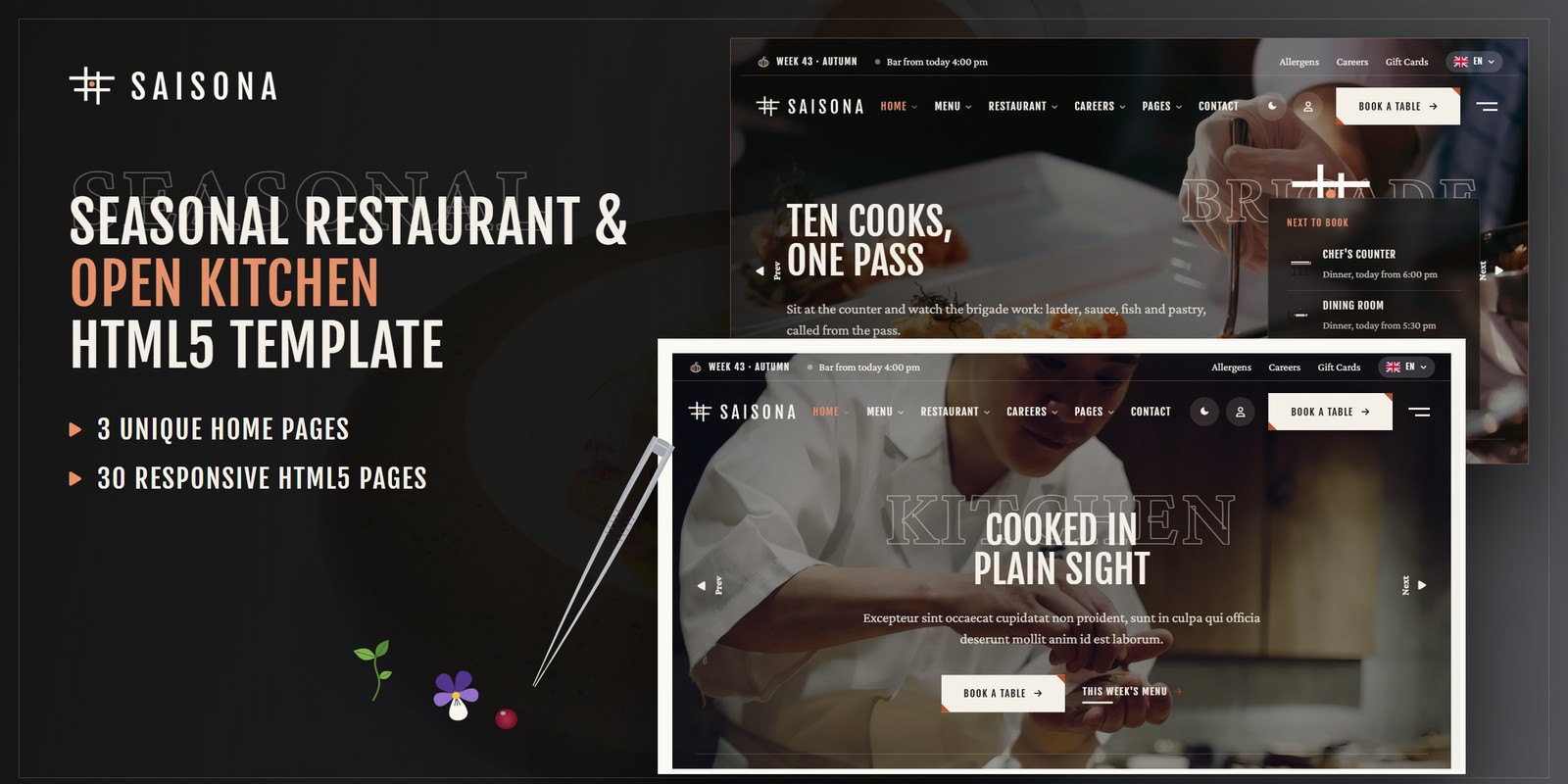
A precise, animated HTML template for seasonal restaurants with an open kitchen, in ink on ivory with night bands and a glaze-rust accent. Saisona ships three home pages, a light and a dark theme, right-to-left support, and restaurant logic that is worked out rather than typed in: an à la carte that changes by the week number and the season, a fourteen-allergen matrix with filters, booking by seating area with live seats per time slot, the kitchen’s day live, and careers that set every open role beside the person it works with.
What’s included
- 3 home pages, each with its own scroll moment: plates sliding along the pass from the kitchen to the dining room, the brigade lining up portrait by portrait, one ingredient staying put while the dishes made from it pass by
- The weekly à la carte: 67 dishes, each on for its own weeks of the year, with new-this-week and last-week marks; a week switcher, course, diet and free-from filters, search, and an order pad that totals the table
- The fourteen-allergen matrix for every dish of the week, with free-from filters
- Booking by seating area — chef’s counter, dining room, bar — in four steps with the seats left per slot; My Bookings with cancel
- The year in weeks: pick any week for its season, dates, produce at its peak and its menu
- Careers: open roles beside the brigade, filters and a four-step application
- Gift cards in four seasonal designs with a live card, a code and an expiry date
- Light and dark mode on one switch in every header, remembered between visits and applied before the page paints
- Right-to-left stylesheets and a flag language picker in every header
- WebGL Ceramic Glaze under the night bands and a plated dish in 2.5D in the footer, tilting in a moving light
- Tweezer Plating preloader, Counter Slide reveals, the ingredient line on hover, Swiper sliders, Fancybox
- Growers, the bar, the open kitchen, seating areas with a floor plan, gallery, journal with five post formats, FAQ with search, accounts, coming soon, 404
- Fully responsive, zero console errors
Getting Started
Thank you for choosing Saisona. Follow the steps below to get your site live.
1. Open locally
Unzip the downloaded package and open saisona/index.html in any modern browser (Chrome, Firefox, Edge,
Safari). No build tools or server are required — the menu, the allergen matrix, booking, gift cards and the footer’s
2.5D dish all work straight from the files.
2. Deploy to a server
Upload the contents of the saisona/ folder to your hosting provider using an FTP client (such as FileZilla)
or your hosting control panel. Once uploaded, navigate to your domain and the template will load immediately.
3. Customise
All custom styling lives in assets/css/style.css (with a numbered Table of CSS at the top) and
assets/css/responsive.css. Colours and fonts are controlled by CSS variables — see
Colors & Fonts. Dishes, allergens, seating areas, hours, the brigade and the open roles live
in one place — see Restaurant Logic.
assets/img/ with your own photography at the
same dimensions. The round plates in img/plates/ are PNG cut-outs on transparency, seen from above.
File Structure
Below is an overview of the key files and folders included in this template.
index.html / homepage-2.html / homepage-3.html | Three home pages: The Kitchen (plates slide along the pass), The Brigade on night (the brigade lines up portrait by portrait), The Season (one ingredient stays put while its dishes pass) |
menu.html / dish-details.html | This week’s à la carte by course with the week switcher, course / diet / free-from filters, search and the order pad; a dish with its weeks, allergens, station and grower |
allergens.html | The fourteen allergens against every dish of the week, with free-from filters |
season.html | The year in weeks: pick any of the 52 weeks for its season, dates, produce at its peak and its menu |
producers.html / bar.html | The growers and the ingredient of the week; the bar with its list and team |
reservation.html / account.html | Booking by seating area in four steps; My Bookings with cancel |
about.html / kitchen.html / spaces.html | About the restaurant; the open kitchen with the kitchen’s day live; the seating areas with a floor plan |
team.html / chef-details.html | The brigade by station with the open roles beside them; a profile |
careers.html / career-details.html / apply.html | Open roles with filters; a role; the four-step application |
gallery.html / gift-cards.html / faq.html | Gallery with filters and a lightbox; the gift card builder; questions with search |
blog.html / blog-details.html | The journal with five post formats; an article with reading time, share and comments |
contact.html | Contact cards with the live open status, the form, the map and the booking hours |
login.html / register.html / forgot-password.html | Account pages |
coming-soon.html / 404.html | Countdown to the garden terrace’s opening, error page |
sendmail.php | AJAX mail handler for the contact and comment forms (see Contact Form) |
assets/css/style.css | All custom styles, numbered Table of CSS (15 sections) |
assets/css/responsive.css | Desktop-first breakpoints 1399 / 1199 / 991 / 767 / 575, plus wide screens from 1600 and 1960 |
assets/css/style.rtl.css / responsive.rtl.css | The right-to-left twins (see RTL) |
assets/css/plugins/ | Bootstrap (LTR and RTL), Swiper, Fancybox (vendor CSS) |
assets/js/main.js | All custom scripts, numbered JS INDEX (36 blocks) |
assets/js/plugins/ | jQuery, Bootstrap, Swiper, Fancybox, GSAP, ScrollTrigger |
assets/img/ | Images, one folder per section (see Images) |
assets/fonts/theme-icons/ | The sun and moon of the theme switch, loaded locally |
assets/webfonts/ + assets/css/fontawesome-all.css | Font Awesome Free, loaded locally |
Folder Structure
The package unzips to two folders: Documentation/ (this guide) and saisona/, the template.
Every page sits in the template’s root; everything the pages load sits under assets/:
saisona/
├── *.html                              the 30 pages, all in the root (see File Structure)
├── sendmail.php                        the AJAX mail handler for the forms
└── assets/
    ├── css/
    │   ├── style.css                   all custom styles, numbered Table of CSS (15 sections)
    │   ├── style.rtl.css               the right-to-left twin of style.css
    │   ├── responsive.css              breakpoints 1399 / 1199 / 991 / 767 / 575
    │   ├── responsive.rtl.css          the right-to-left twin of responsive.css
    │   ├── fontawesome-all.css         Font Awesome Free, loaded locally
    │   └── plugins/                    vendor stylesheets (Bootstrap LTR + RTL, Swiper, Fancybox)
    ├── js/
    │   ├── main.js                     all custom scripts, numbered JS INDEX (36 blocks)
    │   └── plugins/                    jQuery, Bootstrap, GSAP, ScrollTrigger, Swiper, Fancybox
    ├── fonts/
    │   └── theme-icons/                the sun and moon of the theme switch
    ├── webfonts/                       Font Awesome Free font files
    └── img/                            images, one folder per section
        ├── banner/                      2 files
        ├── blog/                        6 files
        ├── dishes/                      31 files
        ├── faces/                       10 files
        ├── flags/                       6 files
        ├── hero/                        9 files
        ├── icons/                       60 files
        ├── kitchen/                     10 files
        ├── logo/                        5 files
        ├── menu/                        3 files
        ├── plates/                      15 files
        ├── rig/                         4 files
        ├── room/                        7 files
        ├── season/                      4 files
        ├── tall/                        6 files
        └── team/                        10 files
Colors & Fonts
The whole design is driven by CSS variables declared at the top of style.css. Change a token once and every
section, button and card updates. Colours used with transparency have an -rgb twin (for example
--sa-rust-rgb) — change both together.
--sa-ivory--sa-ink--sa-night-0--sa-stone--sa-surface--sa-rust--sa-rust-text--sa-rust-light--sa-text--sa-mutedIvory is the ground and ink the type, the frames and the buttons. Night is the dark bands (the pass, Home 2). Stone is the
tonal fields, chips and filters. Glaze rust is the small signal: the button corners, new-this-week flags, the current week
and season, the focus ring; rust text is its partner for small text on ivory, rust on night for dark grounds.
--sa-bg, --sa-surface, --sa-heading and --sa-text are the semantic names the
components use — the dark theme swaps those (see Light & Dark Mode).
Fonts
Two Google Fonts are loaded in the head of each page: Fjalla One (condensed capitals for the titles,
navigation, dish names and buttons) and Crimson Pro (the body, leads, and the big outlined “ghost”
words set behind the titles). Swap them by editing the Google Fonts link and the --sa-ff-head /
--sa-ff-body variables.
Logo
The logo is the week sign — four crossed strokes with a rust garnish dot in the middle — beside SAISONA in spaced
capitals. It ships as ready-made PNG files in assets/img/logo/:
logo.png— for light grounds: the docked header, the offcanvas, the footerlogo-light.png— over photographs and on night grounds, and in dark modemark.png/mark-light.png— the mark alone (the preloader plate, the two-column menu)favicon.png— the browser tab icon
Light & Dark Mode
Every header (and the mobile menu) has a theme switch. The choice is saved in the browser under the key
saisona-theme and applied by a one-line script in the <head> before the page paints. The switch
sets data-theme="dark" on the <html> tag.
--sa-bg--sa-surface--sa-stone--sa-heading--sa-text- Tokens — the dark values sit in one block,
[data-theme="dark"] { … }, right after:root. - Bands that stay dark — sections with the class
is-night(the pass, Home 2, the bar list) are night in both themes. A light card inside one takessa-on-light. - Icons — every illustrated icon ships in a day ink and a night ink; the right one shows by itself.
- Start dark — add
data-theme="dark"to the<html>tag of each page; the switch still works.
Restaurant Logic
The figures on every page come from one data block, JS block 04 Saisona Data near the top
of main.js (var SA). Edit it once and the menus, matrices, cards, slots and totals follow. Prices are in
US dollars; times are minutes after midnight (1080 = 6:00 pm); weekdays run 0 = Sunday to 6 = Saturday; weeks are ISO week
numbers (weeks start on Monday).
seasons / courses | The four seasons by week number (Spring weeks 10–22, Summer weeks 23–35, Autumn weeks 36–48, Winter weeks 49–9) and the five courses in menu order. |
dishes | Each dish: course, price, weeks: [first, last] (a window may cross a season’s edge or wrap the new year), ingredients, key ingredient, allergens (two-letter codes), diet (v, vg), station, photo and plate cut-out. |
allergens | The fourteen allergens and their codes, in the order of the matrix. |
ingredients / producers | The key ingredients with their peak weeks and grower; the growers with what they bring and the miles to the door. |
areas / hours | The seating areas with their seats, party sizes, covers per slot and services; the opening hours by service for “open now”. |
kitchenDay / stations / brigade / roles | The kitchen’s day step by step; the stations; the brigade by station; the open roles, each beside a member of the brigade. |
service / gift / rating | The service charge of the order pad, the gift card rules and the review score. |
The weekly à la carte
The menu of a week is every dish whose window holds the week number, in course order; a dish is marked New This Week in its first week and Last Week in its last. Across the year a week holds between 12 and 21 dishes (week 43: 19). The pages are drawn for the week they were built in; block 05 Week Engine redraws every week-dependent block for the visitor’s own week with the same renderers, so a dish appears and leaves on its weeks.
The order pad
Booking by seating area
| Chef's Counter | 10 seats, parties of 1 to 4, up to 4 covers a slot; Lunch Fri, Sat, 12:00 pm – 1:30 pm every 30 min; Dinner Tue, Wed, Thu, Fri, Sat, 6:00 pm – 9:00 pm every 30 min |
| Dining Room | 48 seats, parties of 1 to 8, up to 14 covers a slot; Lunch Wed, Thu, Fri, Sat, Sun, 12:00 pm – 2:00 pm every 30 min; Dinner Tue, Wed, Thu, Fri, Sat, 5:30 pm – 9:30 pm every 30 min |
| The Bar | 16 seats, parties of 1 to 4, up to 6 covers a slot; Afternoon Sun, 12:00 pm – 5:00 pm every 30 min; Evening Tue, Wed, Thu, Fri, Sat, 4:00 pm – 10:00 pm every 30 min |
Seats left in a slot = the slot’s covers minus the evening’s other bookings (a steady figure worked out from the
date, fuller on Friday and Saturday, so the demo looks lived-in) minus the tables booked from this browser. Replace
seatsLeft() in block 30 Table Booking with your own reservations. Continue
never blocks; Confirm checks everything and gives a reference, and the booking appears in My Bookings.
The kitchen’s day
| 7:30 am – 10:00 am | Deliveries & Larder — The growers arrive; stocks on, butchery, the larder is filled. |
| 10:00 am – 11:30 am | Mise En Place — Every station sets its garnishes, sauces and plates for the day. |
| 11:30 am – 12:00 pm | Family Meal — The brigade eats together; the head chef runs through the board. |
| 12:00 pm – 2:30 pm | Lunch Service — Tickets in, plates out across the pass. |
| 2:30 pm – 5:00 pm | Afternoon Prep — Doughs proved, pastry rolled, the evening garnishes picked. |
| 5:00 pm – 5:30 pm | Briefing — The week's dishes tasted, allergens checked, covers counted. |
| 5:30 pm – 10:00 pm | Dinner Service — The full brigade on, the counter full, the pass running. |
| 10:00 pm – 11:00 pm | Clean Down — Stations scrubbed, orders placed with the growers for the morning. |
Block 22 shows the step the brigade is on, what is open now, and each area’s next bookable service; a service step on a day without that service becomes prep time; Mondays are closed.
Careers
| Chef De Partie, Sauce | Full Time, $52,000 - $58,000 a year — beside Kenji Mori; closes in 21 days |
| Commis Chef, Larder | Full Time, $38,000 - $42,000 a year — beside Freya Lund; closes in 14 days |
| Pastry Commis | Full Time, $38,000 - $41,000 a year — beside Clara Weiss; closes in 28 days |
| Bartender | Part Time, $19 - $22 an hour + tips — beside Luca Bianchi; closes in 18 days |
| Floor Server | Full Time, $18 - $20 an hour + tips — beside Sofia Marin; closes in 10 days |
| Kitchen Porter | Full Time, $17 an hour — beside Elias Varga; closes in 30 days |
Gift cards
Set values $50, $75, $100, $150, $200, or your own amount from $25 to $500; four seasonal designs; by email (free) or printed by post ($4.50); valid 24 months from the day it is sent. Example: your own $60 by post = $64.50 (block 32).
Motion & WebGL
- Tweezer Plating (preloader) — tweezers set a pea shoot, a viola and a beetroot gel dot on a plate bearing the mark, then the plate slides away.
- Counter Slide (reveals) — add
sa-slideto a photo frame: the frame opens from one side while the photo slides in from the other.sa-riseon text gives a soft rise. - The pass (block 20), the line-up (block 24) and the ingredient (CSS
position: sticky) are moved by their own section’s travel; nothing pins the page. - The ingredient line — a card with
data-ing="…"types those words into its.ing-lineon hover. - Ceramic Glaze (block 10) — a slow speckled stoneware glaze under the night bands:
<canvas class="sa-gl" data-gl="glaze" aria-hidden="true">; it reads--gl-1,--gl-2,--gl-3and--gl-alpha. - The plated dish in 2.5D (block 23) — the footer’s plate cut-out is moved cell by cell by its depth map (the
data-depthdigits on the canvas) and shaded by a light that circles it; it follows the pointer. It runs in Canvas 2D, so it also works from the files. - Every animation respects
prefers-reduced-motion: content appears in its final state and the canvases show one still frame.
RTL (Right To Left)
Right to left comes from the stylesheets, not from separate pages: the language picker lists the languages that read left to
right and right to left. Choosing Arabic or Hebrew stores the direction (key saisona-dir) and reloads; the script
in <head> then sets dir="rtl" and swaps the three stylesheets for the files named in their
data-rtl attribute. Nothing is translated — you bring your own copy. To make a page right to left for good:
<html lang="ar" class="no-js" dir="rtl">assets/css/plugins/bootstrap.min.css | → assets/css/plugins/bootstrap.rtl.min.css |
assets/css/style.css | → assets/css/style.rtl.css |
assets/css/responsive.css | → assets/css/responsive.rtl.css |
style.rtl.css. After changing style.css, regenerate the twin with
npx rtlcss style.css style.rtl.css and copy the fixes block back.JavaScript Guide
All custom behaviour lives in assets/js/main.js, wrapped in a jQuery IIFE and organised into 36 numbered
blocks. Each block is a self-contained doSomething() function that skips pages where its section is not present:
- 01 — Preloader
- 02 — Sticky Header
- 03 — Offcanvas Menu
- 04 — Saisona Data
- 05 — Week Engine
- 06 — Scroll Reveals
- 07 — Back To Top
- 08 — Anchor Scroll
- 09 — Light & Dark Mode, Direction
- 10 — WebGL Textures
- 11 — Custom Select
- 12 — Hero Sliders
- 13 — Card Sliders
- 14 — Accordion
- 15 — Filter Tabs
- 16 — Grid Search
- 17 — Newsletter
- 18 — Choice Cards
- 19 — Ingredient Line
- 20 — The Pass
- 21 — Quick Booking
- 22 — Open Now & The Kitchen's Day
- 23 — Plated Dish In 2.5D
- 24 — The Brigade Lines Up
- 25 — Menu Page & Order Pad
- 26 — Allergen Matrix
- 27 — The Year In Weeks
- 28 — Step Forms
- 29 — Contact Form
- 30 — Table Booking
- 31 — Account Forms
- 32 — Gift Cards, Dish Status & Applications
- 33 — Article Tools
- 34 — Demo Forms
- 35 — Launch Countdown
- 36 — FAQ Search
Images
The download package ships with neutral placeholder images so you can see every layout at the correct dimensions.
Replace them with your own photos using the same file names. Images are grouped inside assets/img/:
img/banner/ | Wide page-title banners — 2 files: 2788×953 |
img/blog/ | Journal posts and wide plates — 6 files: 2772×1931, 1386×832, 2772×1663, 2817×1692 |
img/dishes/ | The dishes' photographs (cards, the dish page) — 31 files: 800×859, 800×800, 800×1209, 1382×1382, 1000×600, 571×381, … |
img/faces/ | Round faces of the brigade (bylines, quotes, role cards) — 10 files: 240×240 |
img/flags/ | The language picker’s flags (SVG, included) — 6 files: SVG |
img/hero/ | Hero slides and photo bands — 9 files: 3840×1312, 2772×1663, 3840×1311, 2781×3198, 2816×2668, 2772×1931, … |
img/icons/ | Illustrated line icons (seasons, seating areas, stations, the 14 allergens), each in a day and a night ink — 60 files: 256×256 |
img/kitchen/ | The brigade at work — 10 files: 2191×3840, 529×352, 2772×1663, 800×758, 2781×2635, 828×399, … |
img/logo/ | Logo, light logo, the mark and the favicon — 5 files: 694×129, 208×177, 64×64 |
img/menu/ | Home previews in the mega menu — 3 files: 560×420 |
img/plates/ | Round plates cut out on transparency (the pass, the plate rows, the footer’s 2.5D dish) — 15 files: 640×640, 817×817 |
img/rig/ | The preloader’s tweezers and its three garnishes — 4 files: 90×90, 160×160, 140×140, 96×640 |
img/room/ | The dining room, the bar and the terrace — 7 files: 2772×1663, 800×1143, 2687×3840, 1984×1280, 2779×2275, 745×496 |
img/season/ | Produce and growers — 4 files: 1000×600, 1317×634, 817×545, 2772×1663 |
img/tall/ | Tall plate photographs for the gallery — 6 files: 800×1391 |
img/team/ | The brigade’s portraits — 10 files: 800×1209, 1021×1543 |
The logo files, the illustrated icons, the preloader’s tweezers and garnishes and the language flags are included and ready to use. All demo photography shown on the live preview is for preview purposes only and is not included in the download.
Contact Form
The contact forms and the comment form post to sendmail.php, a lightweight AJAX mail handler. The newsletter,
booking, gift card, application and account forms confirm on screen and are ready to connect to your own systems. To activate
the mail handler:
1. Set your email address
$email = 'example@example.com';2. Upload to a PHP host
The form needs a server with PHP mail() support. Opened from your computer, it shows an “upload to a
PHP-enabled host” notice instead.
3. Optional: enable Google reCAPTCHA v3
- Create v3 keys for your domain in the Google reCAPTCHA admin console
- In
sendmail.php, replaceYOUR_RECAPTCHA_V3_SECRET_KEYwith your secret key - Add a hidden token field inside the form and load the reCAPTCHA script with your site key before
</body>:
<input type="hidden" name="g-recaptcha-response" id="g-recaptcha-response">

<script src="https://www.google.com/recaptcha/api.js?render=YOUR_SITE_KEY"></script>
<script>
  grecaptcha.ready(function () {
    grecaptcha.execute('YOUR_SITE_KEY', { action: 'contact' }).then(function (token) {
      document.getElementById('g-recaptcha-response').value = token;
    });
  });
</script>
Credits
- Bootstrap 5.3.3
- jQuery 3.7.1
- Swiper 11
- GSAP 3 + ScrollTrigger
- Fancybox 3.5
- Font Awesome Free
- RTLCSS
- Google Fonts: Fjalla One, Crimson Pro
All plugin files and icon fonts are loaded locally. The only external requests are the Google Fonts stylesheet, the Google Maps embeds and the video popups.
Support
If you have any questions or need help with the template, please reach out through the marketplace where you purchased the template: open the item there and send us your question from its support page. We aim to respond within 24–48 hours.