Overview
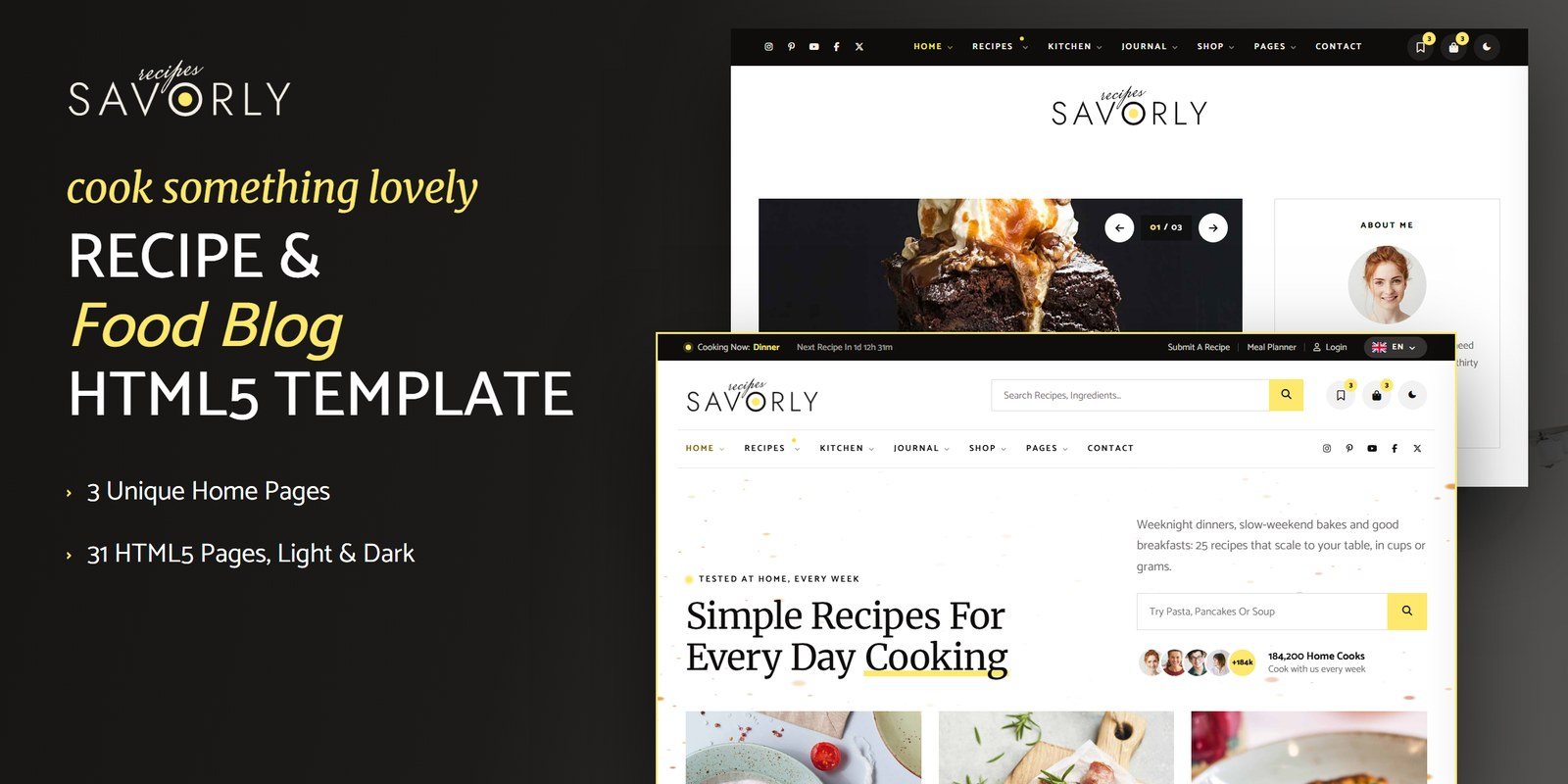
Savorly is a friendly, animated HTML5 template for recipe blogs, food bloggers and cooking magazines. Merriweather headlines and Catamaran text make every recipe easy to follow at the stove. Underneath, it runs real kitchen logic. Every recipe rescales to the servings and converts between US and metric measures. Timed steps start kitchen timers that keep counting across pages. A meal planner turns the week into a shopping list grouped by aisle. It ships with light and dark mode, right-to-left support and WebGL layers - spice dust drifting at the edges and a whisk drawn in light in the footer.
What’s included
- 31 HTML pages, 3 unique home page designs
- Light and dark mode on one switch, remembered between visits, with no flash on load
- Right-to-left stylesheets and a language picker that turns any page around
- WebGL layers tinted by the theme colours: spice dust and a whisk
- Real kitchen logic from one data block: scaling, unit conversion, timers, meal plans and shopping lists
- Kitchen timers that keep counting across pages and chime at zero
- Three scroll moments that never pin the page
- prefers-reduced-motion support for accessibility
- CSS-variable design tokens for both themes
- Working PHP form handler with optional invisible reCAPTCHA v3
- Fully responsive, zero console errors
- Well-commented code with a numbered JS index
- Documentation included
Getting Started
Thank you for choosing Savorly. Follow the steps below to get your site live.
1. Open locally
Unzip the package and open savorly/index.html in any modern browser (Chrome, Firefox, Edge, Safari). No build tools or server are required — every engine on the site works straight from the files.
2. Deploy to a server
Upload the contents of the savorly/ folder to your hosting with an FTP client (such as FileZilla) or your hosting control panel. Open your domain and the template loads at once.
3. Customise
Custom styles live in assets/css/style.css and assets/css/responsive.css. Colours and fonts are CSS variables — see Colors & Fonts. Prices, hours and items live in one data block in assets/js/main.js (module 09, Recipe Data) — see JavaScript Guide.
File Structure
404.html | 404 Error |
about.html | About Us |
author-details.html | Cook Profile |
blog-details.html | Journal Details |
blog.html | Journal |
cart.html | Cart |
categories.html | Recipe Categories |
checkout.html | Checkout |
coming-soon.html | Coming Soon |
contact.html | Contact |
faq.html | FAQ |
favourites.html | Saved Recipes |
forgot-password.html | Forgot Password |
gallery.html | Gallery |
homepage-2.html | Home 02 |
homepage-3.html | Home 03 |
index.html | Home 01 |
kitchen-tools.html | Kitchen Tools |
login.html | Login |
meal-planner.html | Meal Planner |
product-details.html | Product Details |
recipe-details.html | Recipe Details |
recipes.html | All Recipes |
register.html | Register |
service-details.html | Service Details |
services.html | Work With Us |
shop.html | Shop |
submit-recipe.html | Submit A Recipe |
team.html | Our Cooks |
videos.html | Cooking Videos |
wishlist.html | Wishlist |
Folder Structure
savorly/
├── *.html  (the pages)
├── sendmail.php
├── documentation/
└── assets/
    ├── css/  fontawesome-all.css, plugins, responsive.css, responsive.rtl.css, style.css, style.rtl.css
    ├── fonts/  theme-icons
    ├── img/  faces, flags, food, icons, logo, menu, press, recipes, shop
    ├── js/  main.js, plugins
    └── webfonts/  fa-brands-400.ttf, fa-brands-400.woff2, fa-regular-400.ttf, fa-regular-400.woff2, fa-solid-900.ttf, fa-solid-9
Colors & Fonts
The design is driven by CSS variables declared at the top of style.css. Change a token once and every section, button and card updates.
--sv-butter--sv-butter-deep--sv-ink--sv-ink-deep--sv-paprika--sv-turmeric--sv-product--sv-bg--sv-surface--sv-mist--sv-cream--sv-heading--sv-text--sv-muted--sv-line--sv-line-2Fonts
Catamaran and Merriweather are loaded from Google Fonts in the <head> of every page. To change a font, replace the Google Fonts link and the font variables in style.css.
Light & Dark Mode
Every header (and the mobile menu) has a theme switch. The choice is saved in the browser under the key savorly-theme and applied by a one-line script in the <head> before the page paints, so a visitor never sees a flash. The switch sets data-theme on the <html> tag.
- Tokens — the other theme’s colours sit in their own
[data-theme]block right after:rootinstyle.css. Change a colour there. - WebGL layers — the layers read their colours from CSS custom properties (
--gl-1to--gl-3,--gl-alpha), so a theme change repaints them. - Start in the other theme — add
data-theme="dark"to a page’s<html>tag; the switch still works and is still remembered.
RTL (Right To Left)
Savorly is RTL-ready: the layout, the sliders and the animations mirror. The language picker beside the theme switch lists left-to-right and right-to-left languages. Choosing a right-to-left one stores the language and the direction (keys savorly-lang and savorly-dir) and reloads; the script in <head> then sets dir="rtl" and swaps three stylesheets for the files in their data-rtl attribute. Nothing is translated — you bring your own copy. To make a page right to left for good:
1. Set The Direction
<html lang="en" class="no-js" dir="rtl">2. Swap Three Stylesheets
assets/css/plugins/bootstrap.min.css | → assets/css/plugins/bootstrap.rtl.min.css |
assets/css/style.css | → assets/css/style.rtl.css |
assets/css/responsive.css | → assets/css/responsive.rtl.css |
style.rtl.css and responsive.rtl.css are mirrored twins of the LTR files, made with RTLCSS. If you change style.css, regenerate the twin with npx rtlcss style.css style.rtl.css.JavaScript Guide
All custom behaviour lives in assets/js/main.js, split into numbered modules listed in the index at the top of the file. Plugins are in assets/js/plugins/ and load before it. Module 09 (Recipe Data) is the one data block the pages and engines read: change a price, an hour or an item there and every page that shows it follows.
01 | Preloader |
02 | Sticky Header |
03 | Offcanvas Menu |
04 | Scroll Reveals |
05 | Back To Top |
06 | Anchor Scroll |
07 | Light & Dark Mode, Direction |
08 | WebGL Textures |
09 | Recipe Data |
10 | Kitchen Clock |
11 | Custom Select |
12 | Counters & Rings |
13 | Hero Sliders |
14 | Card Sliders |
15 | Accordion |
16 | Filter Tabs |
17 | Grid Search |
18 | Newsletter |
19 | Saved Recipes |
20 | Scroll Moments |
21 | Recipe Engine |
22 | Kitchen Timers |
23 | Unit Converter |
24 | Meal Planner & Shopping List |
25 | Recipe Filters & Search |
26 | Submit A Recipe |
27 | Contact Form |
28 | Shop |
29 | Account Forms |
30 | Article Tools |
31 | Demo Forms |
32 | Launch Countdown |
33 | FAQ Search |
Images
The package ships with placeholder images at their real dimensions. Replace them with your own photos using the same file names, or update the src attributes. Images are grouped inside assets/img/:
img/faces/ | 8 files: 123×123, 96×96, 78×78, 80×80, 132×133, 82×82 |
img/flags/ | 6 files: SVG |
img/food/ | 56 files: 1300×911, 1300×883, 1300×910, 1300×914, 1300×1657, 1300×925 |
img/icons/ | 36 files: 128×128 |
img/logo/ | 3 files: 64×64, 415×112, 417×112 |
img/menu/ | 3 files: 560×350 |
img/press/ | 12 files: 603×90, 845×90, 672×90, 607×90, 497×90, 294×90 |
img/recipes/ | 25 files: 1300×1657, 1300×913, 1300×910, 1300×1721, 1300×900, 1300×767 |
img/shop/ | 15 files: 900×1124, 600×749 |
Contact Form
The contact form posts to sendmail.php, a lightweight AJAX mail handler; the success or error message appears under the button without a reload. The other forms on the site are demo forms: they confirm on screen and are ready to connect to your own systems.
1. Set your email address
$email = 'example@example.com';2. Upload to a PHP host
The form needs a server with PHP mail() support (virtually every shared host). It will not send from your own computer.
3. Optional: enable Google reCAPTCHA v3
Invisible reCAPTCHA v3 is built into the handler and stays dormant until the form sends a token. Create v3 keys in the reCAPTCHA admin console, replace YOUR_RECAPTCHA_V3_SECRET_KEY in sendmail.php, and load the reCAPTCHA script with your site key on the contact page.
Credits
This template is built with the following open-source libraries and resources.
- Bootstrap 5.3.3
- jQuery 3.7.1
- Swiper 11
- GSAP 3 + ScrollTrigger
- Fancybox 3.5
- Font Awesome Free
- RTLCSS
- Google Fonts: Catamaran, Merriweather
All plugin files and icon fonts are loaded locally. The only external requests are the Google Fonts stylesheet, map embeds and video popups.
Support
Questions or help with the template? Contact us at metropolitanhost.com. We answer the same business day, 9am–6pm ET.