Overview
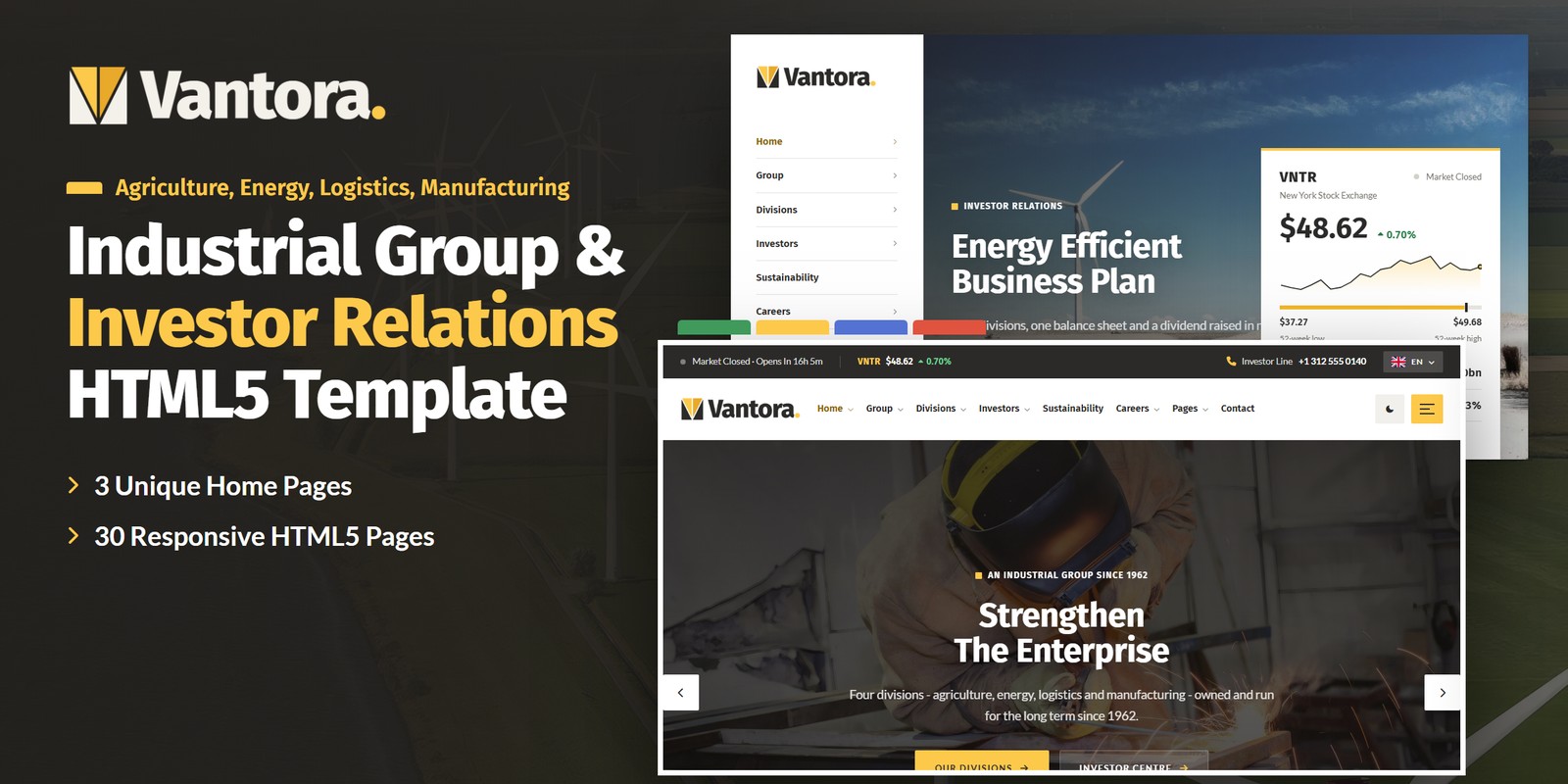
An animated HTML template for industrial groups, holding companies and conglomerates and their investor relations. Vantora presents a group of four divisions — agriculture, energy, logistics and manufacturing — with figures that are worked out rather than typed in: every division’s revenue, margin, growth and share of the group by year, the share price for any range, what a holding is worth with its dividends, the financial calendar from today’s date and the sustainability measures against their 2030 targets.
What’s included
- 3 home pages, each with its own layout and scroll moment: The Group (the year’s revenue splits into the four divisions), Investors on a side rail (the annual-report covers fan out by year) and Sustainability & People on a boxed page (the emissions bars fall year by year)
- Divisions explorer on folder tabs, and a divisions page whose year switch repaints every figure
- Share price chart with 1M / 6M / 1Y / 5Y ranges, a crosshair read-out, sparklines and a live market status in every header
- Return calculator (an amount or a number of shares, the month bought) with the dividends paid since, and the close on any day
- Financial calendar worked out from rules and today’s date: countdown, filters, past events and calendar (.ics) downloads
- Reports archive with filters and search, governance with the board and committees, ESG data against 2030 targets
- Careers by division with filters, search and a four-step application; a shareholder account valued at the last close
- Light and dark mode, right-to-left stylesheets with a flag language picker
- WebGL Isobars in the bands and the footer’s group block assembled from Penrose tiles
- Block Merge preloader, Tab Pull reveals, word-rise titles, Swiper sliders and Fancybox video popups
- Fully responsive, with zero console errors
Getting Started
Thank you for choosing Vantora. Follow the steps below to get your site live.
1. Open locally
Unzip the downloaded package and open vantora/index.html in any modern browser (Chrome, Firefox, Edge,
Safari). No build tools or server are required — the charts, the calculator, the calendar, the filters and the
application form all work straight from the files.
2. Deploy to a server
Upload the contents of the vantora/ folder to your hosting provider using an FTP client (such as FileZilla)
or your hosting control panel. Once uploaded, navigate to your domain and the template will load immediately.
3. Customise
All custom styling lives in assets/css/style.css (with a numbered Table of CSS at the top) and
assets/css/responsive.css. Colours and fonts are controlled by CSS variables — see
Colors & Fonts. The divisions, the share prices, dividends, reports, calendar rules,
sustainability measures, jobs, people, projects and sites live in one place — see Group & Investor Logic.
assets/img/ with your own photography at the
same dimensions for the best result. The round process photos are square; keep them square.
File Structure
Below is an overview of the key files and folders included in this template.
index.html / homepage-2.html / homepage-3.html | Three home pages: The Group (Revenue Split), Investors on a side rail (Report Fan), Sustainability & People on a boxed page (Emissions Fall) |
about.html / history.html | The group: who we are, values, revenue by division; the timeline since 1962 |
leadership.html / leader-details.html | The executive committee and the board; a leader’s profile with the division they run |
operations.html | Every site by division, with search and a map that follows the chosen site |
faq.html | Questions by topic with search |
divisions.html / division-details.html | The divisions explorer with a year switch and the five-year table; one division with its units, bars, projects and roles |
projects.html / project-details.html | Projects with division filters; a project with its gallery and facts |
investors.html | Investor overview: the share card, the chart, the full-year figures, the calendar and the dividend |
share-price.html | The share chart (1M / 6M / 1Y / 5Y), key data, the close on a day, the return calculator and the dividend history |
reports.html | The latest annual report and the archive with type filters and search |
financial-calendar.html | The next event with a countdown, upcoming and past events with type filters and calendar files |
governance.html | The board, the four committees and the governance documents |
sustainability.html | Six measures against their 2030 targets, year by year, with the ESG table |
careers.html / job-details.html | Roles by division with filters and search; a role with the four-step application |
blog.html / blog-details.html | News in five post formats with a sidebar; an article with comments |
contact.html | Contact cards, the map and the contact form |
account.html / login.html / register.html / forgot-password.html | The shareholder account (holding, value, dividends, documents, alerts) and its sign-in pages |
coming-soon.html / 404.html | Countdown to the investor app, error page |
sendmail.php | AJAX mail handler for the contact form (see Contact Form) |
assets/css/style.css | All custom styles, numbered Table of CSS (17 sections) |
assets/css/responsive.css | Desktop-first breakpoints 1399 / 1199 / 991 / 767 / 575, plus wide screens from 1200 (the rail and the boxed page), 1600 and 1960 |
assets/css/style.rtl.css / responsive.rtl.css | The right-to-left twins (see RTL) |
assets/css/plugins/ | Bootstrap (LTR and RTL), Swiper, Fancybox (vendor CSS) |
assets/js/main.js | All custom scripts, numbered JS INDEX (38 blocks) |
assets/js/plugins/ | jQuery, Bootstrap, Swiper, Fancybox, GSAP, ScrollTrigger |
assets/img/ | Images, one folder per division or use (see Images) |
assets/fonts/theme-icons/ | The sun and moon of the theme switch, loaded locally |
assets/webfonts/ + assets/css/fontawesome-all.css | Font Awesome Free, loaded locally |
Folder Structure
The package unzips to two folders: Documentation/ (this guide) and vantora/, the template.
Every page sits in the template’s root; everything the pages load sits under assets/:
vantora/
├── *.html                              the 30 pages, all in the root (see File Structure)
├── sendmail.php                        the AJAX mail handler for the contact form
└── assets/
    ├── css/
    │   ├── style.css                   all custom styles, numbered Table of CSS
    │   ├── style.rtl.css               the right-to-left twin of style.css
    │   ├── responsive.css              breakpoints 1399 / 1199 / 991 / 767 / 575
    │   ├── responsive.rtl.css          the right-to-left twin of responsive.css
    │   ├── fontawesome-all.css         Font Awesome Free, loaded locally
    │   └── plugins/                    vendor stylesheets
    │       ├── bootstrap.min.css
    │       ├── bootstrap.rtl.min.css   Bootstrap for right-to-left pages
    │       ├── jquery.fancybox.min.css
    │       └── swiper-bundle.min.css
    ├── js/
    │   ├── main.js                     all custom scripts, numbered JS INDEX (38 blocks)
    │   └── plugins/                    vendor scripts
    │       ├── bootstrap.bundle.min.js
    │       ├── gsap.min.js
    │       ├── jquery-3.7.1.min.js
    │       ├── jquery.fancybox.min.js
    │       ├── ScrollTrigger.min.js
    │       └── swiper-bundle.min.js
    ├── fonts/
    │   └── theme-icons/                the sun and moon of the theme switch
    ├── webfonts/                       Font Awesome Free font files
    └── img/                            images, one folder per division or use
        ├── agri/                        10 files
        ├── energy/                      15 files
        ├── flags/                       6 files
        ├── icons/                       44 files
        ├── logistics/                   11 files
        ├── logo/                        4 files
        ├── manufacturing/               14 files
        ├── menu/                        3 files
        ├── people/                      6 files
        └── team/                        10 files
To publish the site, upload the contents of vantora/ to your web root. Photos keep their folder,
file name and size when you replace them, so no page needs editing.
Colors & Fonts
The whole design is driven by CSS variables declared at the top of style.css. Change a token once and every
section, button and card updates. Colours used with transparency have an -rgb twin (for example
--vo-yellow-rgb) — change both together.
--vo-yellow--vo-amber--vo-ink--vo-night--vo-bg--vo-stone--vo-heading--vo-text--vo-agri--vo-energy--vo-logi--vo-mfgYellow fills the buttons, the folder tabs, the number badges, the CTA band and the rule under every title, always with
ink text on it. Amber is yellow’s partner for small text on light grounds. Ink is the headings and the top bar,
night the footer and the one dark band on a page. White and stone alternate as the section grounds. The four division
colours mark the charts, the tags and the explorer. --vo-bg, --vo-surface,
--vo-heading and --vo-text are the semantic names the components use — the dark theme swaps
those (see Light & Dark Mode).
Fonts
Two Google Fonts are loaded in the head of each page: Fira Sans (headings, navigation and every figure,
with even-width numerals so columns of numbers line up) and Lato (body text, buttons and labels). Swap
them by editing the Google Fonts link and the --vo-ff-head / --vo-ff-body variables.
Logo
The logo is the Vantora block — a square of four tiles, two ink wedges and a V folded into a light and a deep yellow
facet — beside the name in Fira Sans with a yellow full stop. It ships as ready-made PNG files in
assets/img/logo/:
logo.png— for light grounds: the headerslogo-light.png— for dark grounds: the footer, dark modemark.png— the block alone, on the report coversfavicon.png— the browser tab icon
The logo’s lettering appears only inside the images. To use your own logo, replace these files; the header sizes the logo by its height, so a wider or narrower file needs no CSS change.
Light & Dark Mode
Every header (and the mobile menu) has a theme switch. The choice is saved in the browser under the key
vantora-theme and applied by a one-line script in the <head> before the page paints, so a
dark visitor never sees a light flash. The switch sets data-theme="dark" on the <html> tag.
--vo-bg--vo-surface--vo-stone--vo-heading- Tokens — the dark values sit in one block,
[data-theme="dark"] { … }, right after:rootinstyle.css. Change a dark colour there. - Bands that stay dark — sections with the class
is-night(the calendar band, the KPI band, the footer) are dark in both themes. A light card placed inside one takesvo-on-lightto keep its own ink. - Charts — the share chart and the sparklines read their colours from the theme and repaint on the switch.
- Illustrated icons — each icon ships in an ink and an ivory version; the right one shows by theme and ground on its own.
Group & Investor Logic
The figures on every page come from one data block, JS block 09 Group Data near the
top of main.js (var VANTORA). Edit it once and the cards, charts, tables and totals follow.
Money is in US dollars; revenue and EBITDA are in billions.
group | Name, ticker, exchange, the fiscal years the divisions cover (2021–2025), shares in issue, earnings per share, net debt, capex and free cash flow by year. The group’s revenue and EBITDA are the sums of the divisions’. |
market | The exchange’s session: its time zone (America/New_York), opening and closing minute and trading days. Every header’s “Market Open / Closed” line reads it. |
divisions | Each division’s revenue and EBITDA by year, people, sites, countries, its colour, photographs and business units. |
share | Closing prices: daily (one year of trading days) and weekly (five years of Friday closes), both ending on asOf. Replace them with your own closes — the chart, the key data, the calculator and the account update. |
dividends | Interim and final dividend per share by fiscal year. Their ex-dates and payment dates come from the calendar rules below. |
calendar | The financial calendar as rules (below): the pages work out the dates from today, so the calendar never goes stale. |
reports | Annual, sustainability and half-year reports and results presentations: year, title, date, pages, size and cover photo. |
esg | Six sustainability measures by year from the 2019 baseline, with the 2030 target and whether lower or higher is better. |
people / board / crew | The executive committee, the board with its committees, and the people on site. |
jobs / projects / sites | Open roles (division, place, type, pay, days since posted), projects with their headline figure, and every site with its city for the map. |
The financial calendar’s rules
| Full-Year Results & Annual Report | the last Thursday of February |
| First-Quarter Results | the last Thursday of April |
| Annual General Meeting | the first Thursday of May |
| Final Dividend Ex-Date | the first Thursday of May, plus 14 days |
| Final Dividend Payment | the first Thursday of May, plus 29 days |
| Capital Markets Day | the second Wednesday of June |
| Half-Year Results | the last Thursday of July |
| Interim Dividend Ex-Date | the second Thursday of September |
| Interim Dividend Payment | the last Friday of September |
| Third-Quarter Results | the last Thursday of October |
Worked examples
((value + dividends) / cost)1 / years − 1.The application form (block 34 Apply Wizard) lets Continue move on freely and checks the required fields only on Send. It and the alert sign-ups confirm on screen — connect them to your own systems.
WebGL & Canvas
One small WebGL shader, Isobars, draws slow pressure systems as contour lines in the photo bands, the page titles, the yellow CTA band, the night bands and the footer. Each is one canvas:
<canvas class="vo-gl" data-gl="isobars" aria-hidden="true"></canvas>- Colours — the layer reads its ground, line and accent colours and an opacity from CSS variables
on its canvas or section:
--gl-1,--gl-2,--gl-3and--gl-alpha. The theme switch repaints them. - Performance — a layer only runs while its section is on screen and the tab is visible. Visitors who prefer reduced motion get one still frame.
- The footer’s block — a Canvas 2D drawing (
data-penrose): a Penrose tiling clipped to the Vantora block, assembled when the footer comes into view. - Remove one — delete the canvas; nothing else depends on it.
RTL (Right To Left)
Vantora is RTL-ready: the layout with its paddings and margins, the side rail, the sliders and the animations all mirror.
Right to left comes from the stylesheets, not from separate pages: the language picker (a flag and a code) lists the
languages that read left to right and right to left. Choosing Arabic stores the language and the direction (keys
vantora-lang and vantora-dir) and reloads; the one-line script in <head> then sets
dir="rtl" and swaps the three stylesheets for the files named in their data-rtl attribute before
the page paints. Nothing is translated — you bring your own right-to-left copy. To make a page right to left for good:
1. Set The Direction
<html lang="en" class="no-js" dir="rtl">2. Swap Three Stylesheets
assets/css/plugins/bootstrap.min.css | → assets/css/plugins/bootstrap.rtl.min.css |
assets/css/style.css | → assets/css/style.rtl.css |
assets/css/responsive.css | → assets/css/responsive.rtl.css |
Charts keep time running left to right and figures keep their order, as financial charts do in every language.
style.rtl.css and responsive.rtl.css are mirrored
twins of the LTR files, made with RTLCSS. A few hand-made rules at the end of style.rtl.css (after
RTL fixes) keep what must not mirror. If you change style.css, regenerate the twin with
npx rtlcss style.css style.rtl.css and copy the RTL fixes block back to its end.JavaScript Guide
All custom behaviour lives in assets/js/main.js, wrapped in a jQuery IIFE and organised into 38 numbered
blocks (see the JS INDEX comment at the top of the file):
- Core (blocks 01, 02, 03, 04, 05, 06, 07, 08) — Preloader, Sticky Header, Offcanvas Menu, Scroll Reveals, Back To Top, Anchor Scroll, Light & Dark Mode, Direction, WebGL Isobars. What every page shares: the Block Merge intro (once a visit), the header, the Tab Pull and word-rise reveals, the theme and direction switch and the Isobars WebGL layer.
- Group logic (blocks 09, 10, 22, 23, 24, 25, 28, 30, 31, 33, 34) — Group Data, Market Clock, Share Engine, Share Price Chart, Data Bars, Financial Calendar, Divisions By Year, Operations Map, Return Calculator, Shareholder Account, Apply Wizard. The data block and the engines that read it: the market clock, the share series, chart, calculator and account, the financial calendar, the divisions by year, the operations map and the apply wizard.
- Signature moments (blocks 19, 26, 27, 20) — Revenue Split, Report Fan, Emissions Fall, Penrose Block. The three homes’ scroll moments and the footer’s Penrose block.
- Components (blocks 11, 12, 13, 14, 15, 16, 17, 18, 21, 29, 32, 35, 36, 37, 38) — Custom Select, Hero Sliders, Card Sliders, Accordion, Filter Tabs, Grid Search, Investor Alerts, Folder Tabs, Current Year, Contact Form, Account Forms, Article Tools, Demo Forms, Launch Countdown, FAQ Search. Selects, sliders, tabs, accordions, filters, search and the forms.
Each block is a self-contained doSomething() function that safely skips pages where its section is not
present — you can delete any block you do not need. Every animation respects prefers-reduced-motion
automatically: content appears in its final state and the scrubbed scenes rest at their end.
vo-pull to a card or panel so it slides up from behind its own foot
with a yellow folder tab first, vo-words to a title so its words rise, vo-fade to text so it fades
up, and vo-rule for the yellow rule under a title. data-delay="0.2" staggers any of them.data-start, data-share and data-rel; Report Fan fans the .fan-cover
items; Emissions Fall reads each year’s data-v and the baseline’s data-base. None of them
pins the page.vantora-intro in session storage). Delete the .vo-preloader element to remove it.Images
The download package ships with neutral placeholder images so you can see every layout at the correct dimensions.
Replace them with your own photos using the same file names, or update the src attributes. Images are
grouped inside assets/img/:
img/agri/ | Agriculture: fields, farmers, the terminal, the seed laboratory and the round process photos — 10 files: 400×400, 1300×800, 704×704, 2809×1611, 2417×1487, 2817×1933, … |
img/energy/ | Energy: wind, solar, the refinery and the round process photos — 15 files: 1300×800, 2817×1933, 1300×892, 2817×1734, 1406×2219, 400×400, … |
img/flags/ | The language picker’s flags (SVG, included) — 6 files: SVG |
img/icons/ | Illustrated line icons, each in an ink and an ivory version — 44 files: 128×128 |
img/logistics/ | Logistics: ships, ports, rail, the truck yard — 11 files: 2817×1933, 1536×780, 2367×2441, 1408×1452, 1300×892, 2816×1901, … |
img/logo/ | Logo, light logo, the block mark and the favicon — 4 files: 64×64, 505×100, 506×100, 256×256 |
img/manufacturing/ | Manufacturing: welding, cutting, machining and the round process photos — 14 files: 2809×1611, 1920×1100, 400×400, 2809×1609, 704×704, 1651×846, … |
img/menu/ | Home previews in the mega menu — 3 files: 560×350 |
img/people/ | Meetings, handshakes and engineers at work (banners, the account and the pillars) — 6 files: 2809×1609, 800×615, 800×825, 1382×853 |
img/team/ | Square portraits of the executive committee and the people on site — 10 files: 600×604 |
The logo files, the illustrated icons and the language flags are included and ready to use. The report covers are drawn in HTML from a photograph and the report’s title, so a new report needs only a photo. All demo photography shown on the live preview is for preview purposes only and is not included in the download.
Contact Form
The contact form posts to sendmail.php, a lightweight AJAX mail handler. The success
or error message appears under the button without reloading the page. The investor alerts, comment, application, email alert, login, register and forgot-password forms are demo forms: they confirm
on screen and are ready to connect to your own systems. To activate the mail handler on your server:
1. Set your email address
Open sendmail.php and replace the placeholder recipient at the top of the file with your own address:
$email = 'example@example.com';2. Upload to a PHP host
The form needs a server with PHP mail() support (virtually every shared host). It will not send from your
local computer or from a static-only host — there the form shows a friendly “upload to a PHP-enabled
host” notice instead.
3. Optional: enable Google reCAPTCHA v3
Invisible reCAPTCHA v3 spam protection is already built into the handler. It stays dormant until the form submits a token — that is why no badge or checkbox appears out of the box. To switch it on:
- Create v3 keys (a site key and a secret key) for your domain in the Google reCAPTCHA admin console
- In
sendmail.php, replaceYOUR_RECAPTCHA_V3_SECRET_KEYwith your secret key - In
contact.html, add a hidden token field inside the form and load the reCAPTCHA script with your site key just before</body>:
<!-- inside the form -->
<input type="hidden" name="g-recaptcha-response" id="g-recaptcha-response">

<!-- before the closing </body> tag -->
<script src="https://www.google.com/recaptcha/api.js?render=YOUR_SITE_KEY"></script>
<script>
  grecaptcha.ready(function () {
    grecaptcha.execute('YOUR_SITE_KEY', { action: 'contact' }).then(function (token) {
      document.getElementById('g-recaptcha-response').value = token;
    });
  });
</script>
Once the token field is present, sendmail.php verifies every submission with Google and rejects low-score
(bot) requests.
Credits
This template is built using the following open-source libraries and resources.
- Bootstrap 5.3.3
- jQuery 3.7.1
- Swiper 11
- GSAP 3 + ScrollTrigger
- Fancybox 3.5
- Font Awesome Free
- RTLCSS
- Google Fonts: Fira Sans, Lato
All plugin files and icon fonts are loaded locally. The only external requests are the Google Fonts stylesheet, the Google Maps embeds and the video popups.
Support
If you have any questions or need help with the template, please reach out through the marketplace where you purchased the template: open the item there and send us your question from its support page. We aim to respond within 24–48 hours.